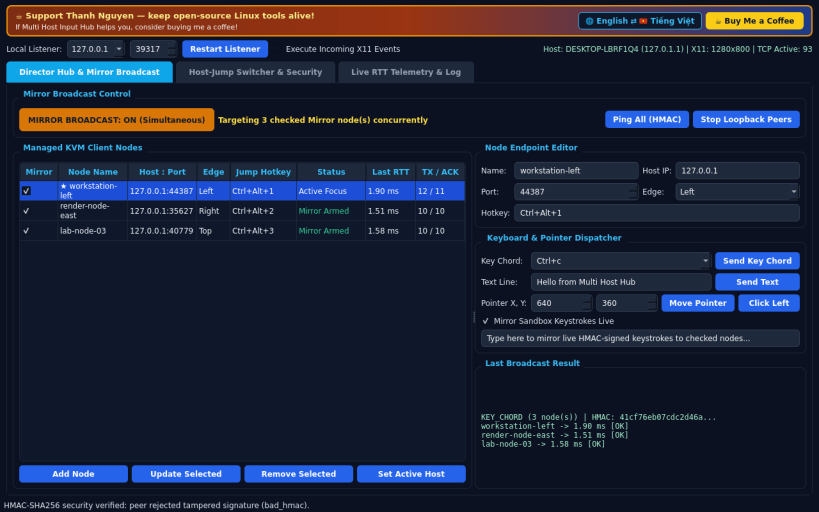
A Linux multi-host KVM console inspired by Input Director for sharing keyboard and pointer events across networked Linux hosts. Disclaimer: Independent open-source Linux project, not affiliated with, sponsored by, or endorsed by Input Director.
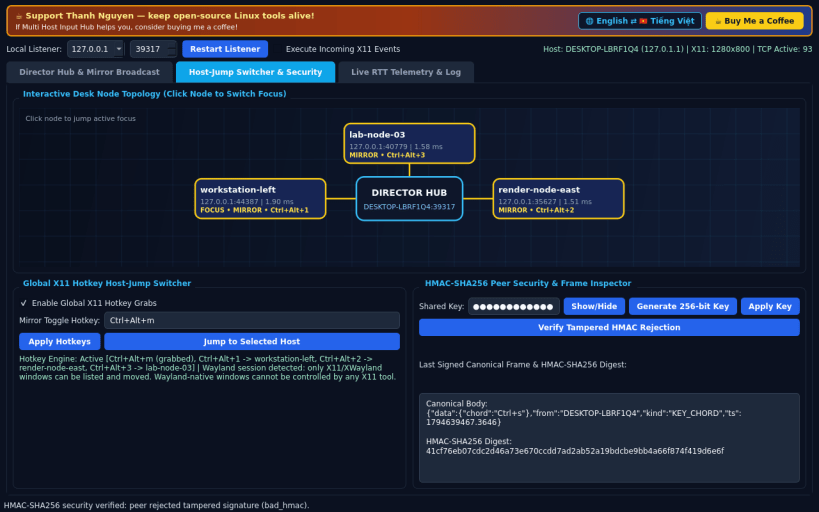
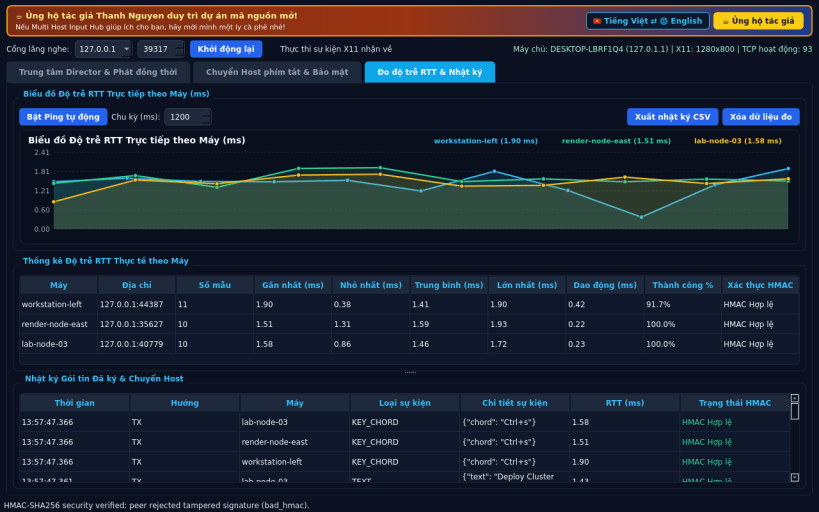
FEATURES • Director Hub & Mirror Broadcast Mode: manage multiple LAN peer nodes and broadcast simultaneous keystrokes, chords, text, and pointer actions to selected hosts concurrently with per-node acknowledgement tracking. • Hotkey Host-Jump Switcher & Topology Map: bind global X11 hotkeys to switch active focus across hosts instantly on an interactive desk layout. • HMAC-SHA256 Peer Security & Live Telemetry: sign every TCP frame with a shared secret key, verify tampered frame rejection, inspect real-time round-trip latency sparklines, and export CSV telemetry logs. • Bilingual UI: starts in English by default with instant Vietnamese toggle.
SUPPORT & DONATE • Created by Thanh Nguyen — https://buymeacoffee.com/thanhnv128b
You are about to open
Do you wish to proceed?
Thank you for your report. Information you provided will help us investigate further.
There was an error while sending your report. Please try again later.
Snaps are applications packaged with all their dependencies to run on all popular Linux distributions from a single build. They update automatically and roll back gracefully.
Snaps are discoverable and installable from the Snap Store, an app store with an audience of millions.
On Debian 9 (Stretch) and newer, snap can be installed directly from the command line:
sudo apt update
sudo apt install snapd
After this, install the snapd snap in order to get the latest snapd:
sudo snap install snapd
To install Multi Host Input Hub, simply use the following command:
sudo snap install multi-host-input-hub
Browse and find snaps from the convenience of your desktop using the snap store snap.
Interested to find out more about snaps? Want to publish your own application? Visit snapcraft.io now.