

Neon Blaster — Overdrive
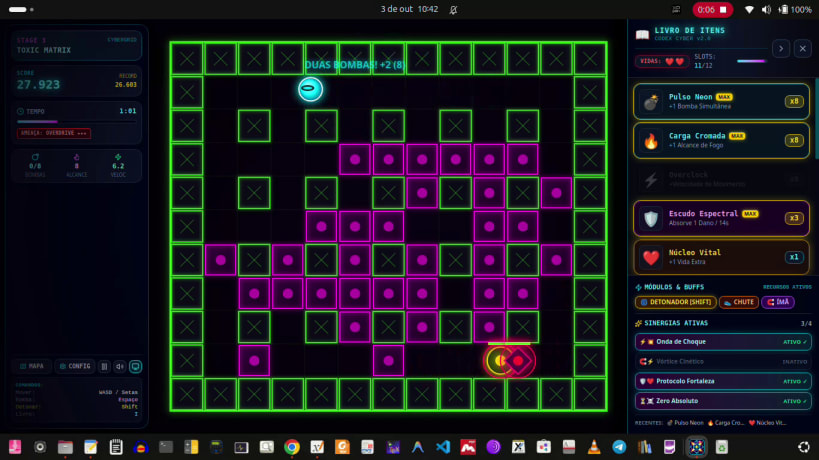
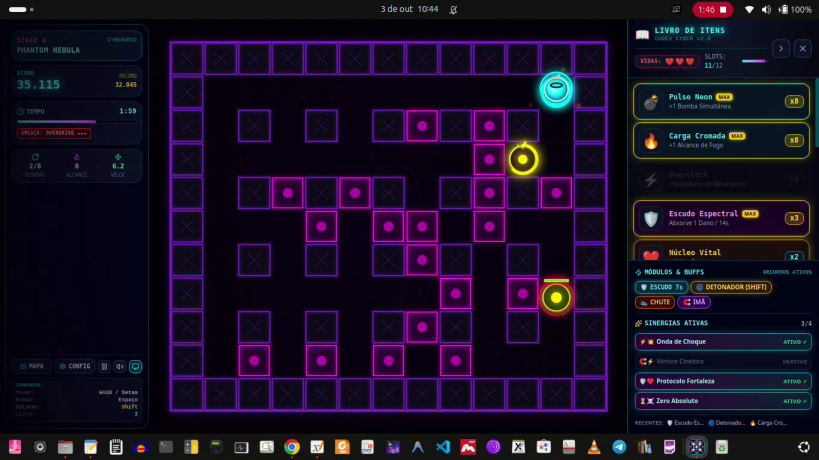
Neon Blaster is a tactical arcade action game set in a high-octane cyberpunk universe. You are a cybernetic agent infiltrating corrupted digital sectors, planting plasma charges to breach silicon firewalls and purge hostile programs in devastating cross-shaped explosions and chain reactions.
Tactical Grid Combat
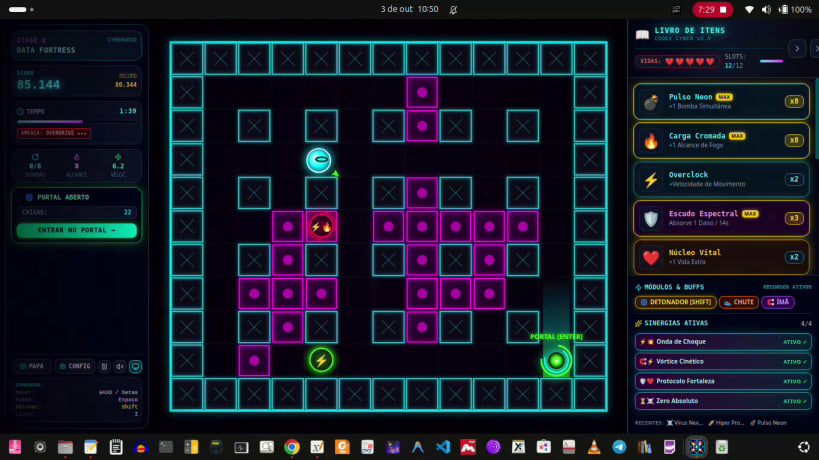
Each sector is a digital labyrinth of impenetrable pillars and destructible containment blocks. Move strategically across the grid, place timed detonation cores, and corner threats before they corner you.
Kinetic Chain Reactions
One detonation instantly triggers neighboring charges. Plan elaborate traps that clear entire corridors in a fraction of a second.
Propulsion and Kick Modules
Special modules let you kick projectiles down corridors at high speed and push bombs toward enemies. With the remote trigger module, you decide the exact millisecond your charges detonate — creating lethal ambushes and total terrain control.
Cyber Codex — Upgrades and Synergies
Destroy blocks and take down priority targets to collect upgrade chips and components, all catalogued in the Item Book:
Threats and Sector Bosses
Post-Victory Mechanic: Risk vs Reward
Clearing the stage does not end it immediately. When you eliminate the last hostile program, the Extraction Portal opens. You may enter and advance safely — or stay behind to mine remaining crates for rare chips and risk bonuses.
The longer you remain after victory, the higher your score multiplier grows. But emergency alarms trigger, spawning additional hostile reinforcements. Greed has a price.
Game Modes
Audiovisual Style
Controls
Thank you for your report. Information you provided will help us investigate further.
There was an error while sending your report. Please try again later.
Snaps are applications packaged with all their dependencies to run on all popular Linux distributions from a single build. They update automatically and roll back gracefully.
Snaps are discoverable and installable from the Snap Store, an app store with an audience of millions.
Snap can be installed on Fedora from the command line:
sudo dnf install snapd
Either log out and back in again, or restart your system, to ensure snap’s paths are updated correctly.
To enable classic snap support, enter the following to create a symbolic link between /var/lib/snapd/snap and /snap:
sudo ln -s /var/lib/snapd/snap /snap
To install NeonBlaster, simply use the following command:
sudo snap install neon-blaster
Browse and find snaps from the convenience of your desktop using the snap store snap.

Interested to find out more about snaps? Want to publish your own application? Visit snapcraft.io now.