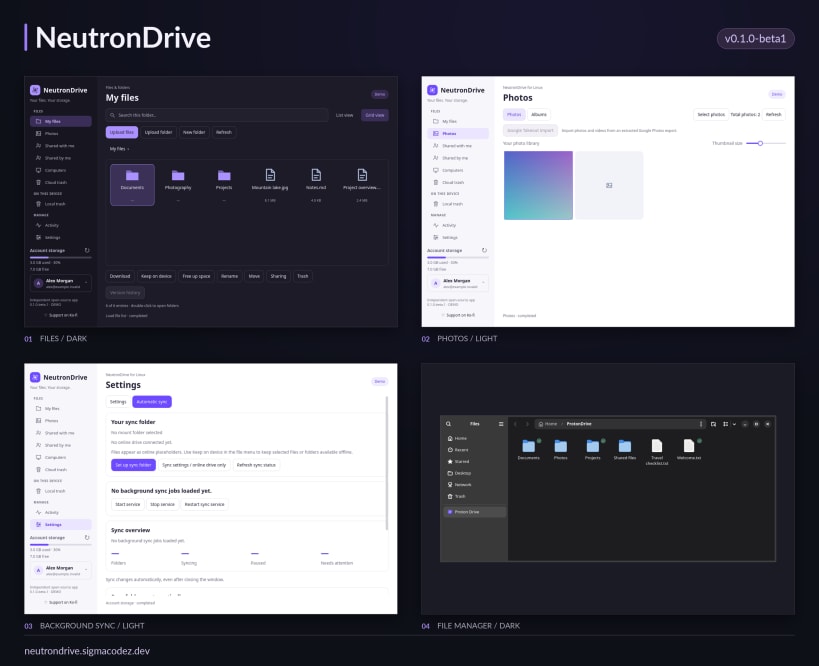
Browse and transfer Proton Drive files with a native Qt interface and the bundled SDK-based NeutronDrive event bridge. This is beta community software, not affiliated with, endorsed by, or officially supported by Proton AG.
Source code and documentation: https://github.com/SigmaCodez/NeutronDrive
Download native Linux packages (including DEB and RPM): https://github.com/SigmaCodez/NeutronDrive/releases/latest
For online-only placeholders and file-manager integration, use the native DEB or RPM edition.
On-demand FUSE mounts require the native DEB/RPM installation; strict Snap confinement does not support this application's unprivileged FUSE helper. Browsing, transfers and background folder synchronization work inside Snap.
A Proton account, browser and desktop Secret Service are required. Before sign-in, connect the keyring interface. Safe folder synchronization also needs read-only mount information to reject FUSE and nested mounts: sudo snap connect neutrondrive:password-manager-service sudo snap connect neutrondrive:mount-observe
You are about to open
Do you wish to proceed?
Thank you for your report. Information you provided will help us investigate further.
There was an error while sending your report. Please try again later.
Snaps are applications packaged with all their dependencies to run on all popular Linux distributions from a single build. They update automatically and roll back gracefully.
Snaps are discoverable and installable from the Snap Store, an app store with an audience of millions.
If you’re running Kubuntu 16.04 LTS (Xenial Xerus) or later, including Kubuntu 18.04 LTS (Bionic Beaver) and Kubuntu 18.10 (Cosmic Cuttlefish), you don’t need to do anything. Snap is already installed and ready to go.
Versions of Kubuntu between 14.04 LTS (Trusty Tahr) and 15.10 (Wily Werewolf) don’t include snap by default, but snap can be installed from the command line as follows:
sudo apt update
sudo apt install snapd
To install NeutronDrive, simply use the following command:
sudo snap install neutrondrive
Browse and find snaps from the convenience of your desktop using the snap store snap.
Interested to find out more about snaps? Want to publish your own application? Visit snapcraft.io now.