
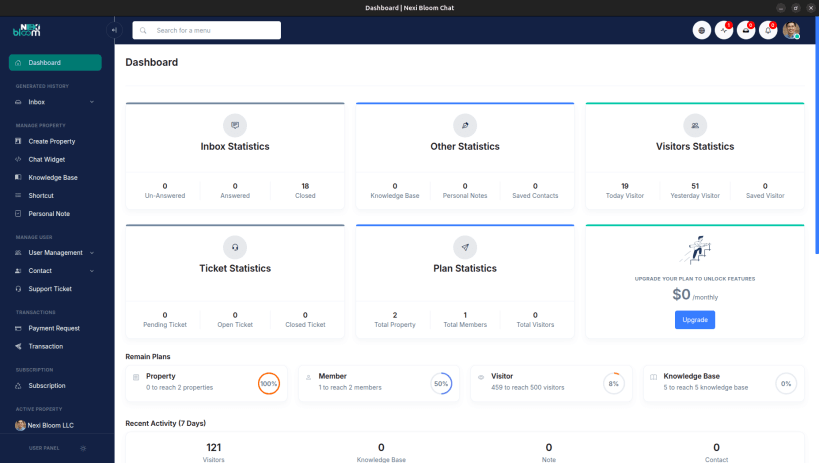
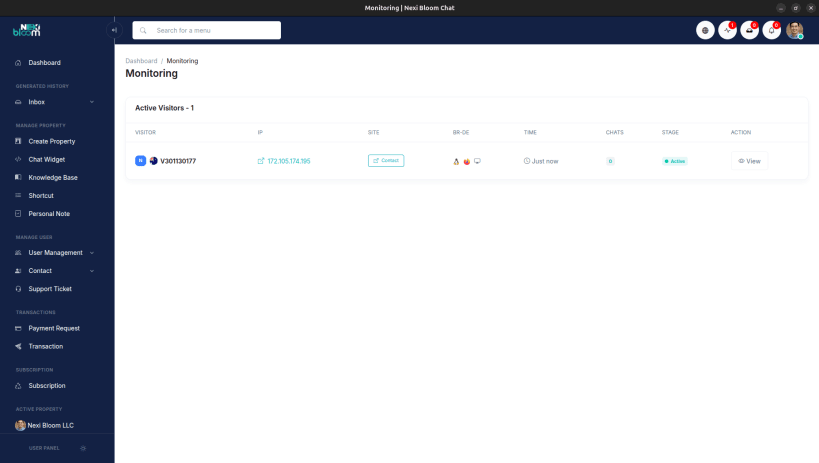
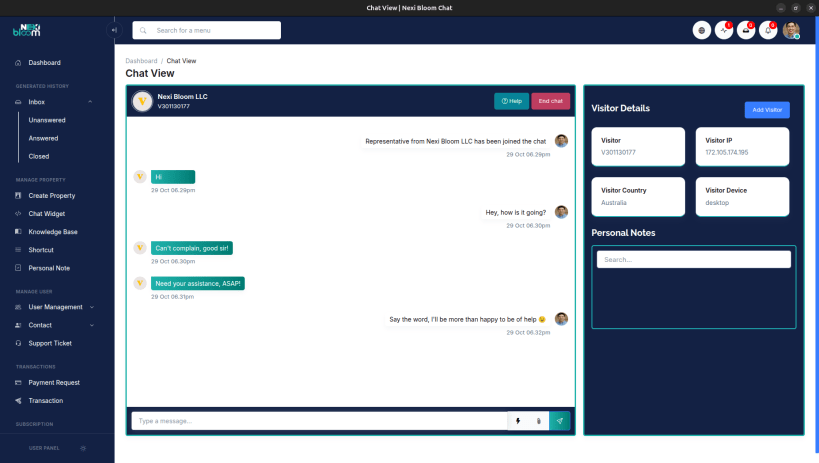
Real Conversations. Real Connections.
Nexi Bloom Chat is a real-time communication platform developed by Nexi Bloom LLC, a full-service digital agency and SaaS ecosystem. This smart chat solution enables businesses to connect instantly with website visitors, deliver personalized support and turn every interaction into an opportunity for trust.
Built for modern businesses, Nexi Bloom Chat helps you bridge the gap between automation and human connection. Whether you’re an entrepreneur, startup or enterprise, this tool strengthen your team to offer uninterruptible, one-on-one customer experiences making every conversation feel personal, respectful and immediate.
Key Highlights:
Why Choose Nexi Bloom Chat?
Because great business isn’t built on one-way communication, it’s built on relationships. Nexi Bloom Chat gives you the tools to listen, respond and create genuine connections with your customers. It combines human-centric design with cutting-edge technology to deliver speed, simplicity and reliability. All in one powerful package.
About Nexi Bloom LLC
Nexi Bloom LLC is a trusted name in digital innovation, offering services across web development, app creation, SEO and SaaS solutions. The company’s mission is to empower businesses with tools that simplify communication and drive measurable growth.
Learn more: https://nexibloom.chat Or visit Nexi Bloom Digital EcoSystem: https://nexibloom.com
You are about to open
Do you wish to proceed?
Thank you for your report. Information you provided will help us investigate further.
There was an error while sending your report. Please try again later.
Snaps are applications packaged with all their dependencies to run on all popular Linux distributions from a single build. They update automatically and roll back gracefully.
Snaps are discoverable and installable from the Snap Store, an app store with an audience of millions.
Snap can be installed from the command line on openSUSE Leap 15.x and Tumbleweed.
You need first add the snappy repository from the terminal. Choose the appropriate command depending on your installed openSUSE flavor.
Tumbleweed:
sudo zypper addrepo --refresh https://download.opensuse.org/repositories/system:/snappy/openSUSE_Tumbleweed snappy
Leap 15.x:
sudo zypper addrepo --refresh https://download.opensuse.org/repositories/system:/snappy/openSUSE_Leap_15.6 snappy
If needed, Swap out openSUSE_Leap_15. for, openSUSE_Leap_16.0 if you’re using a different version of openSUSE.
With the repository added, import its GPG key:
sudo zypper --gpg-auto-import-keys refresh
Finally, upgrade the package cache to include the new snappy repository:
sudo zypper dup --from snappy
Snap can now be installed with the following:
sudo zypper install snapd
You then need to either reboot, logout/login or source /etc/profile to have /snap/bin added to PATH.
Additionally, enable and start both the snapd and the snapd.apparmor services with the following commands:
sudo systemctl enable --now snapd
sudo systemctl enable --now snapd.apparmor
To install Nexi Bloom Chat, simply use the following command:
sudo snap install nexibloomchat
Browse and find snaps from the convenience of your desktop using the snap store snap.

Interested to find out more about snaps? Want to publish your own application? Visit snapcraft.io now.