
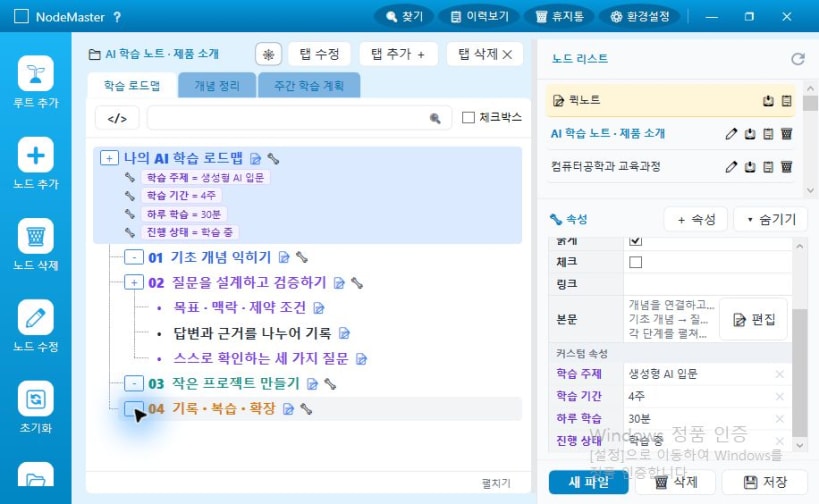
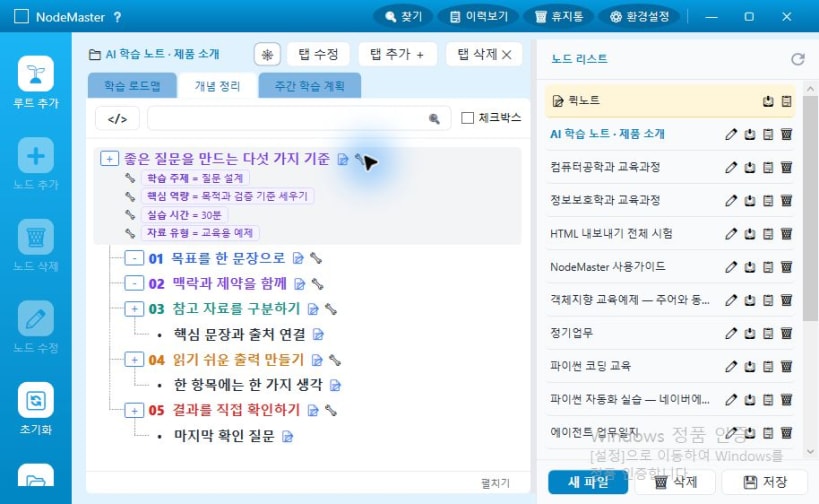
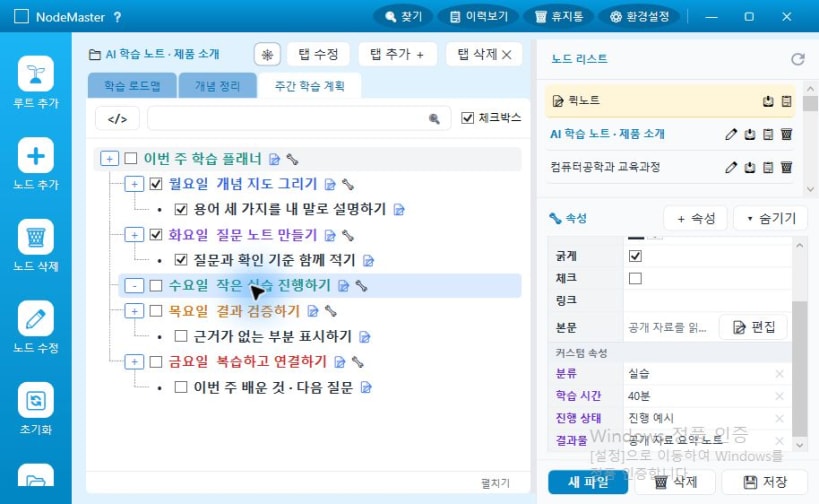
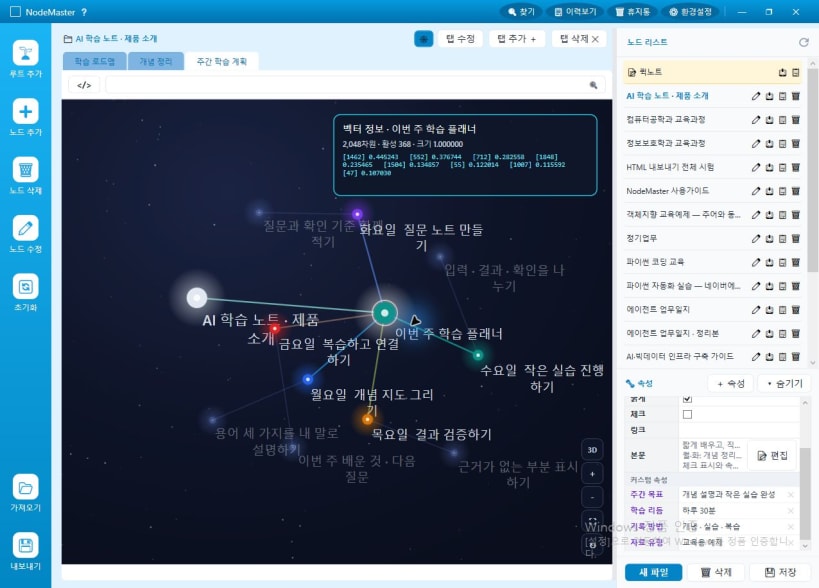
노드마스터는 생각을 노드로 적고, 노드끼리 연결해 구조로 키워 가는 지식 데스크톱 앱입니다. 폴더와 문서 대신 파일·탭·노드 세 층으로 정리하고, 정리한 내용을 서버와 동기화합니다.
주요 기능
사용 방법
nodemaster 를 입력합니다.필요 환경
Ubuntu 24.04 계열 기준의 64비트 x86 리눅스 데스크톱입니다. 서버와 동기화하므로 네트워크 연결이 필요합니다. 화면 접근을 위해 데스크톱 환경이 필요합니다.
화면 안내
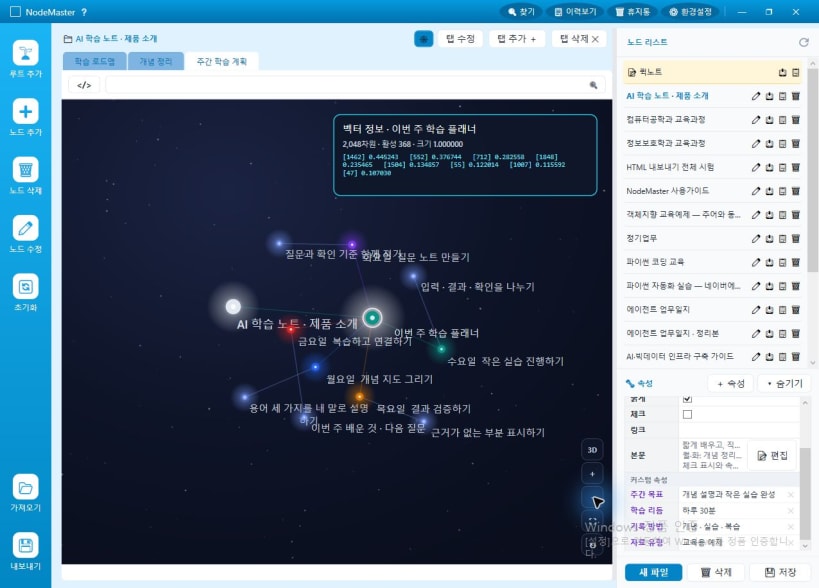
아래 이미지는 Windows WPF판 1.4.55에서 촬영한 실제 화면이며, 교육용 학습 노트를 예시로 사용했습니다. 운영체제와 제품 버전에 따라 화면과 지원 기능이 다를 수 있습니다.
You are about to open
Do you wish to proceed?
Thank you for your report. Information you provided will help us investigate further.
There was an error while sending your report. Please try again later.
Snaps are applications packaged with all their dependencies to run on all popular Linux distributions from a single build. They update automatically and roll back gracefully.
Snaps are discoverable and installable from the Snap Store, an app store with an audience of millions.
Snap can be installed on elementary OS from the command line. Open Terminal from the Applications launcher and type the following:
sudo apt update
sudo apt install snapd
Either log out and back in again, or restart your system, to ensure snap’s paths are updated correctly.
To install 노드마스터 데스크톱 · Linux, simply use the following command:
sudo snap install nodemaster
Browse and find snaps from the convenience of your desktop using the snap store snap.

Interested to find out more about snaps? Want to publish your own application? Visit snapcraft.io now.


