
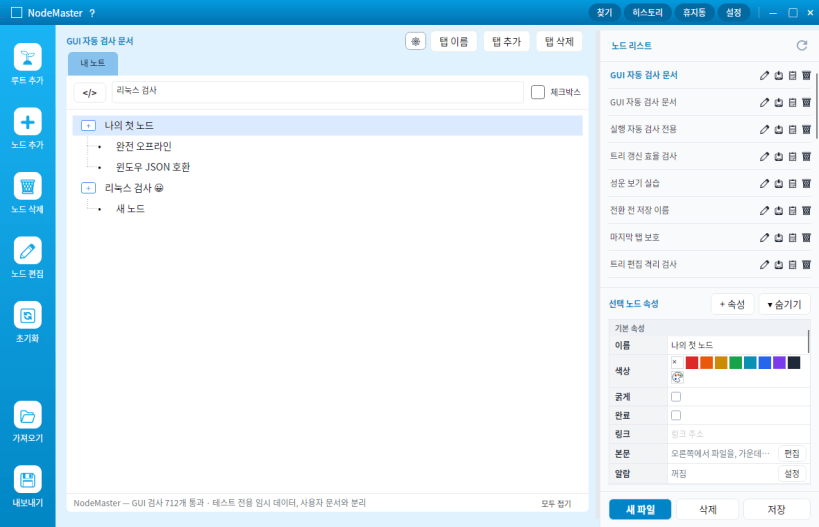
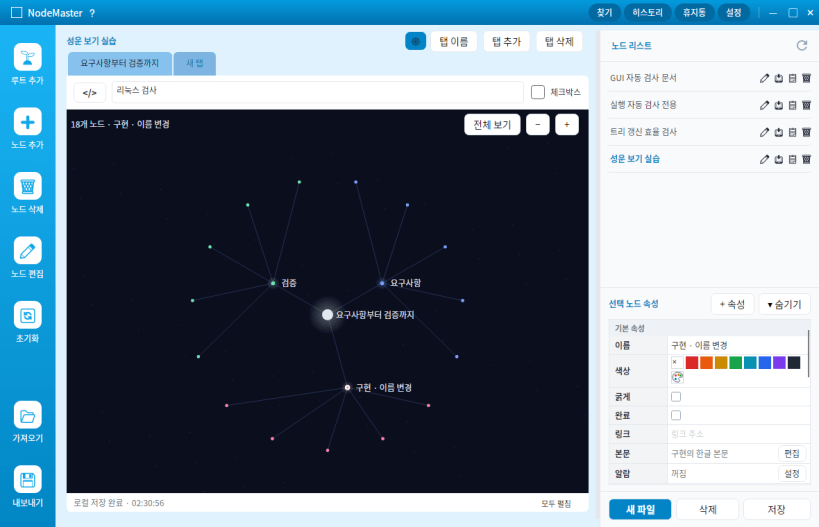
노드마스터 데스크톱의 리눅스 정식판입니다. 서버 계정 없이 파일·탭·노드로 지식을 정리하고 문서를 로컬에 저장합니다.
주요 기능
첫 정식 버전: 0.1.0. Ubuntu 24.04 계열의 64비트 x86 데스크톱용입니다.
플랫폼별 지원 범위 전역 단축키와 화면 선택은 데스크톱 포털 지원 및 사용자 허용이 필요합니다. GNOME 46에서는 전역 Ctrl+I를 지원하지 않습니다. 일부 Windows 전용 기능과 화면 동선에는 차이가 있으며, 모든 기능·단축키·디자인의 완전 동등화를 의미하지 않습니다. 중요한 문서는 사용 전에 백업해 주세요.
Thank you for your report. Information you provided will help us investigate further.
There was an error while sending your report. Please try again later.
Snaps are applications packaged with all their dependencies to run on all popular Linux distributions from a single build. They update automatically and roll back gracefully.
Snaps are discoverable and installable from the Snap Store, an app store with an audience of millions.
Snap can be installed from the command line on openSUSE Leap 15.x and Tumbleweed.
You need first add the snappy repository from the terminal. Choose the appropriate command depending on your installed openSUSE flavor.
Tumbleweed:
sudo zypper addrepo --refresh https://download.opensuse.org/repositories/system:/snappy/openSUSE_Tumbleweed snappy
Leap 15.x:
sudo zypper addrepo --refresh https://download.opensuse.org/repositories/system:/snappy/openSUSE_Leap_15.6 snappy
If needed, Swap out openSUSE_Leap_15. for, openSUSE_Leap_16.0 if you’re using a different version of openSUSE.
With the repository added, import its GPG key:
sudo zypper --gpg-auto-import-keys refresh
Finally, upgrade the package cache to include the new snappy repository:
sudo zypper dup --from snappy
Snap can now be installed with the following:
sudo zypper install snapd
You then need to either reboot, logout/login or source /etc/profile to have /snap/bin added to PATH.
Additionally, enable and start both the snapd and the snapd.apparmor services with the following commands:
sudo systemctl enable --now snapd
sudo systemctl enable --now snapd.apparmor
To install 노드마스터 데스크톱 · Linux, simply use the following command:
sudo snap install nodemaster
Browse and find snaps from the convenience of your desktop using the snap store snap.

Interested to find out more about snaps? Want to publish your own application? Visit snapcraft.io now.


