
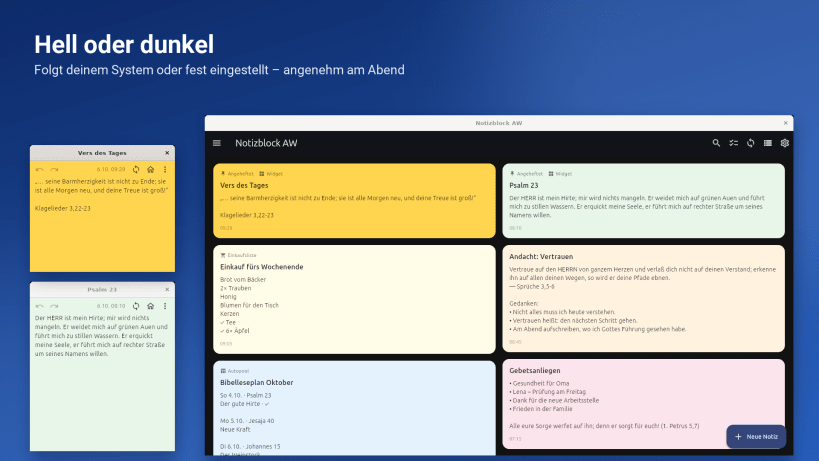
Notizblock AW – deine Notizen, schlicht und schön.
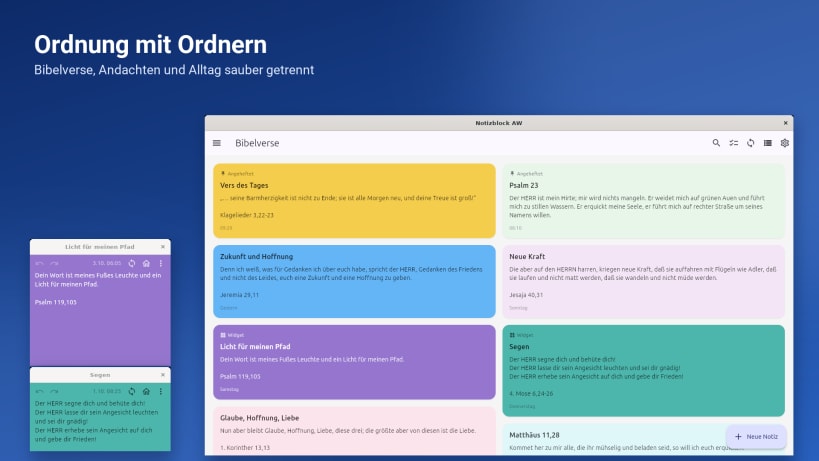
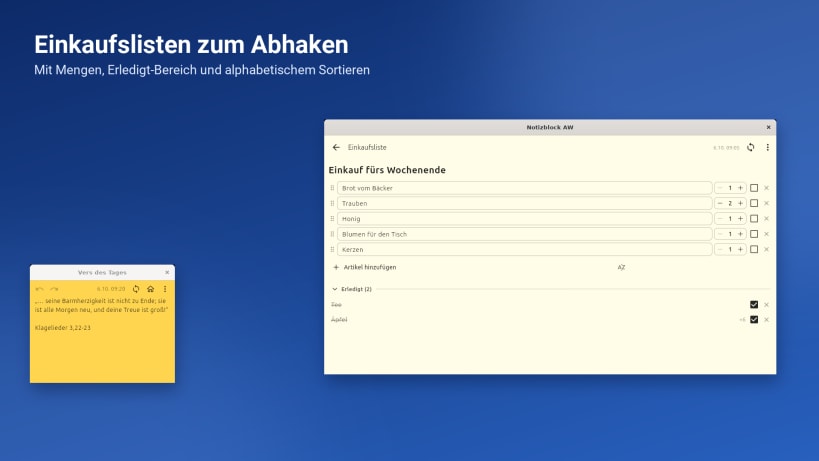
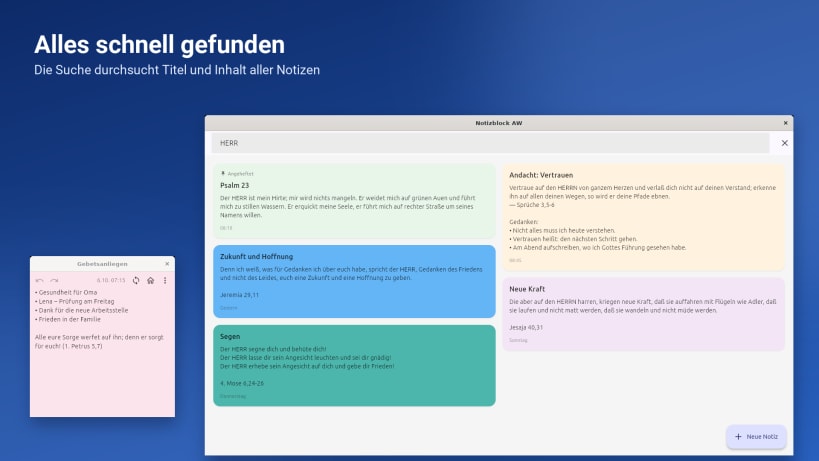
Schnell etwas aufschreiben, wiederfinden und auf jedem Gerät dabeihaben: Notizblock AW ist ein werbefreier Notizblock ohne Schnickschnack – für Gedanken, Bibelverse, Andachten, Einkaufslisten und alles, was du dir merken willst.
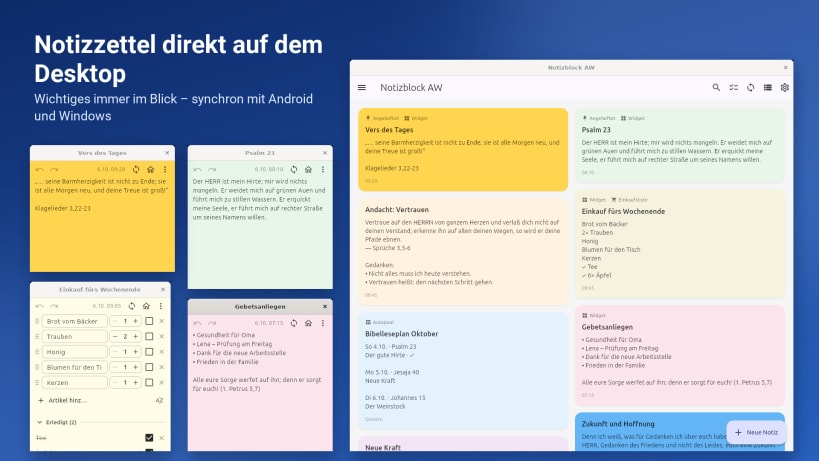
Notizzettel direkt auf dem Desktop Jede Notiz lässt sich als eigener Notizzettel auf den Desktop heften. Die Zettel merken sich Größe und Position und starten auf Wunsch automatisch mit der Anmeldung.
Das kann Notizblock AW:
Synchron auf allen Geräten Über dein eigenes Google Drive gleicht Notizblock AW deine Notizen zwischen Linux, Windows und Android ab. Es gibt keinen eigenen Server: Deine Notizen liegen nur auf deinen Geräten und – wenn du willst – in deinem Google Drive. Der Abgleich ist freiwillig, ohne Anmeldung funktioniert die App vollständig offline.
Auch erhältlich für:
Kostenlos und ohne Werbung – keine Abos, kein Konto nötig.
Datenschutz: https://andreaswurzer110-hub.github.io/notizblock-privacy/
Entwickelt von Andreas Wurzer mit Claude Code. Code und Texte sind teilweise KI-generiert und vom Entwickler geprüft. Bibelverse in den Bildern: Schlachter-Übersetzung 1951.
Thank you for your report. Information you provided will help us investigate further.
There was an error while sending your report. Please try again later.
Snaps are applications packaged with all their dependencies to run on all popular Linux distributions from a single build. They update automatically and roll back gracefully.
Snaps are discoverable and installable from the Snap Store, an app store with an audience of millions.
On Arch Linux, snap can be installed from the Arch User Repository (AUR). The manual build process is the Arch-supported install method for AUR packages, and you’ll need the prerequisites installed before you can install any AUR package. You can then install snap with the following:
git clone https://aur.archlinux.org/snapd.git
cd snapd
makepkg -si
Once installed, the systemd unit that manages the main snap communication socket needs to be enabled:
sudo systemctl enable --now snapd.socket
If AppArmor is enabled in your system, enable the service which loads AppArmor profiles for snaps:
sudo systemctl enable --now snapd.apparmor.service
To enable classic snap support, enter the following to create a symbolic link between /var/lib/snapd/snap and /snap:
sudo ln -s /var/lib/snapd/snap /snap
Either log out and back in again, or restart your system, to ensure snap’s paths are updated correctly.
To install Notizblock AW, simply use the following command:
sudo snap install notizblock-aw
Browse and find snaps from the convenience of your desktop using the snap store snap.

Interested to find out more about snaps? Want to publish your own application? Visit snapcraft.io now.


