Notte is a private productivity workspace that brings your notes, tasks, and calendar together in one app — so your thinking stays connected and your mind stays clear.
Most tools scatter your work across separate apps. Notte keeps everything in one place, with end-to-end encryption so your data stays yours.
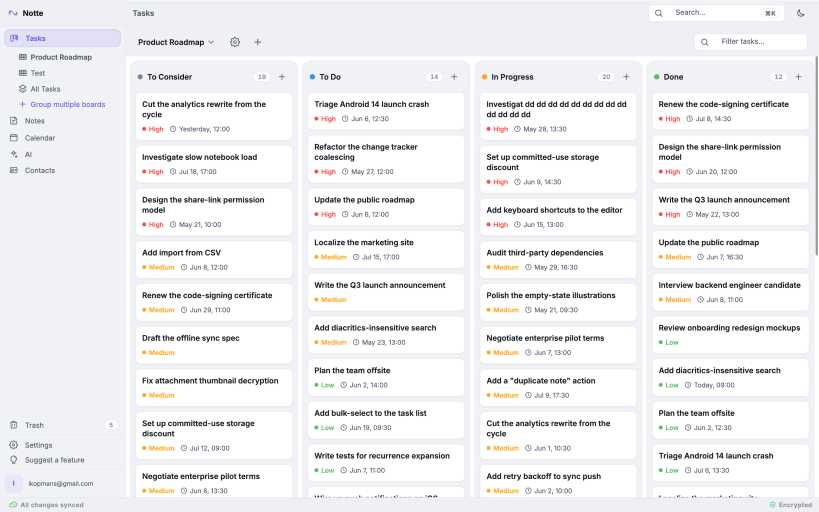
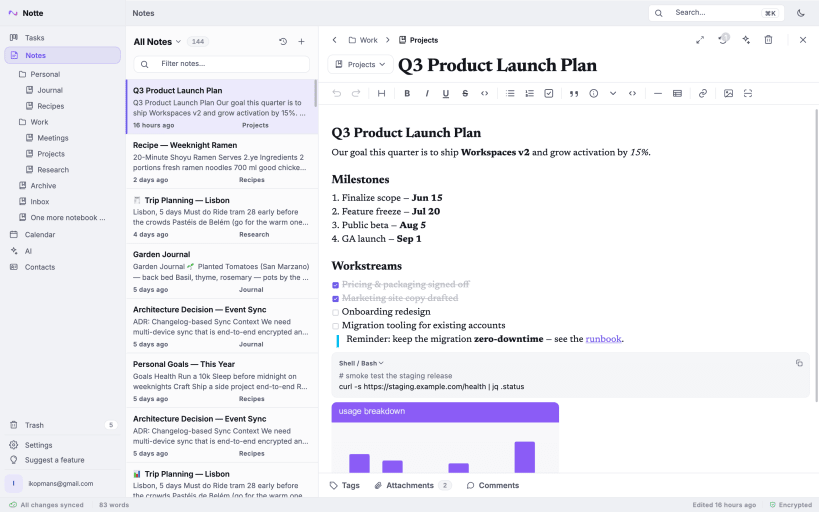
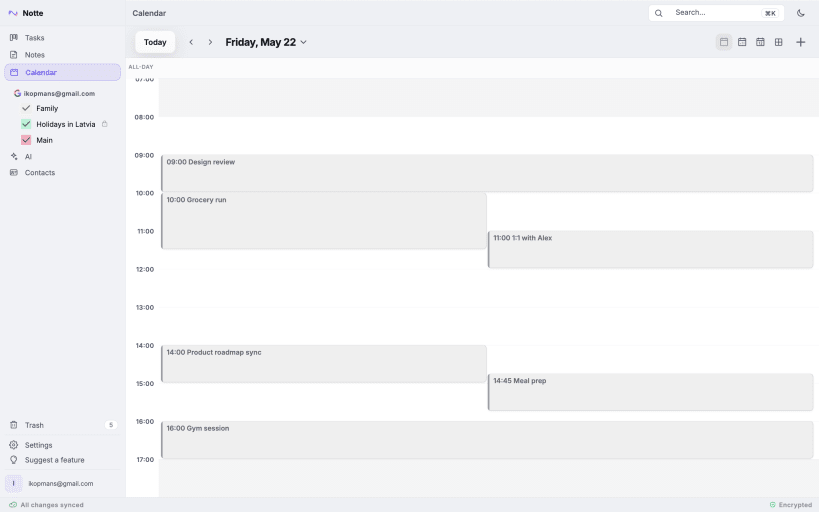
— ONE WORKSPACE — • Notes — a rich block editor with headings, lists, checklists, code blocks, tables, and slash commands. Organize with notebooks and tabs. • Tasks — Kanban boards with custom statuses and priorities, drag-and-drop ordering, and aggregated board groups. • Calendar — day, week, and month views with recurring events, reminders, and event notifications. • Contacts — keep the people you work with alongside your notes and events.
— PRIVATE BY DESIGN — • End-to-end encryption by default. Your notes, tasks, and events are encrypted on your device. We never read them — we can't. • You own your keys. Zero-knowledge sync means the server only ever stores an encrypted blob. • Two-factor authentication to protect your account. • No behavioral tracking, no data mining, no third-party analytics.
— WORKS EVERYWHERE, EVEN OFFLINE — • Full offline mode. Create and edit anything with no connection — changes sync automatically when you reconnect. • Truly cross-platform: Android, iOS, Windows, macOS, and Linux, with the same features everywhere. • Multi-device sync that just works.
— CONNECT YOUR CALENDARS — • Sync with Google Calendar and Microsoft Outlook Calendar. • Create meetings with video links built in. • Recurring events sync both ways.
— BRING YOUR EXISTING NOTES — • Import from Notion, Evernote, and Obsidian — pages, notebooks, and folder structure are preserved. • Export your data anytime. No lock-in.
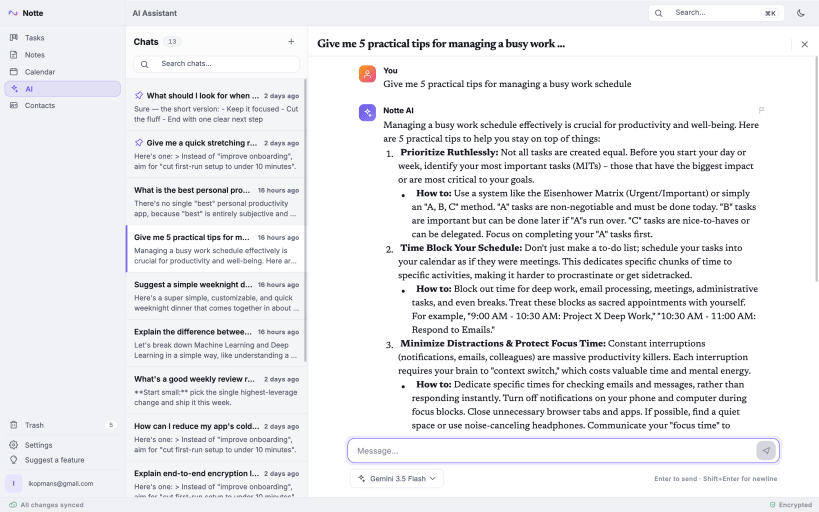
— AI ASSISTANT (paid plans) — • Chat with an AI assistant that understands your workspace. • Summarize notes, rephrase messy thoughts, and turn ideas into tasks.
— NEVER LOSE WORK — • Version history on your notes and tasks. • Recycle bin — deleted items are recoverable. • Data safety is a core principle: nothing is removed unless you explicitly ask.
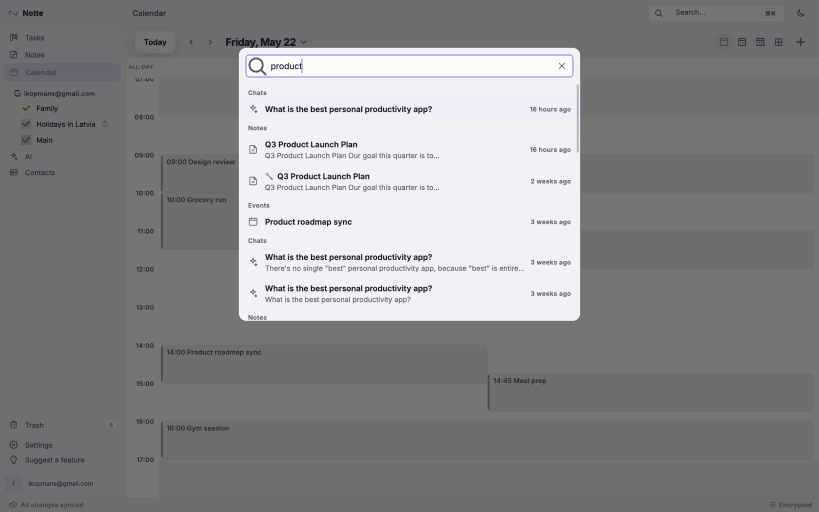
— FAST AND CALM — • A minimal, beautiful interface built to disappear while you work. • Keyboard-first for speed, mouse-friendly for comfort. • Global search across everything you've written.
PLANS Notte has a free plan with generous limits, plus Starter, Pro, and Enterprise tiers for unlimited notes, boards, devices, and the AI assistant. Subscriptions are managed at notte.com.
Start now — and never go back to fragmented work again.
— OPTIONAL SPEECH-TO-TEXT DICTATION —
Dictation is disabled by default and starts only after you enable the experimental feature and press the microphone action. Microphone audio and the resulting transcript are processed transiently through Notte and Google Cloud Speech-to-Text. Notte does not store or log the audio or transcript; only account-level usage totals are retained temporarily to apply limits.
Snap microphone access may need to be enabled with: sudo snap connect notte:audio-record
Privacy policy: https://notte.com/privacy
You are about to open
Do you wish to proceed?
Thank you for your report. Information you provided will help us investigate further.
There was an error while sending your report. Please try again later.
Snaps are applications packaged with all their dependencies to run on all popular Linux distributions from a single build. They update automatically and roll back gracefully.
Snaps are discoverable and installable from the Snap Store, an app store with an audience of millions.
Snap can be installed on Fedora from the command line:
sudo dnf install snapd
Either log out and back in again, or restart your system, to ensure snap’s paths are updated correctly.
To enable classic snap support, enter the following to create a symbolic link between /var/lib/snapd/snap and /snap:
sudo ln -s /var/lib/snapd/snap /snap
To install Notte, simply use the following command:
sudo snap install notte
Browse and find snaps from the convenience of your desktop using the snap store snap.

Interested to find out more about snaps? Want to publish your own application? Visit snapcraft.io now.