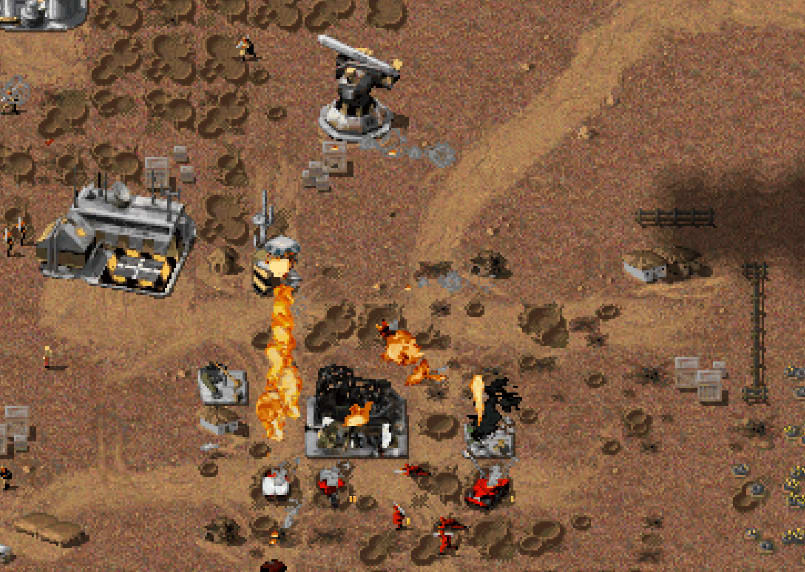
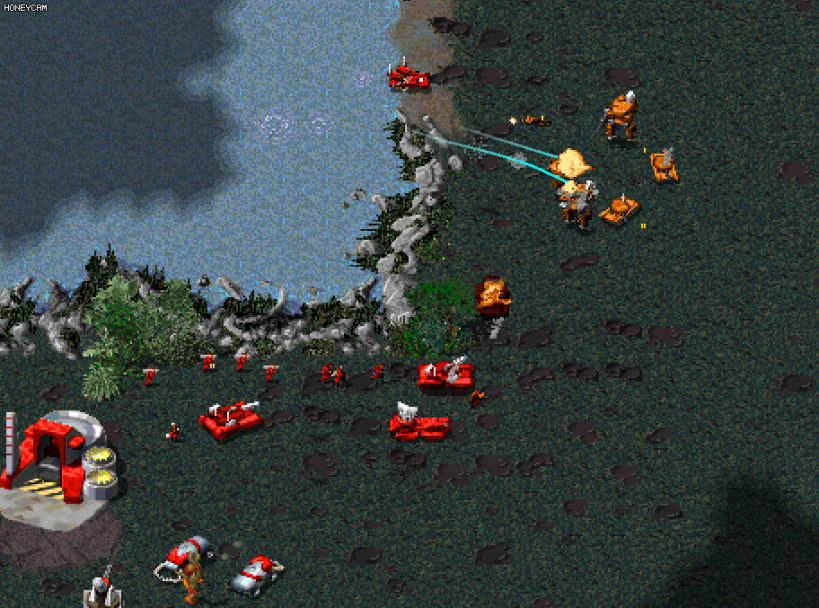
What started out as a simple fusion of the Westwood original Tiberian Dawn and Red Alert games, the project evolved by incorporating a plethora of new units, gameplay mechanics, and additional features.
The game includes five main factions:
Each of which, having four unique sub-factions with their own units, powers and upgrades.
Drawing from the extensive C&C franchise, the game incorporates units, structures, powers, and upgrades recreated in the Tiberian Dawn/Red Alert art style.
A comprehensive campaign, currently encompassing 34 missions, unfolds a narrative detailing the interwoven universes and timelines.
The experience extends further with Skirmish AI difficulties ranging from Easy to Brutal, providing a challenge even for highly skilled players.
Over 450 maps are included, including many competitive maps used in the base RA mod of OpenRA.
Balancing for competitive play has been a major focus. 1v1 ladder servers are hosted, linked to player rankings and statistics, with the hope to build a competitive community moving forward.
About the Snap
This is a Snap package for OpenRA - Combined Arms, a modern remake of Command & Conquer games powered by the OpenRA engine.
This snap was created to provide a safer and more secure way to enjoy OpenRA - Combined Arms. By confining the game within a sandboxed environment, the snap limits its access to system resources, ensuring that it can run safely without interfering with your operating system or accessing sensitive data. This approach not only enhances security but also makes the game easier to install and run across different Linux distributions, leveraging the convenience of Snap's universal packaging format.
Install from Snap Store
stable:
sudo snap install openra-combined-arms
beta:
sudo snap install openra-combined-arms --beta
Extra Game Data
To add game data from original Command & Conquer game discs, you can allow mounting optical drives. Run the following commands:
sudo snap connect openra-combined-arms::mount-observe
and
sudo snap connect openra-combined-arms::removable-media
Credits
You are about to open
Do you wish to proceed?
Thank you for your report. Information you provided will help us investigate further.
There was an error while sending your report. Please try again later.
Snaps are applications packaged with all their dependencies to run on all popular Linux distributions from a single build. They update automatically and roll back gracefully.
Snaps are discoverable and installable from the Snap Store, an app store with an audience of millions.
Snap can be installed from the command line on openSUSE Leap 15.x and Tumbleweed.
You need first add the snappy repository from the terminal. Choose the appropriate command depending on your installed openSUSE flavor.
Tumbleweed:
sudo zypper addrepo --refresh https://download.opensuse.org/repositories/system:/snappy/openSUSE_Tumbleweed snappy
Leap 15.x:
sudo zypper addrepo --refresh https://download.opensuse.org/repositories/system:/snappy/openSUSE_Leap_15.6 snappy
If needed, Swap out openSUSE_Leap_15. for, openSUSE_Leap_16.0 if you’re using a different version of openSUSE.
With the repository added, import its GPG key:
sudo zypper --gpg-auto-import-keys refresh
Finally, upgrade the package cache to include the new snappy repository:
sudo zypper dup --from snappy
Snap can now be installed with the following:
sudo zypper install snapd
You then need to either reboot, logout/login or source /etc/profile to have /snap/bin added to PATH.
Additionally, enable and start both the snapd and the snapd.apparmor services with the following commands:
sudo systemctl enable --now snapd
sudo systemctl enable --now snapd.apparmor
To install OpenRA - Combined Arms, simply use the following command:
sudo snap install openra-combined-arms
Browse and find snaps from the convenience of your desktop using the snap store snap.

Interested to find out more about snaps? Want to publish your own application? Visit snapcraft.io now.