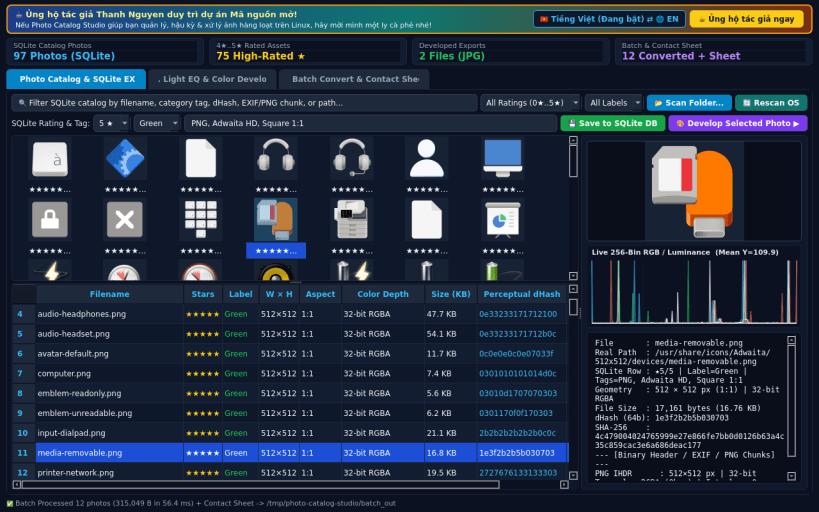
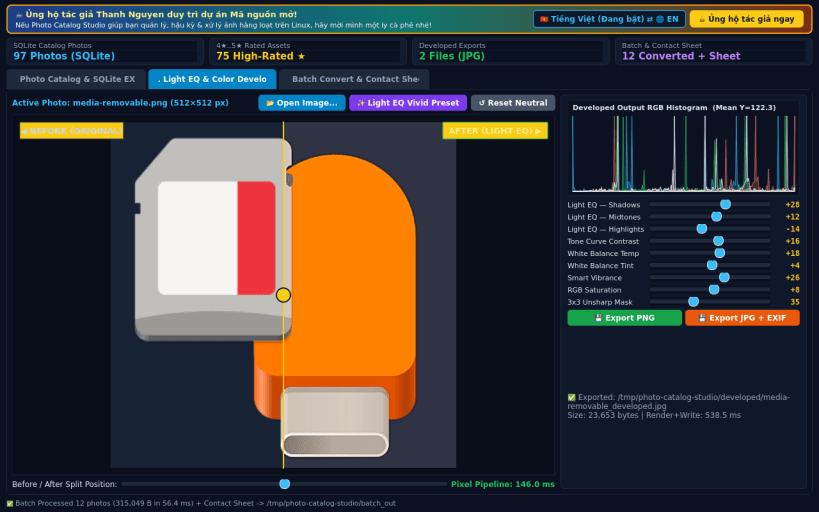
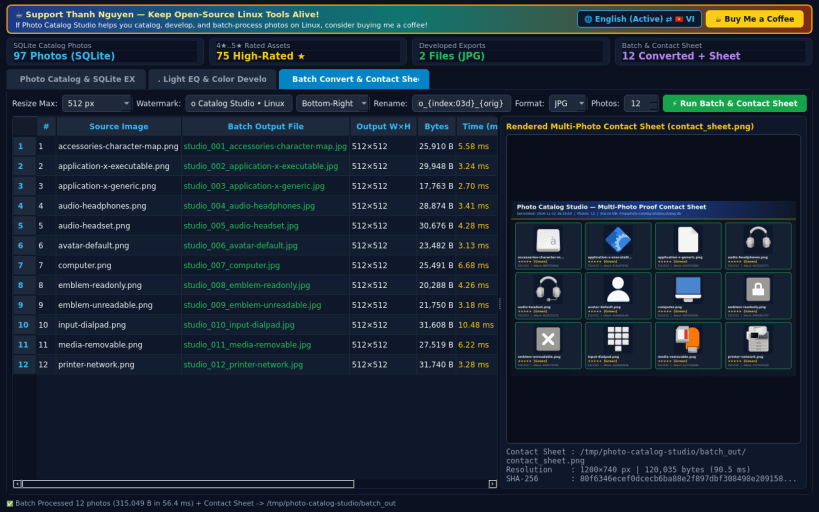
Photo Catalog Studio is a native desktop photo management, binary metadata inspection, non-destructive lighting/color development, and batch image processing suite for Linux.
A lightweight Linux alternative to ACDSee Photo Studio for fast photo cataloging, SQLite rating/tagging, non-destructive lighting/color development, and batch processing. Disclaimer: Independent open-source project, not affiliated with or endorsed by ACD Systems International Inc.
KEY FEATURES: • Real Photo Catalog & SQLite3 Database: Scans real Linux directories and indexes Star Ratings (1..5), Color Labels, Category Tags, Dimensions, Aspect Ratio, Color Depth, File Size, 64-bit Perceptual dHash, and SHA-256 checksums in SQLite3. • Binary EXIF & PNG Chunk Inspector + Live Histogram: Parses JPEG APP1 EXIF TIFF IFD tags and PNG IHDR/pHYs/tEXt chunks directly from file bytes alongside a thumbnail contact sheet and 256-bin RGB/Luminance histogram. • Non-Destructive Develop Module: Real-time QImage pixel processing with Shadows/Midtones/Highlights tone curve LUTs, White Balance Temperature/Tint, Vibrance/Saturation, 3x3 Unsharp Mask, interactive Before/After split preview, and PNG/JPEG EXIF export. • High-Speed Batch Processor & Contact Sheet Generator: Batch resize, text watermark, sequential rename, format conversion (PNG/JPG/BMP), and multi-photo proof contact sheet PNG rendering with per-image millisecond timings and SHA-256 verification.
SUPPORT & DONATE: • Created by Thanh Nguyen — Support ongoing development: https://buymeacoffee.com/thanhnv128b
You are about to open
Do you wish to proceed?
Thank you for your report. Information you provided will help us investigate further.
There was an error while sending your report. Please try again later.
Snaps are applications packaged with all their dependencies to run on all popular Linux distributions from a single build. They update automatically and roll back gracefully.
Snaps are discoverable and installable from the Snap Store, an app store with an audience of millions.
Snap can be installed on elementary OS from the command line. Open Terminal from the Applications launcher and type the following:
sudo apt update
sudo apt install snapd
Either log out and back in again, or restart your system, to ensure snap’s paths are updated correctly.
To install Photo Catalog Studio, simply use the following command:
sudo snap install photo-catalog-studio
Browse and find snaps from the convenience of your desktop using the snap store snap.
Interested to find out more about snaps? Want to publish your own application? Visit snapcraft.io now.