Photobe is a photo and video library for the pictures already on your computer.
On your own device it is free and complete: every album, every tool, offline, with no account and no subscription, for as long as you like. There are no ads, and your photos are not analyzed for advertising, sold or given to anyone.
An album is simply a folder on your disk, so your photos are never locked inside the app. Add the folders you have, import new photos and videos, or start fresh. RAW and HEIC photos open as they are.
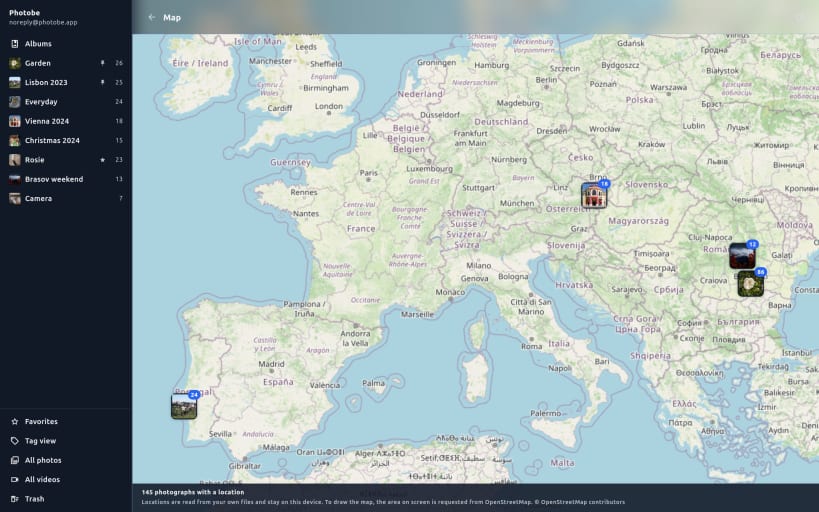
On this day, trips and events, a map of your photos, search by place, date or season, favorites and tags, a photo book view, slideshows and video; duplicates, cleanup suggestions, crop, rotate and resize, a trash with a thirty-day memory, and export of the whole library.
With an account and a plan: a copy of every photo and video, sync with your other devices and the web, shared albums and links, or your own WebDAV, SFTP or S3 storage.
Albums are folders anywhere in your home folder.
Signing in: Photobe keeps your session, the app lock and the passwords of your own storage in the system keyring, which a snap may use only once you allow it. After installing, run this once in a terminal:
sudo snap connect photobe:password-manager-service
Without it, signing in still works and the session is kept in a private file instead, but a password for your own WebDAV, SFTP or S3 storage cannot be saved.
For albums on an external drive, also run:
sudo snap connect photobe:removable-media
You are about to open
Do you wish to proceed?
Thank you for your report. Information you provided will help us investigate further.
There was an error while sending your report. Please try again later.
Snaps are applications packaged with all their dependencies to run on all popular Linux distributions from a single build. They update automatically and roll back gracefully.
Snaps are discoverable and installable from the Snap Store, an app store with an audience of millions.
Snap is available for CentOS 7.6+, and Red Hat Enterprise Linux 7.6+, from the Extra Packages for Enterprise Linux (EPEL) repository. The EPEL repository can be added to your system with the following command:
sudo yum install epel-release
Snap can now be installed as follows:
sudo yum install snapd
Once installed, the systemd unit that manages the main snap communication socket needs to be enabled:
sudo systemctl enable --now snapd.socket
To enable classic snap support, enter the following to create a symbolic link between /var/lib/snapd/snap and /snap:
sudo ln -s /var/lib/snapd/snap /snap
Either log out and back in again, or restart your system, to ensure snap’s paths are updated correctly.
To install Photobe, simply use the following command:
sudo snap install photobe

Browse and find snaps from the convenience of your desktop using the snap store snap.

Interested to find out more about snaps? Want to publish your own application? Visit snapcraft.io now.