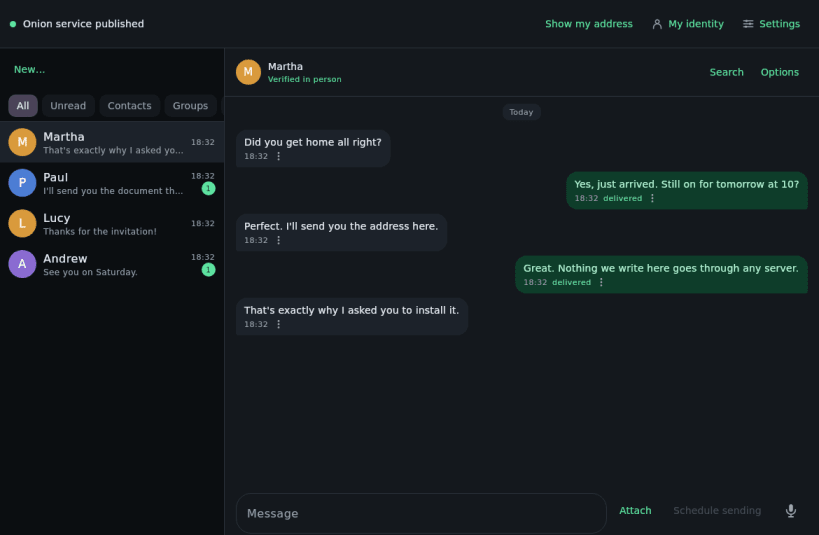
PrivChat is an encrypted messenger that works without servers.
No account, no phone number, no email, no name. And there is no server your conversations pass through: each message is encrypted on your phone and travels over the Tor network straight to the other person's. Along the way nobody can read it: not your provider, not the relays, not us.
To talk to someone you need their invitation, and they need yours: a QR code or a piece of text. There is no user directory: nobody finds you unless you have given them your invitation.
THE ENCRYPTION, WHICH IS WHAT SETS US APART
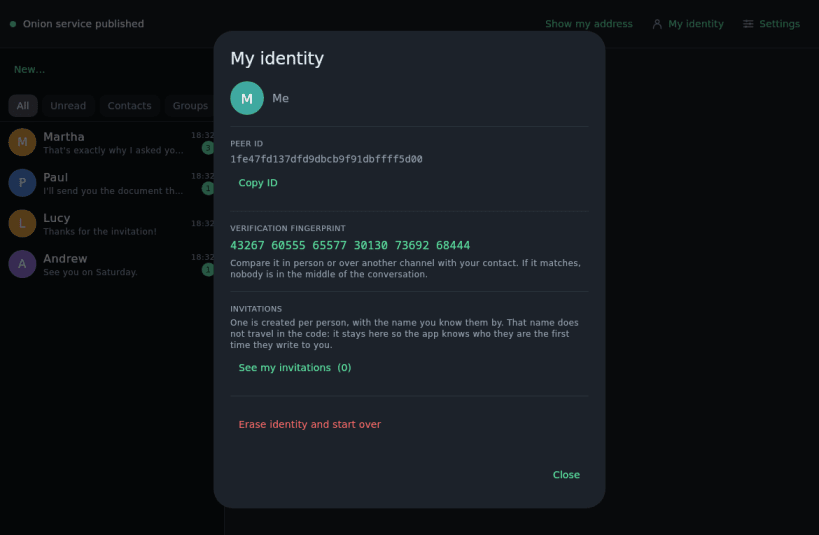
• Post-quantum from the first message: first contact is PQXDH (X25519 combined with ML-KEM-768, FIPS 203), and every signature is double, Ed25519 and ML-DSA-65 (FIPS 204), and both must verify. Traffic recorded today stays unreadable to a future quantum computer. • Post-quantum healing: the Double Ratchet folds a fresh ML-KEM-768 secret into every epoch, inside the padding the packet already carried, without one extra byte. If someone copied your phone's state, the conversation becomes private again after a few messages back and forth, against a quantum computer too. • A new key for every message, discarded once used (ChaCha20-Poly1305), with encrypted headers. • Sealed sender: not even who is writing to you travels in the clear. The envelope is born from the conversation itself and changes with it: neither a stolen key nor a quantum computer would open past envelopes. • The keys others use to start a conversation with you are renewed every week, with one-time keys. • Every message is the same size, and decoys go out at random intervals: whoever watches cannot tell whether you are talking. • Channels with key rotation: a newcomer cannot read the past. • Fingerprint verification, by comparing a code in person. • Tor through arti, from the Tor Project itself, with vanguards on the onion service circuits.
ON THE PHONE
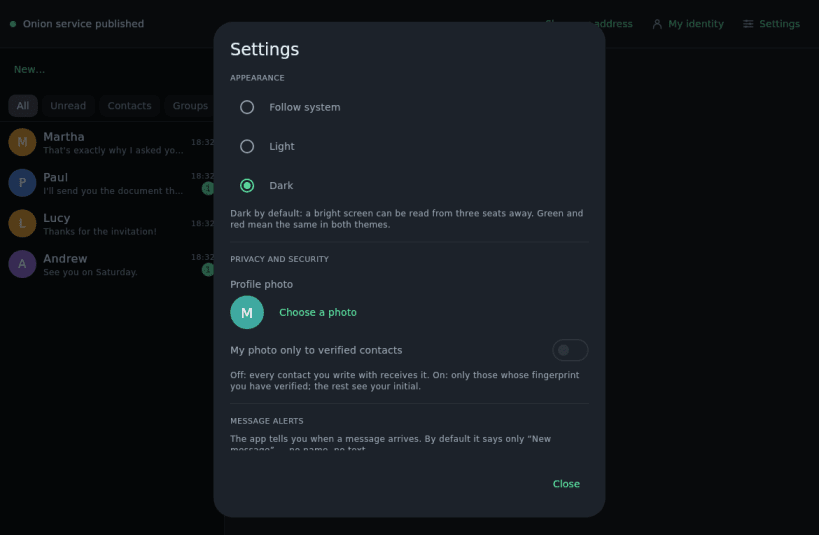
• Database encrypted with SQLCipher; its key derived separately and kept in the device keystore. • Optional PIN (Argon2id), plus a panic PIN that wipes everything, for when you are forced to unlock. • Every image is re-compressed before it leaves: no GPS, model or date. • Links warn before opening; there are never link previews. • Screenshot blocking, Tor bridges for where Tor is blocked, and secure erase of your identity.
FOR TALKING
• Photos, voice notes, video messages, files of several GB and documents scanned to PDF. • Serverless groups of up to 200, with polls and moderators; broadcast channels where nobody knows who reads. • 24-hour stories with no "seen", My notes with a calendar, reactions, edit and delete for everyone, and disappearing messages.
WITHOUT INTERNET
• In person, over the same Wi-Fi or Bluetooth, or in a file you carry on a USB stick. • The Mailbox: a computer at home keeps what arrives while you are away, sealed. • LoRa mesh: text by radio through a Meshtastic or MeshCore node. Off by default.
WHAT IS NOT INSIDE
No server of ours, no account, no analytics, no advertising, no access to your contacts or your location.
BEFORE YOU USE IT
• If the other phone is off, the message waits on yours and is retried. It is not instant like an app with push. • Receiving with the app closed needs a background service with a permanent notification; if Android restricts it for battery, set it to "unrestricted". • Your identity lives on this phone; it can be moved to another one, but there is no multi-device.
These are direct consequences of having no servers. If the trade is worth it to you, this app is for you.
Also for Android, Windows, macOS and iPhone, and they all talk to each other.
Project PGP key fingerprint: BC8D E53F D8D1 6F63 AD8A 33EA 10EC 8069 37D6 8502
More at https://privchat.wiki
You are about to open
Do you wish to proceed?
Thank you for your report. Information you provided will help us investigate further.
There was an error while sending your report. Please try again later.
Snaps are applications packaged with all their dependencies to run on all popular Linux distributions from a single build. They update automatically and roll back gracefully.
Snaps are discoverable and installable from the Snap Store, an app store with an audience of millions.
Snap can be installed from the command line on openSUSE Leap 15.x and Tumbleweed.
You need first add the snappy repository from the terminal. Choose the appropriate command depending on your installed openSUSE flavor.
Tumbleweed:
sudo zypper addrepo --refresh https://download.opensuse.org/repositories/system:/snappy/openSUSE_Tumbleweed snappy
Leap 15.x:
sudo zypper addrepo --refresh https://download.opensuse.org/repositories/system:/snappy/openSUSE_Leap_15.6 snappy
If needed, Swap out openSUSE_Leap_15. for, openSUSE_Leap_16.0 if you’re using a different version of openSUSE.
With the repository added, import its GPG key:
sudo zypper --gpg-auto-import-keys refresh
Finally, upgrade the package cache to include the new snappy repository:
sudo zypper dup --from snappy
Snap can now be installed with the following:
sudo zypper install snapd
You then need to either reboot, logout/login or source /etc/profile to have /snap/bin added to PATH.
Additionally, enable and start both the snapd and the snapd.apparmor services with the following commands:
sudo systemctl enable --now snapd
sudo systemctl enable --now snapd.apparmor
To install PrivChat Messenger, simply use the following command:
sudo snap install privchat --beta
Browse and find snaps from the convenience of your desktop using the snap store snap.

Interested to find out more about snaps? Want to publish your own application? Visit snapcraft.io now.