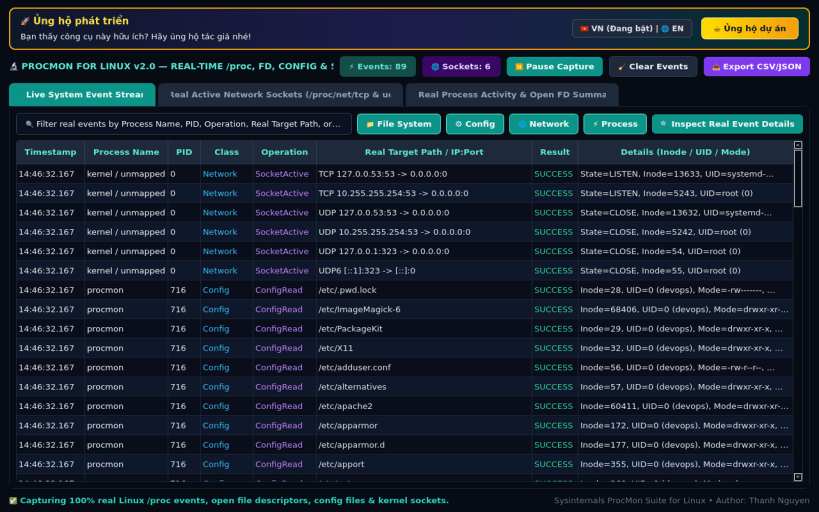
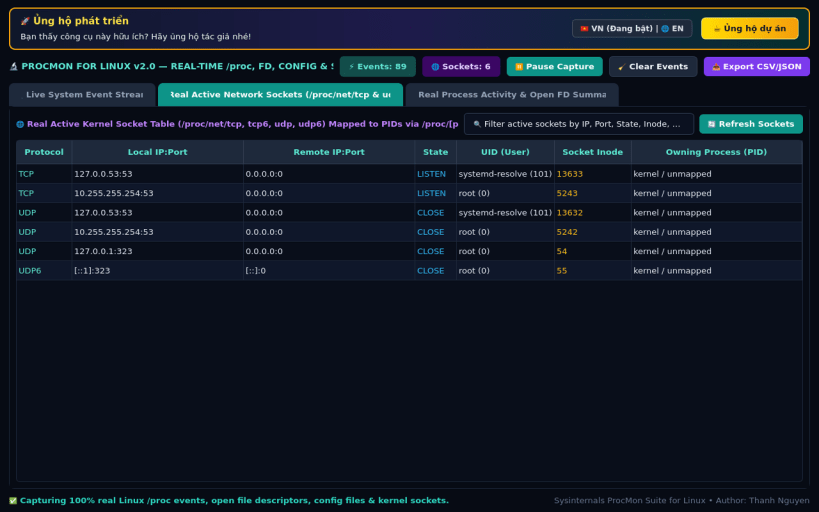
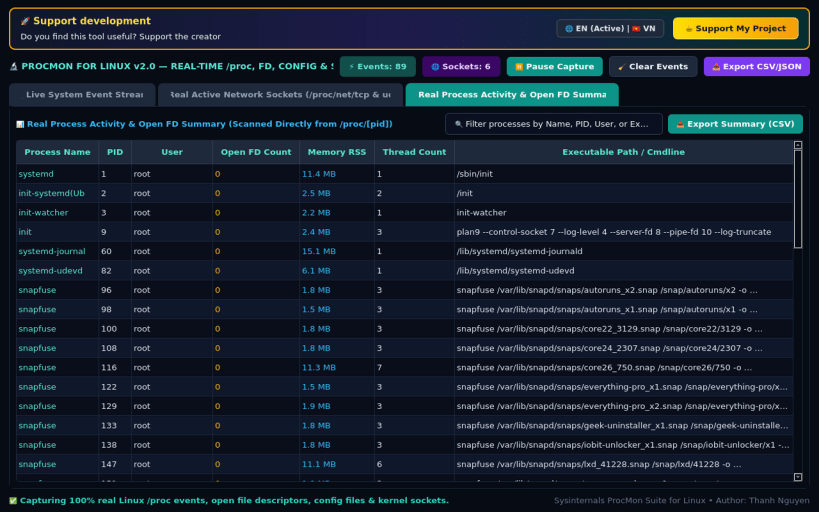
ProcMon for Linux brings the Sysinternals Process Monitor (ProcMon) experience to Linux workstations and servers. Capture and filter real-time file system operations, configuration changes, process spawns, and active TCP/UDP network endpoints in one unified telemetry interface.
KEY FEATURES: • Live Event Stream with Class Filter Toggles: Toggle File System, Config/Dconf, Network TCP/UDP, and Process/Thread classes with microsecond timestamps, result badges (SUCCESS, ACCESS DENIED, ENOENT), and instant search. • Active Network Sockets & Endpoints: Real-time inspection of /proc/net/tcp and /proc/net/udp sockets with local/remote addresses, connection state, and bandwidth metrics. • Event Summary & Process Activity Profiler: Per-process aggregation of File I/O calls, Config reads, Network packets, and error counts with one-click CSV and JSON trace export.
SUPPORT & DONATE: • Created by Thanh Nguyen — Support ongoing development: https://buymeacoffee.com/thanhnv128b
You are about to open
Do you wish to proceed?
Thank you for your report. Information you provided will help us investigate further.
There was an error while sending your report. Please try again later.
Snaps are applications packaged with all their dependencies to run on all popular Linux distributions from a single build. They update automatically and roll back gracefully.
Snaps are discoverable and installable from the Snap Store, an app store with an audience of millions.
Snap can be installed from the command line. Open the Konsole terminal and enter the following:
sudo apt update
sudo apt install snapd
To install ProcMon for Linux, simply use the following command:
sudo snap install procmon
Browse and find snaps from the convenience of your desktop using the snap store snap.
Interested to find out more about snaps? Want to publish your own application? Visit snapcraft.io now.