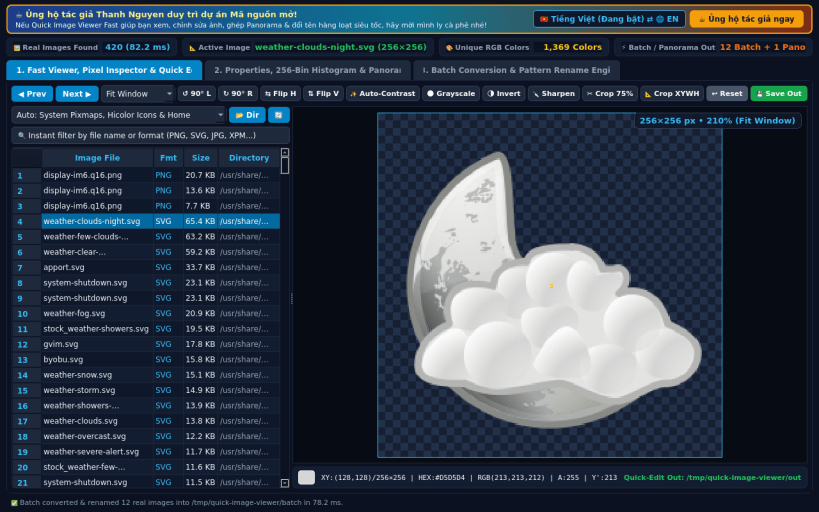
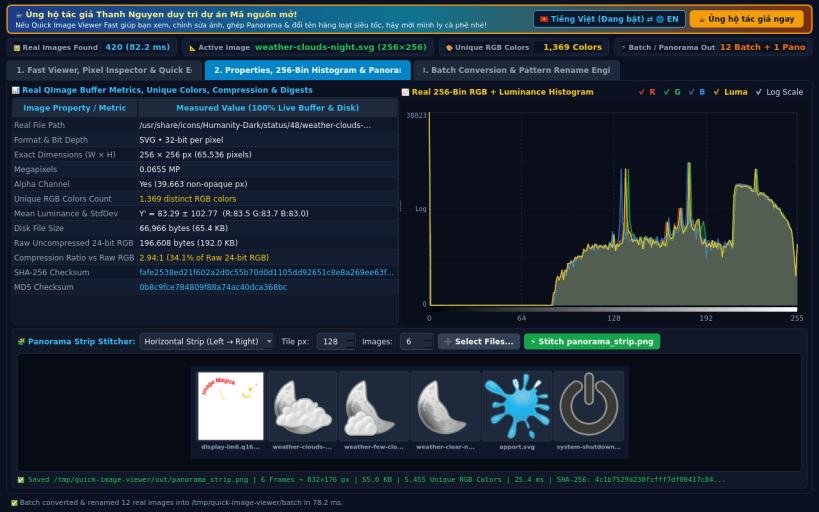
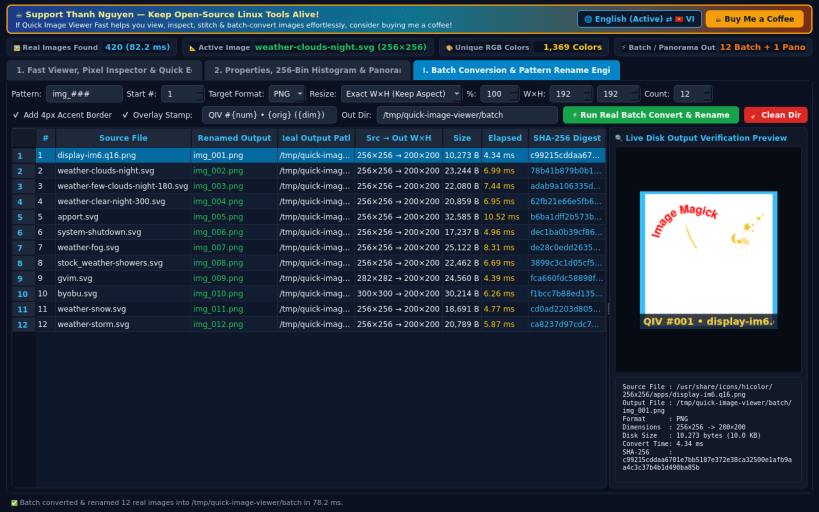
A lightweight, ultra-fast Linux alternative to IrfanView for rapid image viewing, lossless rotation/flip, quick color adjustments, multipage/panorama creation, and batch conversion/renaming. Disclaimer: Independent open-source project, not affiliated with or endorsed by Irfan Skiljan.
KEY FEATURES: • Ultra-Fast Image Viewer & Live Pixel Inspector: Scans real Linux image directories in milliseconds via os.scandir (PNG, JPG, BMP, GIF, SVG, XPM, PPM, PGM, PBM, XBM) with Fit/100%/200%/400% pixel-grid zoom, keyboard navigation, live cursor coordinate + HEX/RGB inspector, and 1-click Rotate, Flip, Auto-Contrast, Grayscale, Invert, Sharpen, and Crop tools. • Image Properties, Unique Color Counter, 256-Bin RGB Histogram & Panorama Stitcher: Computes exact pixel buffer metrics (W×H, Megapixels, Bit Depth, Alpha, Unique RGB Colors, Mean Luminance, Compression Ratio vs Raw RGB, SHA-256, MD5), plots a real 256-bin RGB + Luminance histogram, and stitches horizontal/vertical panorama strips. • Irfan-Style Batch Conversion & Pattern Rename Engine: Batch converts, resizes (W×H or %), adds optional frame borders/text overlays, and renames real images with pattern masks (e.g. img_###) while verifying output sizes and SHA-256 digests.
SUPPORT & DONATE: • Created by Thanh Nguyen — Support ongoing development: https://buymeacoffee.com/thanhnv128b
You are about to open
Do you wish to proceed?
Thank you for your report. Information you provided will help us investigate further.
There was an error while sending your report. Please try again later.
Snaps are applications packaged with all their dependencies to run on all popular Linux distributions from a single build. They update automatically and roll back gracefully.
Snaps are discoverable and installable from the Snap Store, an app store with an audience of millions.
Snap can be installed on elementary OS from the command line. Open Terminal from the Applications launcher and type the following:
sudo apt update
sudo apt install snapd
Either log out and back in again, or restart your system, to ensure snap’s paths are updated correctly.
To install Quick Image Viewer Fast, simply use the following command:
sudo snap install quick-image-viewer
Browse and find snaps from the convenience of your desktop using the snap store snap.
Interested to find out more about snaps? Want to publish your own application? Visit snapcraft.io now.