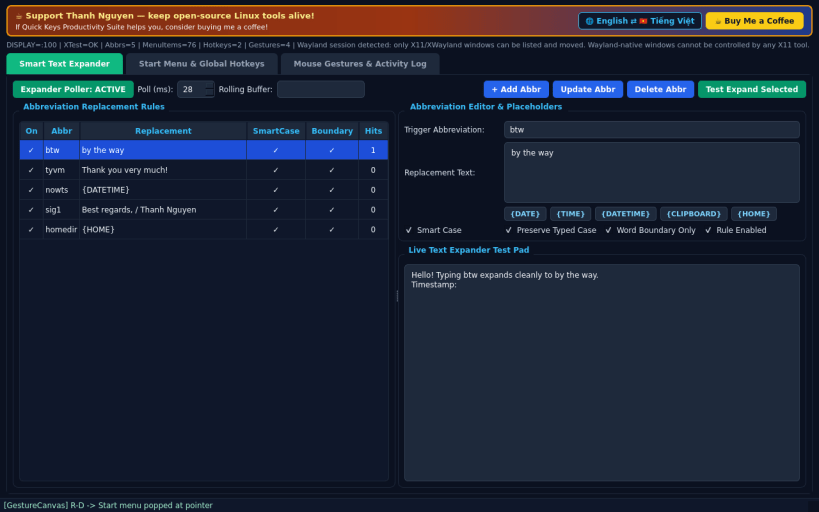
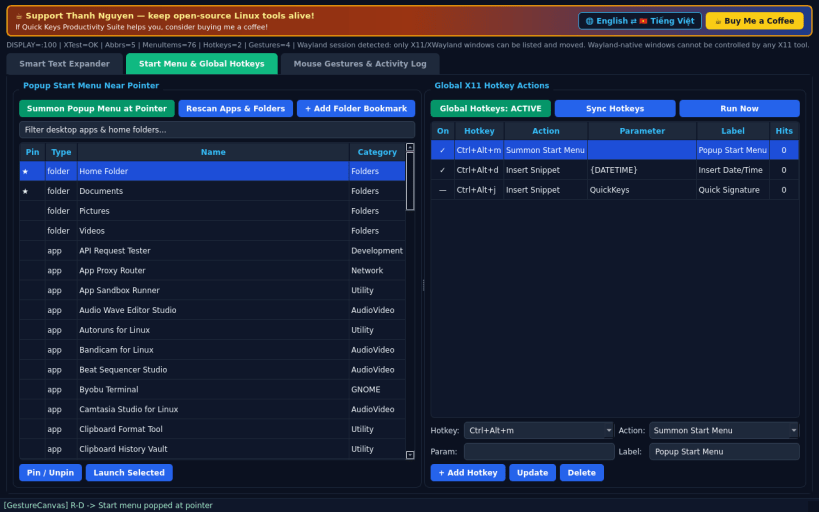
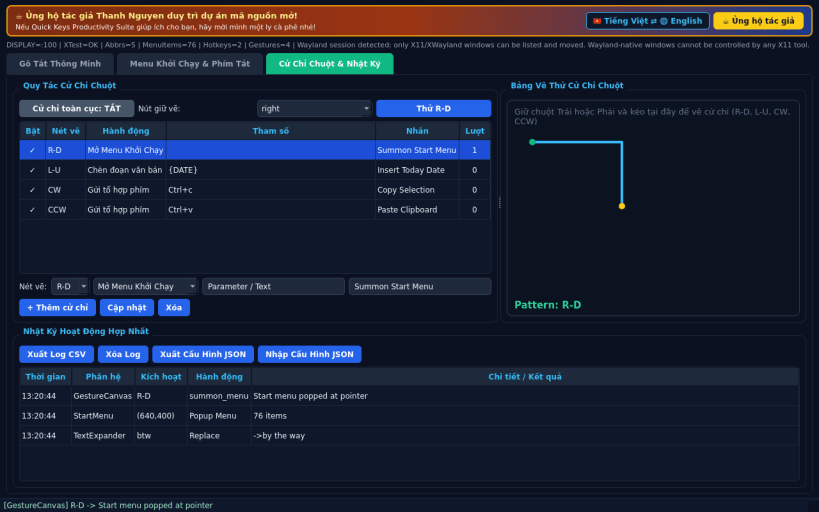
A 4-in-1 Linux X11 productivity suite inspired by FastKeys, combining smart abbreviation expansion, a pointer popup start menu, global hotkey actions, and mouse stroke gestures. Disclaimer: Independent open-source project, not affiliated with, sponsored by, or endorsed by FastKeys. Global X11 hotkeys and XTest input actions require an X11 or XWayland display session.
FEATURES • Smart Abbreviation Text Expander: monitors rolling word boundaries with smart-case preservation, dynamic date/time/clipboard placeholders, and real XTest backspace/text replacement. • Popup Start Menu Near Pointer: scans real FreeDesktop application entries and user home bookmarks into a categorized popup menu summoned directly at the mouse cursor. • Global X11 Hotkey Actions: bind Ctrl+Alt shortcuts to insert snippets, send key chords, summon the start menu, activate windows, or click XTest coordinates. • Mouse Gestures & Activity Log: 8-direction and CW/CCW loop stroke recognition (R-D, L-U, CW, CCW) on an interactive drawing canvas or global drag button, with unified CSV/JSON export and English / Vietnamese UI.
SUPPORT & DONATE • Created by Thanh Nguyen — https://buymeacoffee.com/thanhnv128b
You are about to open
Do you wish to proceed?
Thank you for your report. Information you provided will help us investigate further.
There was an error while sending your report. Please try again later.
Snaps are applications packaged with all their dependencies to run on all popular Linux distributions from a single build. They update automatically and roll back gracefully.
Snaps are discoverable and installable from the Snap Store, an app store with an audience of millions.
If you’re running Kubuntu 16.04 LTS (Xenial Xerus) or later, including Kubuntu 18.04 LTS (Bionic Beaver) and Kubuntu 18.10 (Cosmic Cuttlefish), you don’t need to do anything. Snap is already installed and ready to go.
Versions of Kubuntu between 14.04 LTS (Trusty Tahr) and 15.10 (Wily Werewolf) don’t include snap by default, but snap can be installed from the command line as follows:
sudo apt update
sudo apt install snapd
To install Quick Keys Productivity Suite, simply use the following command:
sudo snap install quick-keys-suite
Browse and find snaps from the convenience of your desktop using the snap store snap.
Interested to find out more about snaps? Want to publish your own application? Visit snapcraft.io now.