
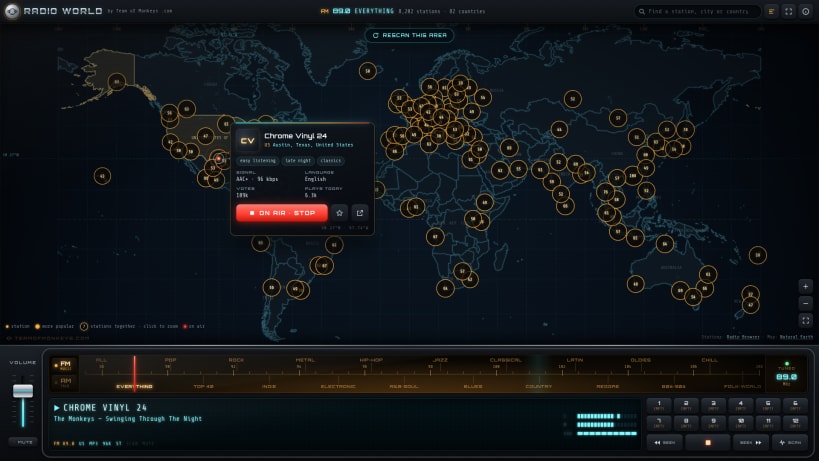
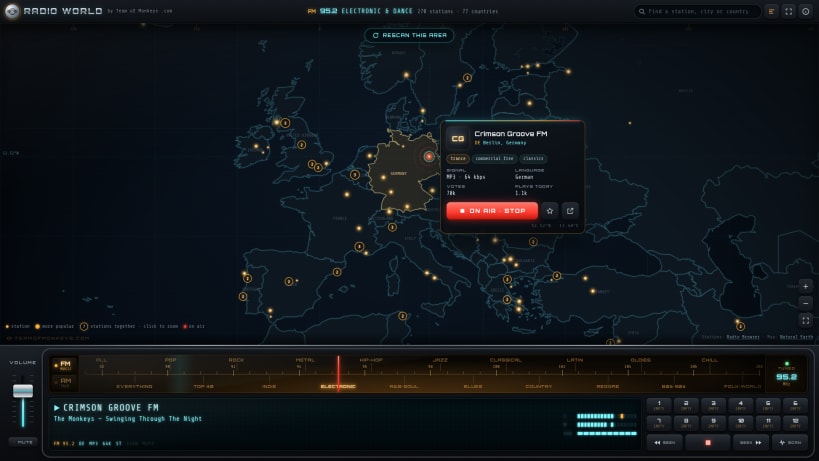
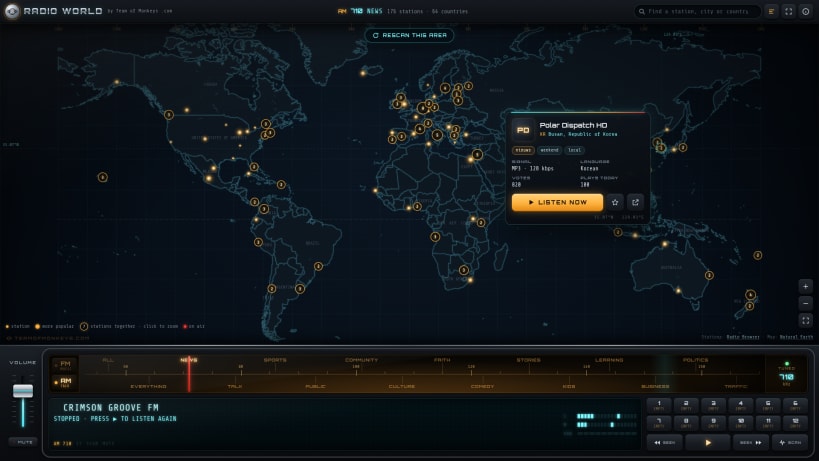
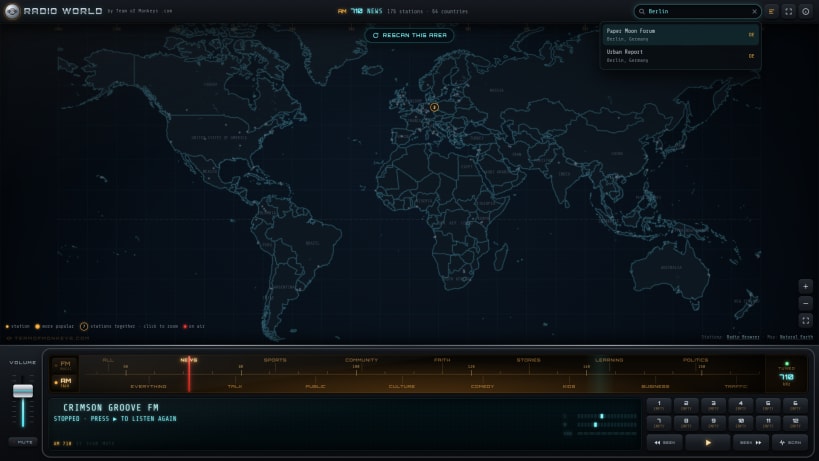
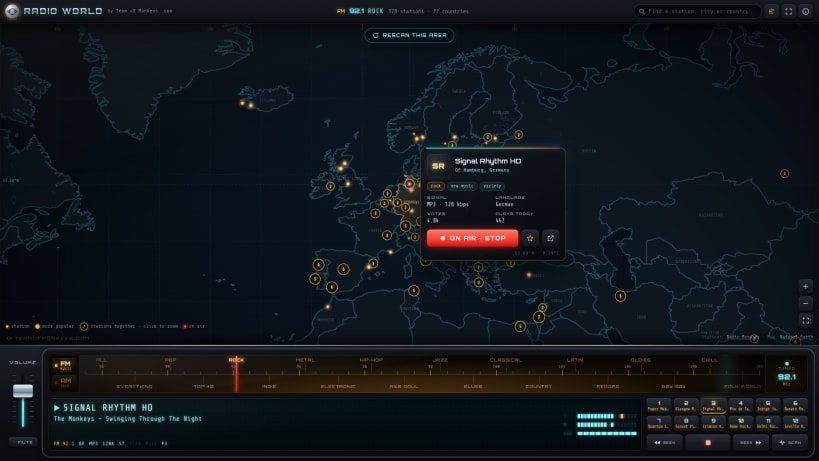
New in 3.0.1: new genres and more stations. ALL and EVERYTHING join both bands, for every genre at once or every station in the directory; stations without a position of their own now show inside their country; RESCAN THIS AREA finds every station of a genre where you are looking; and there are twelve presets instead of six.
Radio World by Team of Monkeys .com is an internet radio that looks like the radio in an old car, with a futuristic twist: a chrome volume fader with an LED strip, an amber backlit tuning dial with a red needle, and a glowing vacuum-fluorescent display. Turn the dial to a genre and the world map lights up with the stations that play it, sweeping in from west to east.
★ Hover a station, press LISTEN NOW
Every station has a card: its logo, city and country, tags, codec and bitrate, language, votes and plays today. Press LISTEN NOW and the display shows the station, the song that is playing and a VU meter driven by the real sound.
★ Two bands, 32 genres, ALL and EVERYTHING
ALL plays every genre at once; EVERYTHING is every station in the directory, tagged or not
FM for music: pop, top 40, rock, indie, metal, electronic, hip-hop, R&B and soul, jazz, blues, classical, country, Latin, reggae, oldies, 80s and 90s, chill, folk and world
AM for talk and more: news, talk, sports, public radio, community, culture, faith, comedy, stories, kids, learning, business, politics, traffic and weather
★ A car radio for the whole world
Tens of thousands of stations come from Radio Browser, a free directory kept up by its community, and the sound comes straight from each station. No account, no tracking and no ads; your presets and settings stay on this computer.
Keys: left and right turn the dial, B changes band, Space plays or stops, N and P seek, S scans, R rescans the area, 1 to 6 recall presets (Alt+1 to 6 for presets 7 to 12, Shift stores), up and down set the volume, M mutes, + - 0 zoom, / finds a station, F11 full screen, Ctrl+Q quit.
You are about to open
Do you wish to proceed?
Thank you for your report. Information you provided will help us investigate further.
There was an error while sending your report. Please try again later.
Snaps are applications packaged with all their dependencies to run on all popular Linux distributions from a single build. They update automatically and roll back gracefully.
Snaps are discoverable and installable from the Snap Store, an app store with an audience of millions.
On Arch Linux, snap can be installed from the Arch User Repository (AUR). The manual build process is the Arch-supported install method for AUR packages, and you’ll need the prerequisites installed before you can install any AUR package. You can then install snap with the following:
git clone https://aur.archlinux.org/snapd.git
cd snapd
makepkg -si
Once installed, the systemd unit that manages the main snap communication socket needs to be enabled:
sudo systemctl enable --now snapd.socket
If AppArmor is enabled in your system, enable the service which loads AppArmor profiles for snaps:
sudo systemctl enable --now snapd.apparmor.service
To enable classic snap support, enter the following to create a symbolic link between /var/lib/snapd/snap and /snap:
sudo ln -s /var/lib/snapd/snap /snap
Either log out and back in again, or restart your system, to ensure snap’s paths are updated correctly.
To install Radio World, simply use the following command:
sudo snap install radio-world-monkeys
Browse and find snaps from the convenience of your desktop using the snap store snap.

Interested to find out more about snaps? Want to publish your own application? Visit snapcraft.io now.


