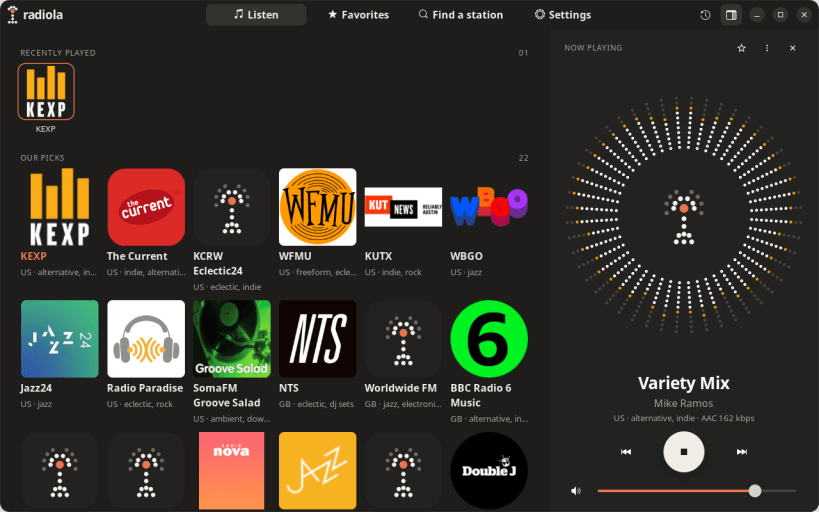
Tune in to the world. Radiola brings you thousands of internet radio stations, from your local favorite to a jazz station in Tokyo, in a clean, calm app made for the Linux desktop.
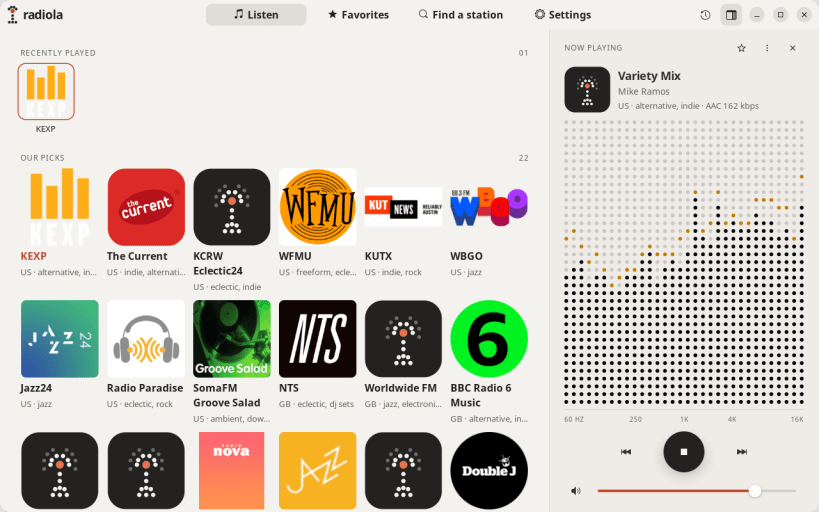
Start listening in seconds No sign-up, no ads, no setup. Open Radiola and pick from Our Picks: 22 hand-picked stations we love, from KEXP and WFMU to BBC Radio 6 Music and SomaFM. Or search tens of thousands more by name, genre or city.
See the music A live spectrum dances around the station's artwork, in colours taken from its logo. The current song title shows as it plays, and your track history remembers the last 100 songs, so you can find that great track later.
Feels at home on your desktop
You are about to open
Do you wish to proceed?
Thank you for your report. Information you provided will help us investigate further.
There was an error while sending your report. Please try again later.
Snaps are applications packaged with all their dependencies to run on all popular Linux distributions from a single build. They update automatically and roll back gracefully.
Snaps are discoverable and installable from the Snap Store, an app store with an audience of millions.
Snap can be installed on Fedora from the command line:
sudo dnf install snapd
Either log out and back in again, or restart your system, to ensure snap’s paths are updated correctly.
To enable classic snap support, enter the following to create a symbolic link between /var/lib/snapd/snap and /snap:
sudo ln -s /var/lib/snapd/snap /snap
To install Radiola, simply use the following command:
sudo snap install radiola --candidate
Browse and find snaps from the convenience of your desktop using the snap store snap.
Interested to find out more about snaps? Want to publish your own application? Visit snapcraft.io now.