Interactive regex tester, capture inspector, explainer, and code generator
Regex Pattern Studio is an offline interactive regular expression and
pattern engineering studio for Linux desktops.
Key features:
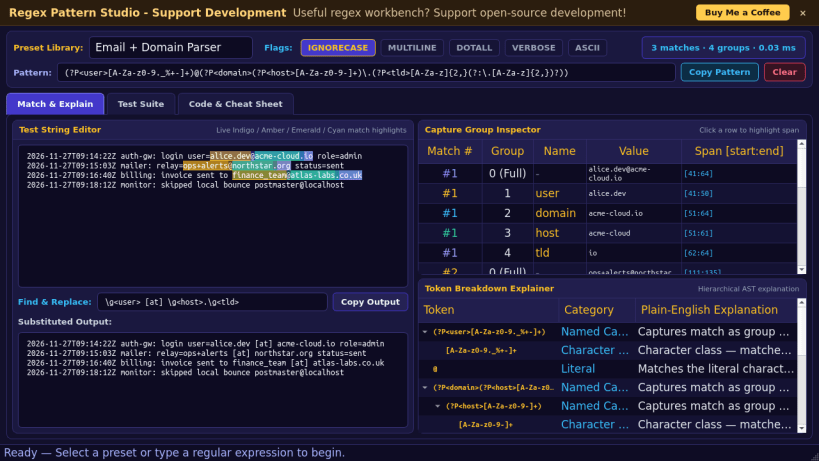
Live Match & Replace Workbench: Highlight full matches and capture groups
with color-coded spans, test live find-and-replace templates (\1,
\g<name>, $1), and switch regex flags (IGNORECASE, MULTILINE, DOTALL,
VERBOSE, ASCII) with real-time timing and match counts.
Capture Group Inspector & Token Explainer: Inspect every match, named or
numbered capture group, and character span in a structured table while
exploring a hierarchical plain-English breakdown of every regex token.
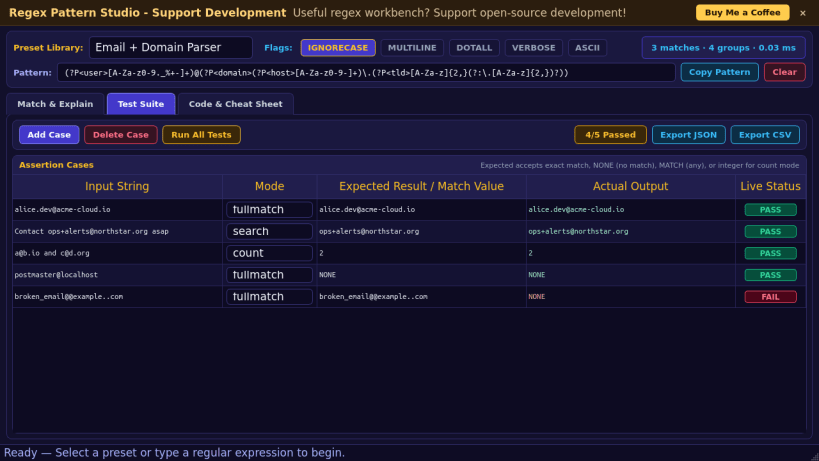
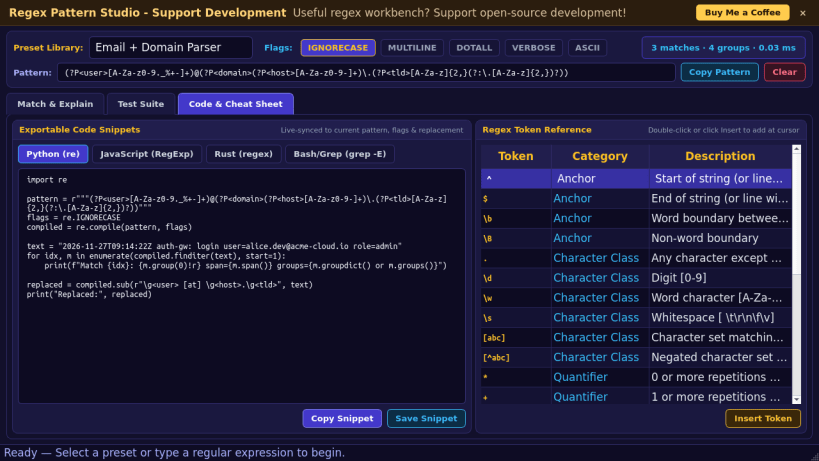
Unit Test Suite & Code Generator: Validate patterns against editable
fullmatch, search, and count assertions with JSON/CSV report export, and
generate ready-to-paste snippets for Python, JavaScript, Rust, and Bash.
(Ownership verified)
The publisher has verified that they own this domain.
It does not guarantee the Snap is an official upload
from the upstream project.
Enable snaps on KDE Neon and install Regex Pattern Studio
Snaps are applications packaged with all their dependencies to run on all popular Linux distributions from a single build. They update automatically and roll back gracefully.
Snaps are discoverable and installable from the Snap Store, an app store with an audience of millions.
Enable snapd
Snap can be installed from the command line. Open the Konsole terminal and enter the following:
sudo apt update
sudo apt install snapd
Install Regex Pattern Studio
To install Regex Pattern Studio, simply use the following command: