
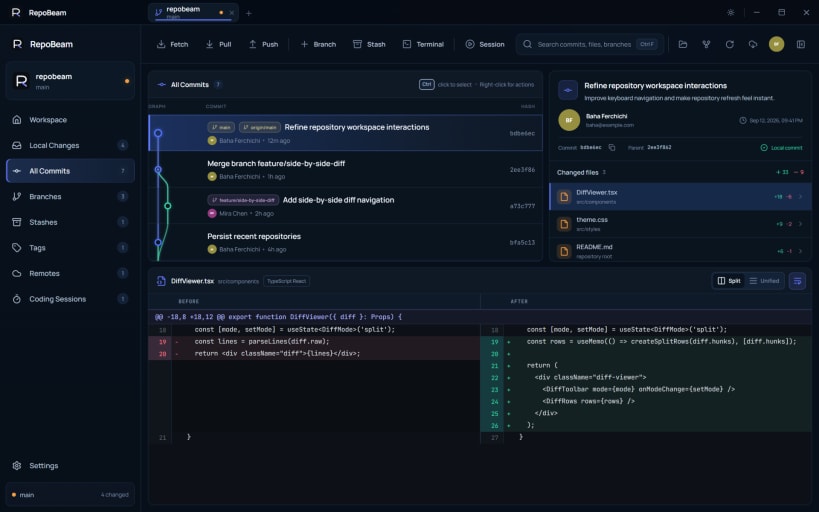
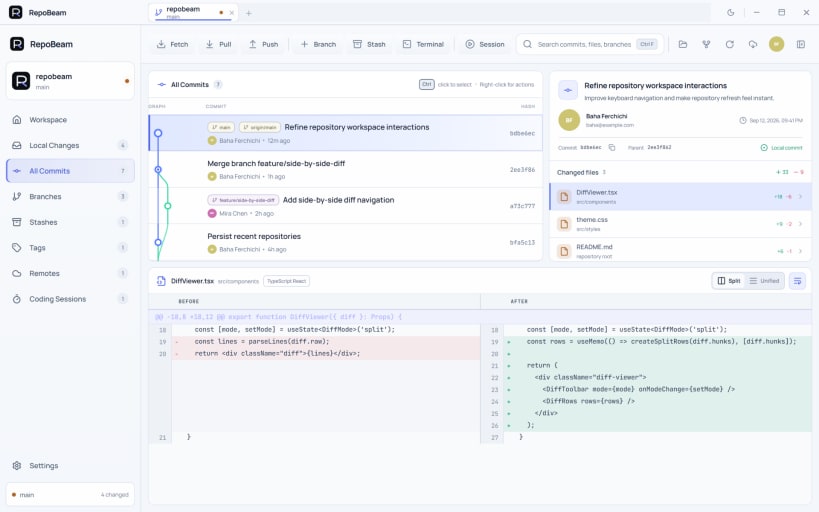

RepoBeam is a free Git client for Linux and Windows that helps you understand, preview and safely complete the Git operations that usually cause uncertainty.
Before/After history previews
When an action changes history — going back to an earlier commit, combining commits or repairing a diverged branch — RepoBeam shows the commit graph as it is now and as it is expected to look afterwards, and lists what changes. Nothing happens until you confirm. RepoBeam avoids rewriting published history by default and creates a private recovery point before rewriting local commits.
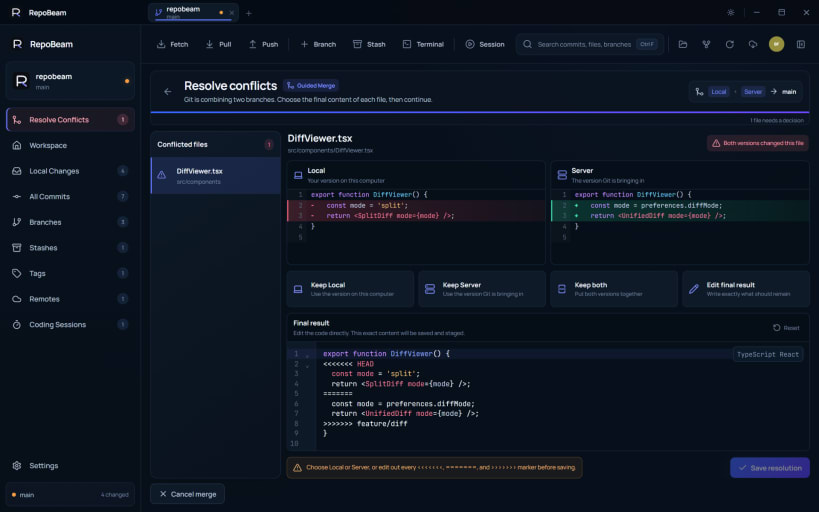
Guided conflict resolution
When a merge, rebase, cherry-pick or revert stops on a conflict, RepoBeam shows both versions side by side with a short explanation of where each came from. Keep one, keep both, or edit the final result, then continue or cancel without leaving the app. A file can't be saved while conflict markers remain.
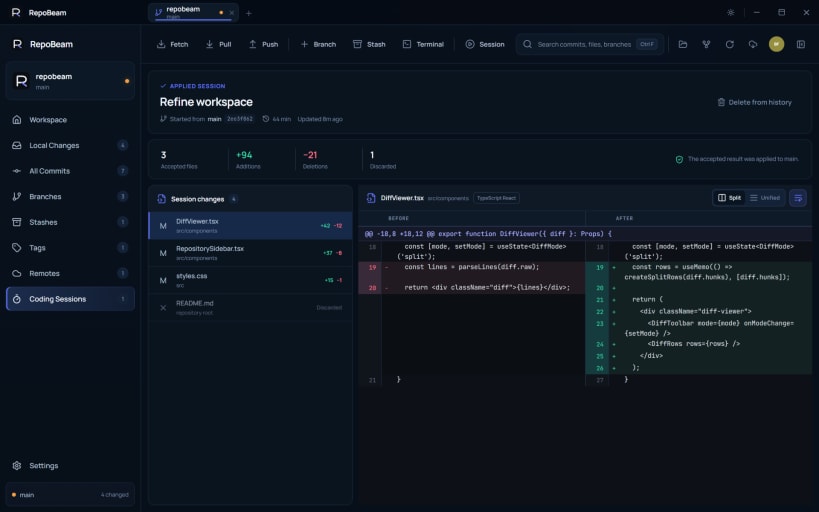
Coding Sessions for AI-assisted work
Start a Coding Session before an agent or editor changes your code. RepoBeam keeps the work on a dedicated session branch, lets you review every changed file, and applies only what you accept. A session is a Git review workflow, not a security sandbox.
Everything you expect from a daily Git client
Commit history, staging of whole files or single hunks, code and image diffs, branches, stashes, tags, remotes, repository tabs, terminal access, and light and dark themes.
Free, with no account
RepoBeam is free to download. There is no RepoBeam account and no telemetry, and RepoBeam doesn't upload your repositories to RepoBeam servers. It runs the Git already installed on your system and uses your SSH agent and credential helpers.
Requires Git to be installed, for example: sudo apt install git
Guides and privacy: https://repobeam.com
You are about to open
Do you wish to proceed?
Thank you for your report. Information you provided will help us investigate further.
There was an error while sending your report. Please try again later.
Snaps are applications packaged with all their dependencies to run on all popular Linux distributions from a single build. They update automatically and roll back gracefully.
Snaps are discoverable and installable from the Snap Store, an app store with an audience of millions.
Snap can be installed on elementary OS from the command line. Open Terminal from the Applications launcher and type the following:
sudo apt update
sudo apt install snapd
Either log out and back in again, or restart your system, to ensure snap’s paths are updated correctly.
To install RepoBeam, simply use the following command:
sudo snap install repobeam

Browse and find snaps from the convenience of your desktop using the snap store snap.

Interested to find out more about snaps? Want to publish your own application? Visit snapcraft.io now.
