

Offer! Buy SayMoney for your Mac and get SayMoney Mobile for free! The promotion code can be requested in the app. (Menu -> Miscellaneous)
Finances and receipts - simplified.
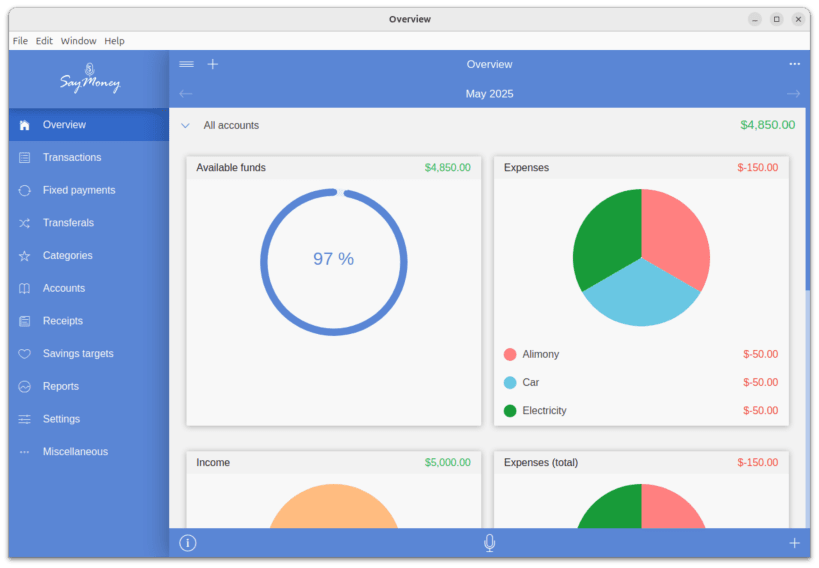
SayMoney is your professional household budget and receipt vault: record transactions, scan and archive receipts - all in one place.
Whether for personal budgeting or business use with VAT and tax tracking, SayMoney keeps you in full control of your money - privately, securely, and without ads.
Highlights
Simone AI: assistant for finances and receipts
Transaction and receipt full-text search
Receipt management: archive photos and PDFs, attach them to transactions
Available on all platforms – use it on your smartphone, tablet, or PC
Manage and evaluate all your finances in one place
Business mode with VAT and input tax display for freelancers and small businesses
Powerful filtering, sorting, grouping, and aggregation of data
Budgeting by category to track your spending goals
Voice input, voice output, and voice commands
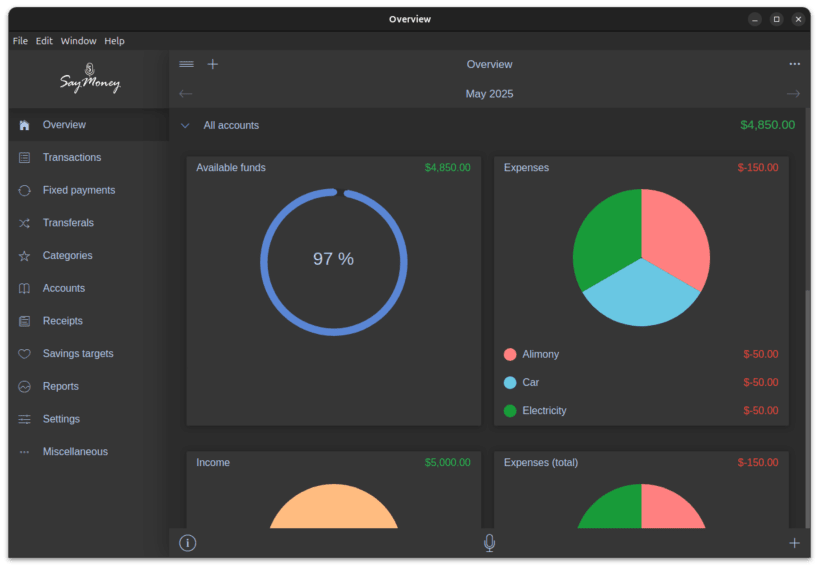
Night mode and five application theme colors
CSV export and import for seamless data transfer
Savings targets and grocery lists
Printing, data backup, and recovery functions
Encrypted cloud sync via Dropbox, Google Drive, OneDrive and Nextcloud
Forecast feature to predict future balances
Privacy & Security
100% ad-free and tracking-free
Works offline - no bank login required
Your data belongs to you, encrypted and under your control
Note for PIN and encryption: snap packages need explicit permission for the system keyring. Run this command once in a terminal and restart the app:
sudo snap connect saymoney:password-manager-service
SayMoney - professional finance and receipt management for personal and business use.
You are about to open
Do you wish to proceed?
Thank you for your report. Information you provided will help us investigate further.
There was an error while sending your report. Please try again later.
Snaps are applications packaged with all their dependencies to run on all popular Linux distributions from a single build. They update automatically and roll back gracefully.
Snaps are discoverable and installable from the Snap Store, an app store with an audience of millions.
On Arch Linux, snap can be installed from the Arch User Repository (AUR). The manual build process is the Arch-supported install method for AUR packages, and you’ll need the prerequisites installed before you can install any AUR package. You can then install snap with the following:
git clone https://aur.archlinux.org/snapd.git
cd snapd
makepkg -si
Once installed, the systemd unit that manages the main snap communication socket needs to be enabled:
sudo systemctl enable --now snapd.socket
If AppArmor is enabled in your system, enable the service which loads AppArmor profiles for snaps:
sudo systemctl enable --now snapd.apparmor.service
To enable classic snap support, enter the following to create a symbolic link between /var/lib/snapd/snap and /snap:
sudo ln -s /var/lib/snapd/snap /snap
Either log out and back in again, or restart your system, to ensure snap’s paths are updated correctly.
To install SayMoney, simply use the following command:
sudo snap install saymoney
Browse and find snaps from the convenience of your desktop using the snap store snap.

Interested to find out more about snaps? Want to publish your own application? Visit snapcraft.io now.