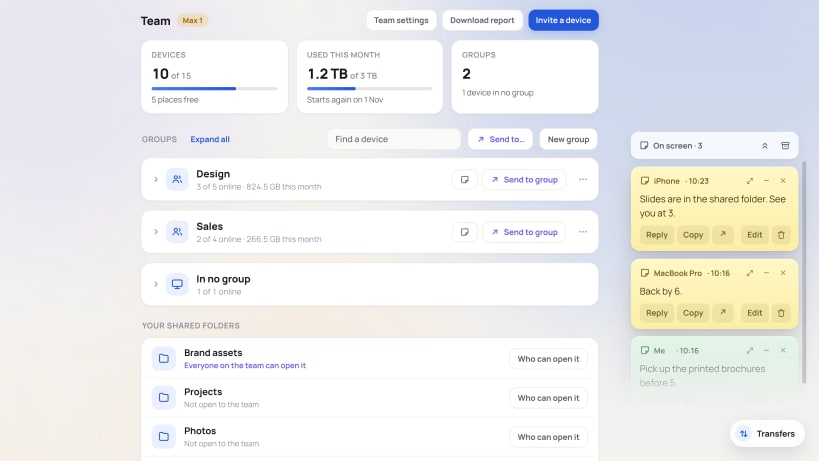
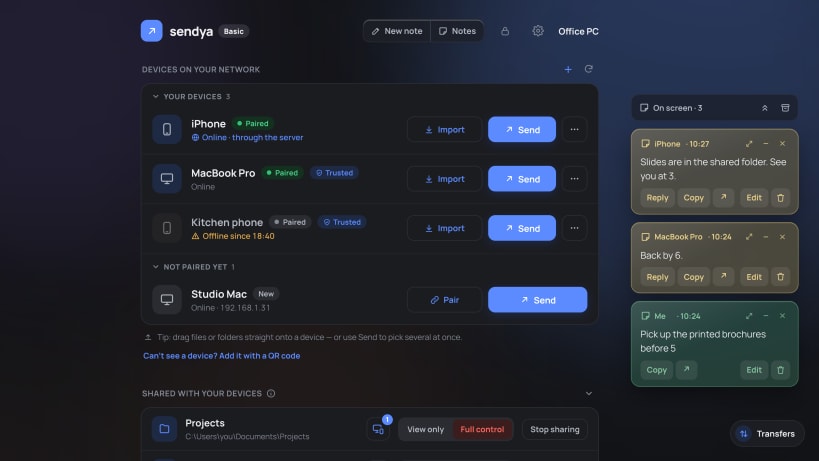
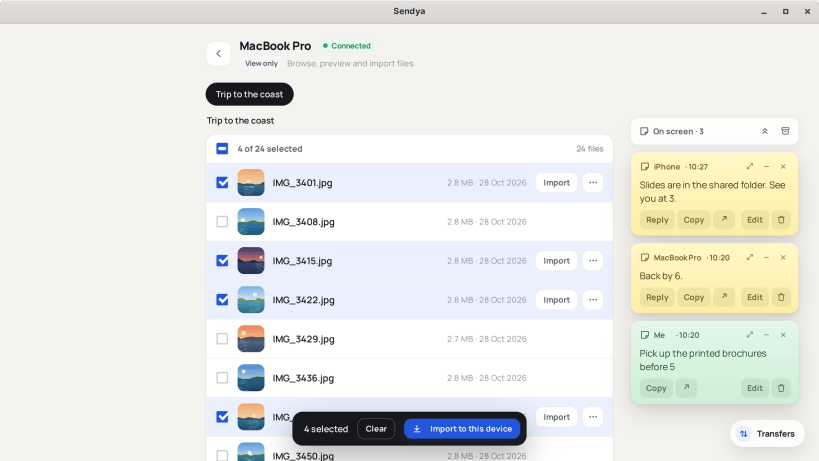
Sendya sends files, photos, videos, whole folders and notes between your own devices: Linux, Windows and Mac computers, Android phones and tablets, iPhone and iPad.
On the same network
Open Sendya on both devices and they find each other, over Wi-Fi or cable. Files go straight across, as fast as your network allows. Nothing passes through anyone else. Free and unlimited.
Far apart
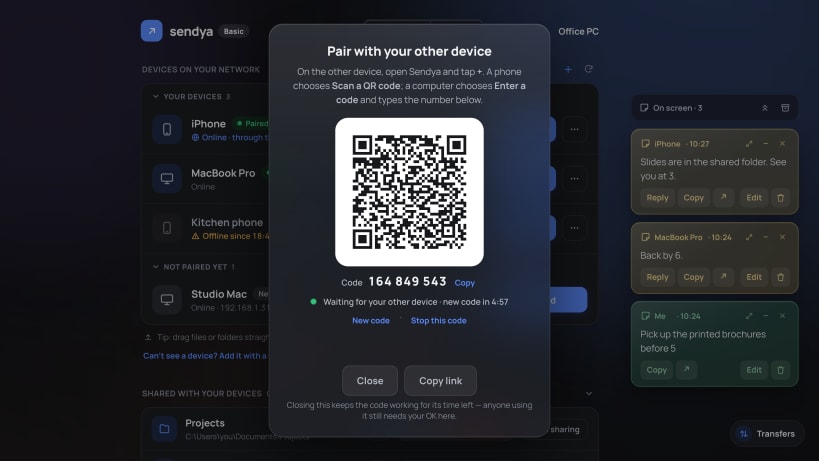
Pair two devices once with a QR code or a code. After that they reach each other on any network: home, the office, a hotel. They go through the Sendya server, encrypted end to end. The server passes the data along, can't read it, and keeps none of it.
What you can do
- Send any file, any size, or a whole folder without zipping it
- Send a note that pops up on your other screen
- Open a folder another of your devices shares, and take what you need
- Share folders from this computer, and choose who can open them
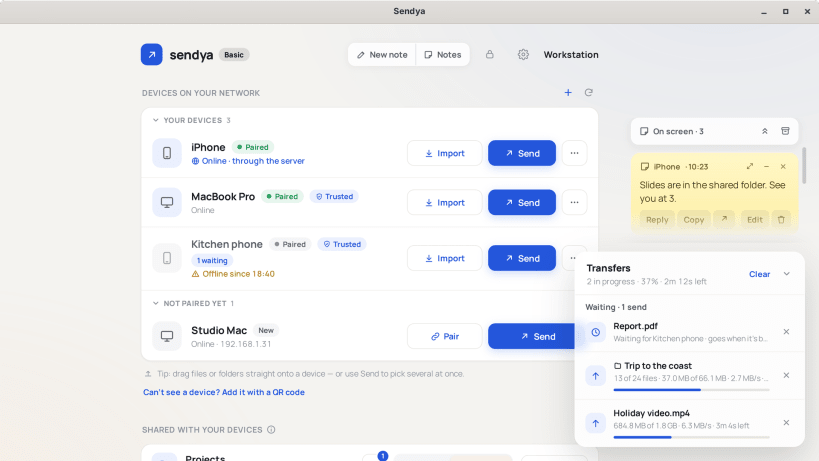
- Big transfers carry on after a break, from where they stopped
- Sends for a device that's asleep wait, and go when it's back
- Trusted devices: if one is lost or stolen, another locks it out of Sendya
- One recovery code for all your devices
- Lock Sendya with a passcode
- Sendya can open when you sign in, and keeps receiving with its window closed
Private by design
No account: no email, no password. Each device makes its own random code, and that's all the server knows about it. Your files, notes and file names are encrypted end to end. No ads, ever. No trackers. We never sell your data.
Free
Every feature is free. On the same network there are no limits. Through the Sendya server, each device gets free data every month: 3 GB the first month, 6 GB the second, then 10 GB. Optional plans add more data.
Get Sendya for your other devices at https://sendya.app
Android is a trademark of Google LLC. Mac, iPhone and iPad are trademarks of Apple Inc. Windows is a trademark of the Microsoft group of companies.