A Linux developer dependency and symbol inspection tool inspired by Dependencies, Dependency Walker, DumpBin, and Export Viewer utilities. Disclaimer: This project is an independent open-source tool and is not affiliated with, sponsored by, or endorsed by any third-party software vendor.
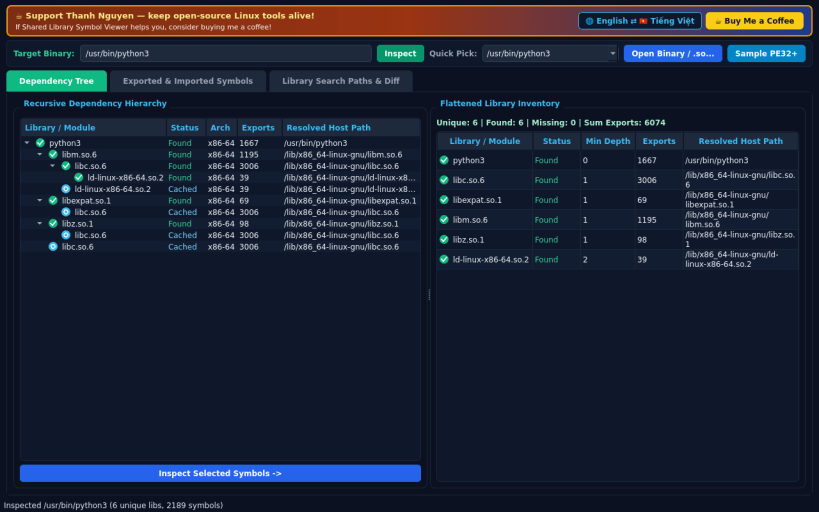
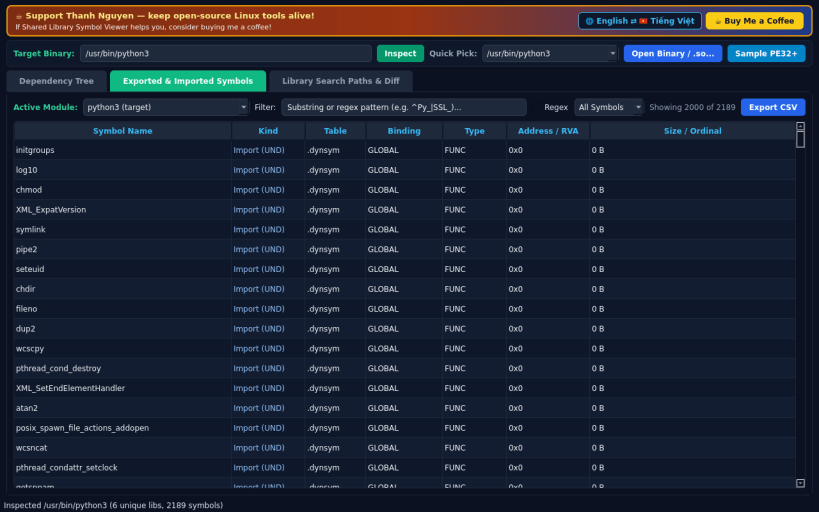
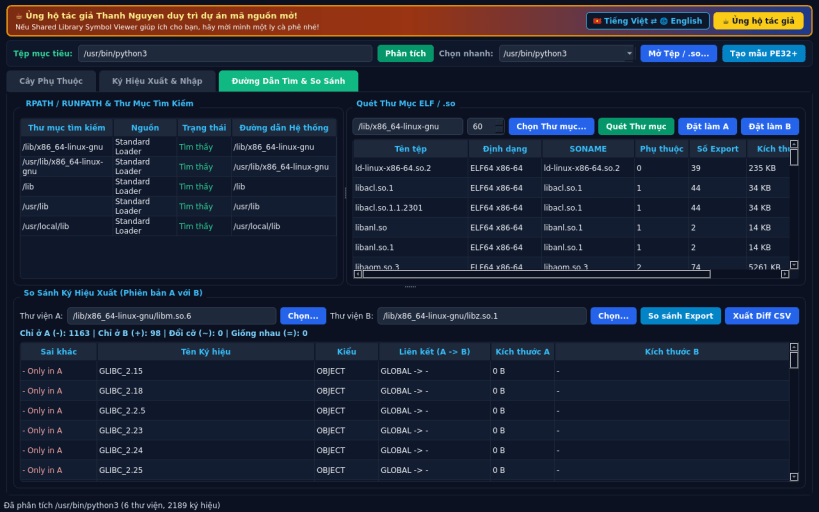
FEATURES • Recursive Shared Library Dependency Tree: resolve DT_NEEDED library hierarchies on Linux ELF binaries and PE import modules with found/missing indicators, resolved host paths, export counts, and flattened inventories. • Exported & Imported Symbol Explorer: inspect dynamic and static symbol tables or PE export/import directories with live substring and regex filtering, binding/type breakdown, and CSV export. • Library Search Paths & Version Diff: audit RPATH/RUNPATH search folders, scan directories for ELF shared objects, and compare exported symbols between two library versions. • Bilingual UI: starts in English by default with instant Vietnamese toggle.
SUPPORT & DONATE • Created by Thanh Nguyen — https://buymeacoffee.com/thanhnv128b
You are about to open
Do you wish to proceed?
Thank you for your report. Information you provided will help us investigate further.
There was an error while sending your report. Please try again later.
Snaps are applications packaged with all their dependencies to run on all popular Linux distributions from a single build. They update automatically and roll back gracefully.
Snaps are discoverable and installable from the Snap Store, an app store with an audience of millions.
If you’re running Ubuntu 16.04 LTS (Xenial Xerus) or later, including Ubuntu 18.04 LTS (Bionic Beaver) and Ubuntu 20.04 LTS (Focal Fossa), you don’t need to do anything. Snap is already installed and ready to go.
For versions of Ubuntu between 14.04 LTS (Trusty Tahr) and 15.10 (Wily Werewolf), as well as Ubuntu flavours that don’t include snap by default, snap can be installed from the Ubuntu Software Centre by searching for snapd.
Alternatively, snapd can be installed from the command line:
sudo apt update
sudo apt install snapd
Either log out and back in again, or restart your system, to ensure snap’s paths are updated correctly.
To install Shared Library Symbol Viewer, simply use the following command:
sudo snap install shared-lib-inspector
Browse and find snaps from the convenience of your desktop using the snap store snap.
Interested to find out more about snaps? Want to publish your own application? Visit snapcraft.io now.