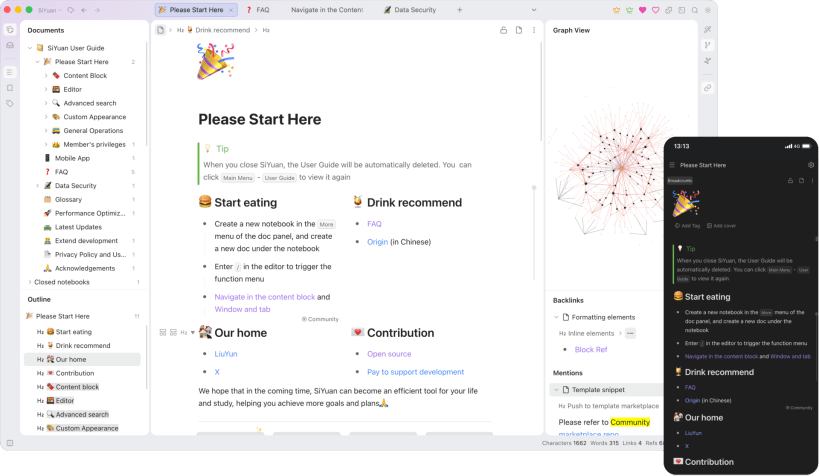
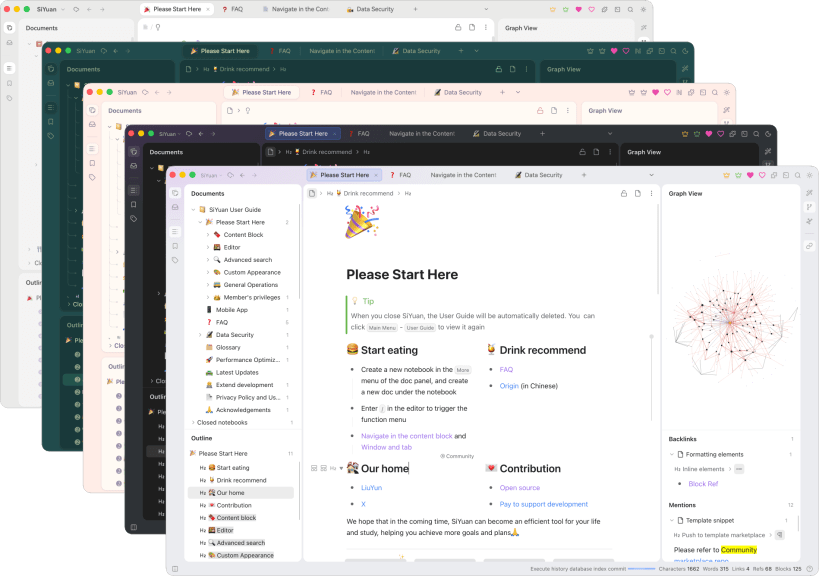
SiYuan is a personal knowledge management system that keeps its data on your computer. Notes are made of blocks that can be referenced, embedded and linked in both directions, and are edited as WYSIWYG Markdown. It includes list outlines, database table views, flashcards with spaced repetition, PDF annotation, templates, text recognition in images, AI assistance through the model service you configure, a community marketplace of themes and plugins, and export to Markdown, PDF, Word and HTML.
Open SiYuan from the application menu or run siyuan. The first start asks for a workspace, the folder that holds your notes: keep the proposed ~/snap/siyuan/common/SiYuan, or choose an empty folder in your home directory such as ~/SiYuan.
siyuan.cli is the command-line interface to the same workspaces:
siyuan.cli notebook list -w ~/SiYuan
siyuan.cli search "keyword" -w ~/SiYuan
Optional connections
To record audio into a note, run:
sudo snap connect siyuan:audio-record
To keep a workspace on a USB drive or another disk under /media or /mnt, run:
sudo snap connect siyuan:removable-media
Updates are managed by snapd.
You are about to open
Do you wish to proceed?
Thank you for your report. Information you provided will help us investigate further.
There was an error while sending your report. Please try again later.
Snaps are applications packaged with all their dependencies to run on all popular Linux distributions from a single build. They update automatically and roll back gracefully.
Snaps are discoverable and installable from the Snap Store, an app store with an audience of millions.
Snap can be installed on Fedora from the command line:
sudo dnf install snapd
Either log out and back in again, or restart your system, to ensure snap’s paths are updated correctly.
To enable classic snap support, enter the following to create a symbolic link between /var/lib/snapd/snap and /snap:
sudo ln -s /var/lib/snapd/snap /snap
To install SiYuan, simply use the following command:
sudo snap install siyuan
Browse and find snaps from the convenience of your desktop using the snap store snap.
Interested to find out more about snaps? Want to publish your own application? Visit snapcraft.io now.