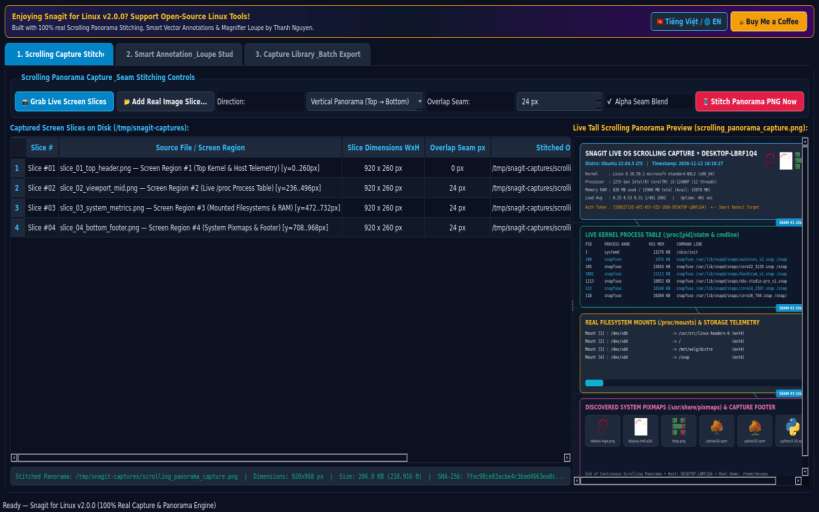
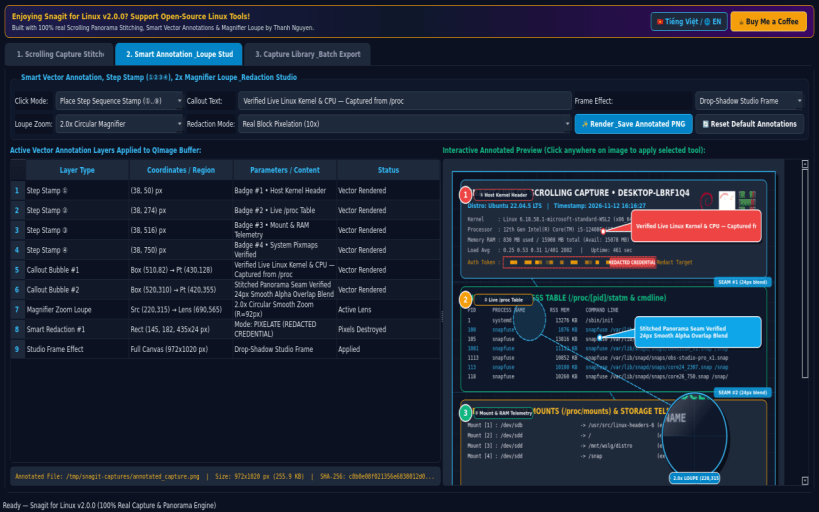
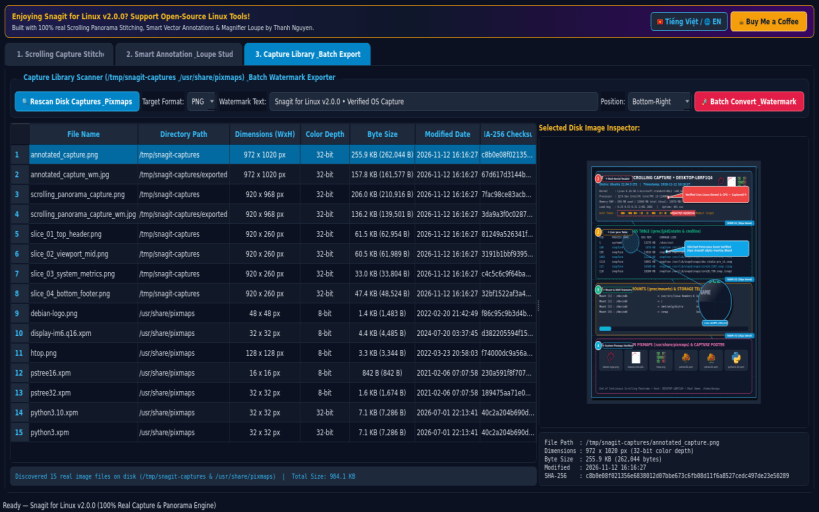
Snagit for Linux v2.0.0 is a professional screen capture, scrolling panorama stitcher, smart vector annotation studio, and batch watermark exporter built natively with Python 3 and PyQt5 for Linux desktops.
KEY FEATURES: • Real Scrolling Capture Stitcher & Multi-Region Screen Grabber: Captures live screen slices via X11/Wayland and stitches multiple vertical or horizontal captures with configurable seam overlap blending into a genuine tall Scrolling Panorama PNG (/tmp/snagit-captures/scrolling_panorama_capture.png) with live SHA-256 verification. • Smart Vector Annotation, Step Stamp, Magnifier Loupe & Redaction Studio: Applies crisp vector QPainter annotations onto real captured images including numbered Step Sequence Stamps (①, ②, ③, ④), custom Callout Speech Bubbles, 2x/3x circular Magnifier Zoom Loupes, real pixelation/blackout Smart Redaction, and Drop-Shadow / Torn-Edge / 3D Bevel frame effects (/tmp/snagit-captures/annotated_capture.png). • Capture Library & Batch Format / Watermark Exporter: Scans real disk captures in /tmp/snagit-captures and system pixmaps in /usr/share/pixmaps, inspecting exact pixel dimensions, color depth, byte size, modified date, and SHA-256 checksums, with one-click batch conversion and watermarking across PNG, JPG, BMP, and PPM formats.
SUPPORT & DONATE: • Created by Thanh Nguyen — Support ongoing development: https://buymeacoffee.com/thanhnv128b
Disclaimer: This project is an independent open-source tool and is not affiliated with, sponsored by, or endorsed by TechSmith Corporation or Snagit.
You are about to open
Do you wish to proceed?
Thank you for your report. Information you provided will help us investigate further.
There was an error while sending your report. Please try again later.
Snaps are applications packaged with all their dependencies to run on all popular Linux distributions from a single build. They update automatically and roll back gracefully.
Snaps are discoverable and installable from the Snap Store, an app store with an audience of millions.
On Arch Linux, snap can be installed from the Arch User Repository (AUR). The manual build process is the Arch-supported install method for AUR packages, and you’ll need the prerequisites installed before you can install any AUR package. You can then install snap with the following:
git clone https://aur.archlinux.org/snapd.git
cd snapd
makepkg -si
Once installed, the systemd unit that manages the main snap communication socket needs to be enabled:
sudo systemctl enable --now snapd.socket
If AppArmor is enabled in your system, enable the service which loads AppArmor profiles for snaps:
sudo systemctl enable --now snapd.apparmor.service
To enable classic snap support, enter the following to create a symbolic link between /var/lib/snapd/snap and /snap:
sudo ln -s /var/lib/snapd/snap /snap
Either log out and back in again, or restart your system, to ensure snap’s paths are updated correctly.
To install SnagCapture Screen Markup Studio, simply use the following command:
sudo snap install snagit
Browse and find snaps from the convenience of your desktop using the snap store snap.
Interested to find out more about snaps? Want to publish your own application? Visit snapcraft.io now.