

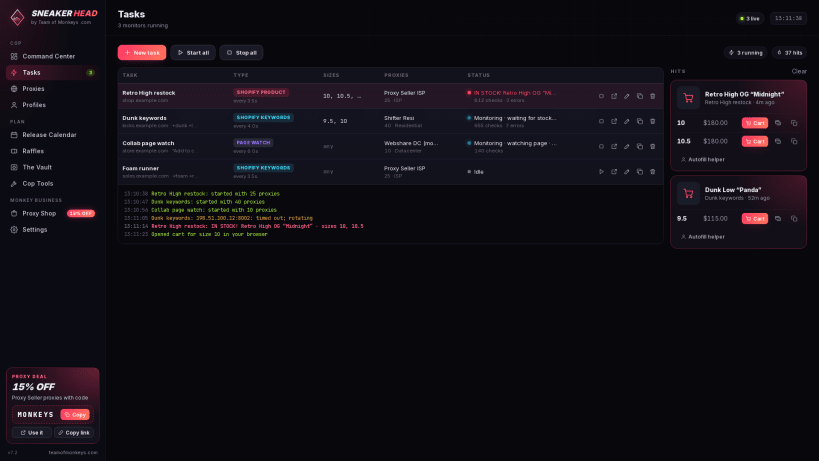
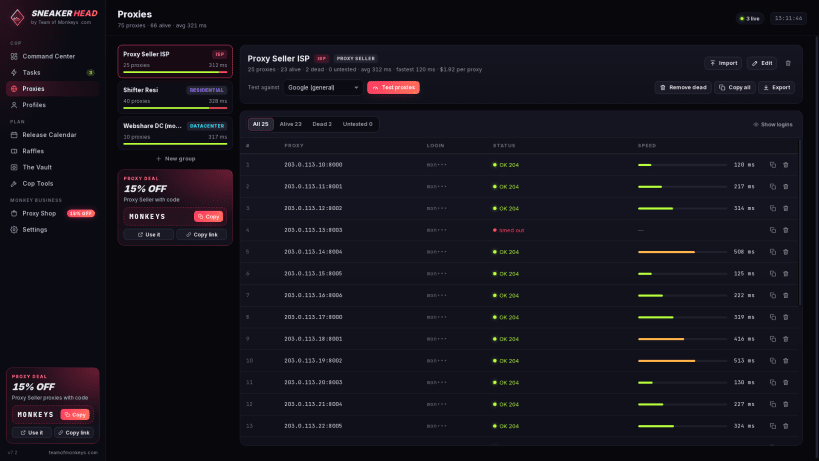

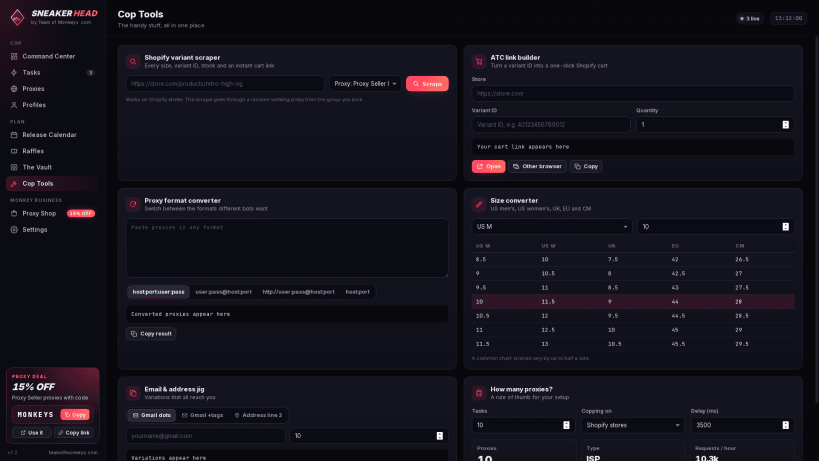
Sneaker Head by Team of Monkeys .com is a free cop command center for sneaker heads who run proxies. Load and test your proxies, point stock monitors at Shopify products, keyword searches or any page, and get an alert with an instant cart link the moment your size lands.
Proxy manager and tester
Import proxies in any common format (host:port:user:pass, user:pass@host:port, http:// and socks5://), sort them into groups and test hundreds at once against the site you're copping on. See speed, status and errors, rank the fastest first, clear out the dead ones and export in the format your other tools want.
Stock monitors with instant cart links
Watch a Shopify product, a keyword search on a Shopify store (+include -exclude) or any web page. Monitors rotate through your proxy group, back off when a store rate-limits, and catch restocks. When your size drops you get a desktop alert, a sound, an optional Discord ping and a cart link for every size in stock.
Open links your way
Every link (cart links, partner links, guides) can open in your default browser, in a browser you pick, or be copied to paste anywhere.
Plan the cook
Proxy Shop
The Team of Monkeys proxy partners (Proxy Seller, Shifter, Geonode, Webshare and Rayobyte) with a "which proxies do I need?" picker, and code MONKEYS for 15% off Proxy Seller.
Sneaker Head never checks out for you: monitors find stock and hand you cart links to finish in your own browser. The app is free and supported by affiliate links to proxy providers. No accounts, no ads and no telemetry. Your data stays in one file on this computer.
Shopify and Discord are trademarks of their owners, named only to describe compatibility; this app is not affiliated with or endorsed by Shopify or Discord.
You are about to open
Do you wish to proceed?
Thank you for your report. Information you provided will help us investigate further.
There was an error while sending your report. Please try again later.
Snaps are applications packaged with all their dependencies to run on all popular Linux distributions from a single build. They update automatically and roll back gracefully.
Snaps are discoverable and installable from the Snap Store, an app store with an audience of millions.
On Arch Linux, snap can be installed from the Arch User Repository (AUR). The manual build process is the Arch-supported install method for AUR packages, and you’ll need the prerequisites installed before you can install any AUR package. You can then install snap with the following:
git clone https://aur.archlinux.org/snapd.git
cd snapd
makepkg -si
Once installed, the systemd unit that manages the main snap communication socket needs to be enabled:
sudo systemctl enable --now snapd.socket
If AppArmor is enabled in your system, enable the service which loads AppArmor profiles for snaps:
sudo systemctl enable --now snapd.apparmor.service
To enable classic snap support, enter the following to create a symbolic link between /var/lib/snapd/snap and /snap:
sudo ln -s /var/lib/snapd/snap /snap
Either log out and back in again, or restart your system, to ensure snap’s paths are updated correctly.
To install Sneaker Head, simply use the following command:
sudo snap install sneaker-head-monkeys

Browse and find snaps from the convenience of your desktop using the snap store snap.

Interested to find out more about snaps? Want to publish your own application? Visit snapcraft.io now.