A lightweight Linux alternative to HDGraph for radial concentric disk space visualization. Independent open-source Linux tool, not affiliated with, sponsored by, or endorsed by HDGraph authors.
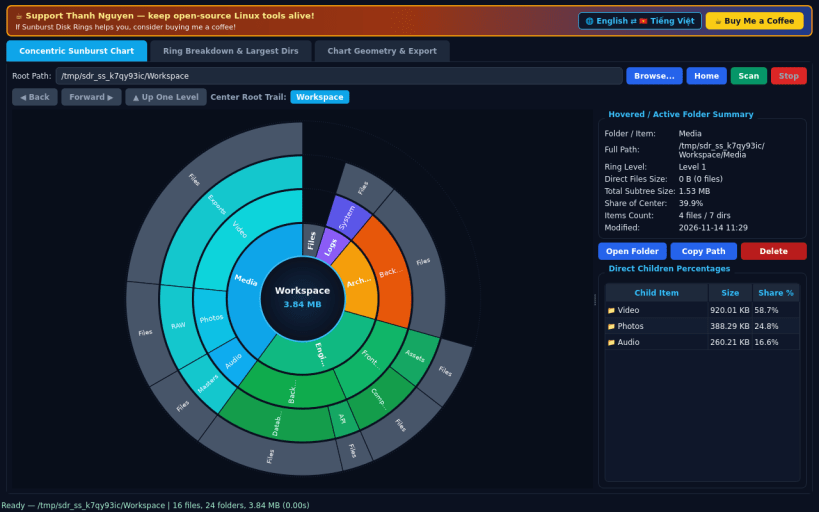
CONCENTRIC MULTI-RING SUNBURST CHART • Scans real local and mounted directory hierarchies with POSIX os.scandir and renders a custom radial pie and concentric ring diagram. • Hover any ring wedge for live folder summary, depth level, direct files size, subtree total size, and direct children percentage shares. • Click any folder arc to zoom the center root into that directory, click the center root disc to zoom back up, or navigate via breadcrumb trail.
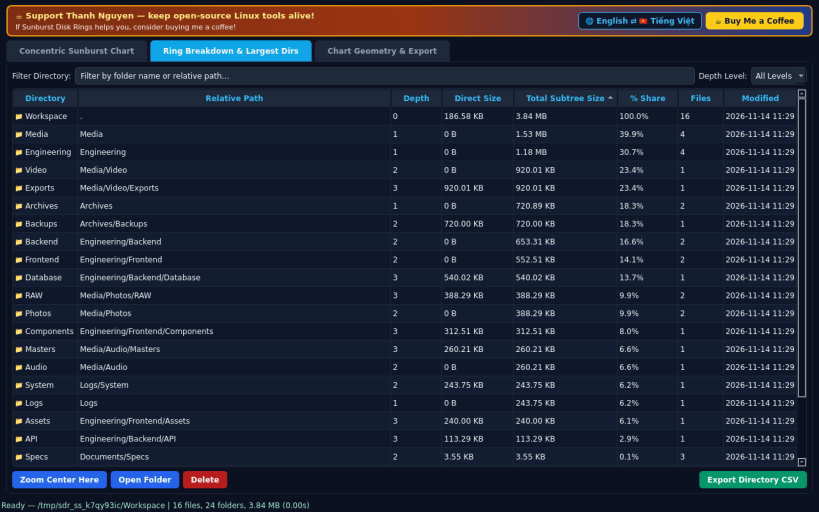
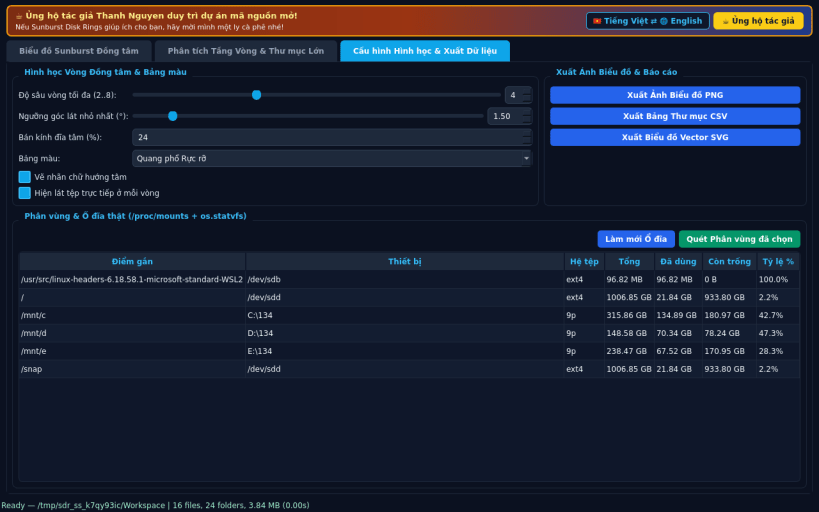
RING BREAKDOWN TABLE & GEOMETRY CONTROLS • Explore a sortable directory breakdown table showing depth level, direct size, total subtree size, share percentage, file count, and timestamps. • Tune max ring depth (2 to 8 levels), minimum slice angle threshold, center disc radius, color palette, and radial angle labels in real time. • Inspect mounted filesystems via /proc/mounts and os.statvfs, and export high-resolution PNG chart snapshots, SVG radial vectors, or CSV tables.
SUPPORT & DONATE • Created by Thanh Nguyen
You are about to open
Do you wish to proceed?
Thank you for your report. Information you provided will help us investigate further.
There was an error while sending your report. Please try again later.
Snaps are applications packaged with all their dependencies to run on all popular Linux distributions from a single build. They update automatically and roll back gracefully.
Snaps are discoverable and installable from the Snap Store, an app store with an audience of millions.
If you’re running Ubuntu 16.04 LTS (Xenial Xerus) or later, including Ubuntu 18.04 LTS (Bionic Beaver) and Ubuntu 20.04 LTS (Focal Fossa), you don’t need to do anything. Snap is already installed and ready to go.
For versions of Ubuntu between 14.04 LTS (Trusty Tahr) and 15.10 (Wily Werewolf), as well as Ubuntu flavours that don’t include snap by default, snap can be installed from the Ubuntu Software Centre by searching for snapd.
Alternatively, snapd can be installed from the command line:
sudo apt update
sudo apt install snapd
Either log out and back in again, or restart your system, to ensure snap’s paths are updated correctly.
To install Sunburst Disk Rings, simply use the following command:
sudo snap install sunburst-disk-rings
Browse and find snaps from the convenience of your desktop using the snap store snap.
Interested to find out more about snaps? Want to publish your own application? Visit snapcraft.io now.