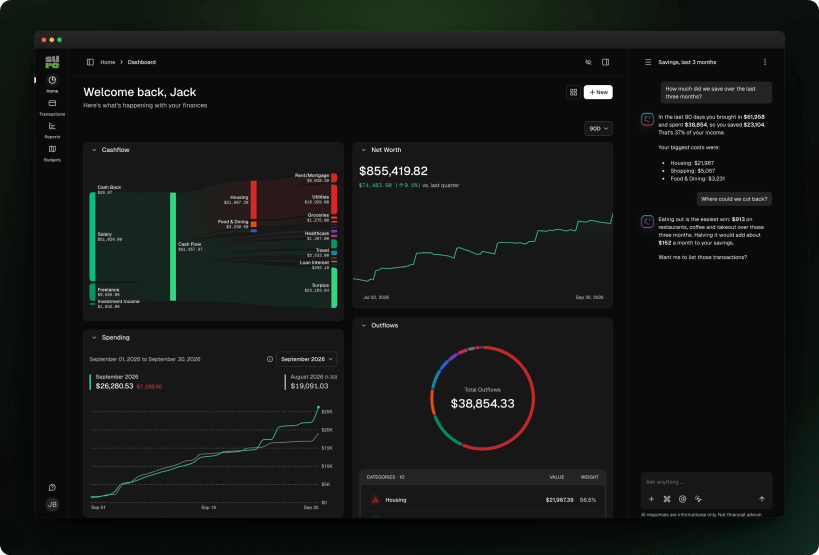
Sure is a personal finance and wealth management app, the community continuation of Maybe Finance. Track accounts, transactions, budgets, investments and net worth, import CSV files or sync banks, and ask an optional AI assistant about your finances.
This snap is self-contained: it runs the Sure web server and its background worker together with a private PostgreSQL database and a Valkey (Redis-compatible) server, reachable only from inside the snap.
Getting started
The services start right after installation and the web interface listens on 127.0.0.1:3000 (this machine only). Open http://localhost:3000 and create your account; the first account becomes the administrator.
Settings
sudo snap set sure port=3000 host=127.0.0.1
Other upstream settings (email, AI providers, OIDC, external database) go in /var/snap/sure/common/sure.env. Restart after editing:
sudo snap restart sure
Commands
sudo sure console
sudo sure.pg-dump > sure-backup.sql
sudo sure.psql
You are about to open
Do you wish to proceed?
Thank you for your report. Information you provided will help us investigate further.
There was an error while sending your report. Please try again later.
Snaps are applications packaged with all their dependencies to run on all popular Linux distributions from a single build. They update automatically and roll back gracefully.
Snaps are discoverable and installable from the Snap Store, an app store with an audience of millions.
Snap can be installed on Fedora from the command line:
sudo dnf install snapd
Either log out and back in again, or restart your system, to ensure snap’s paths are updated correctly.
To enable classic snap support, enter the following to create a symbolic link between /var/lib/snapd/snap and /snap:
sudo ln -s /var/lib/snapd/snap /snap
To install Sure, simply use the following command:
sudo snap install sure
Browse and find snaps from the convenience of your desktop using the snap store snap.
Interested to find out more about snaps? Want to publish your own application? Visit snapcraft.io now.