A Linux alternative to XYplorer. Independent open-source project, not affiliated with or endorsed by Cologne Code Company.
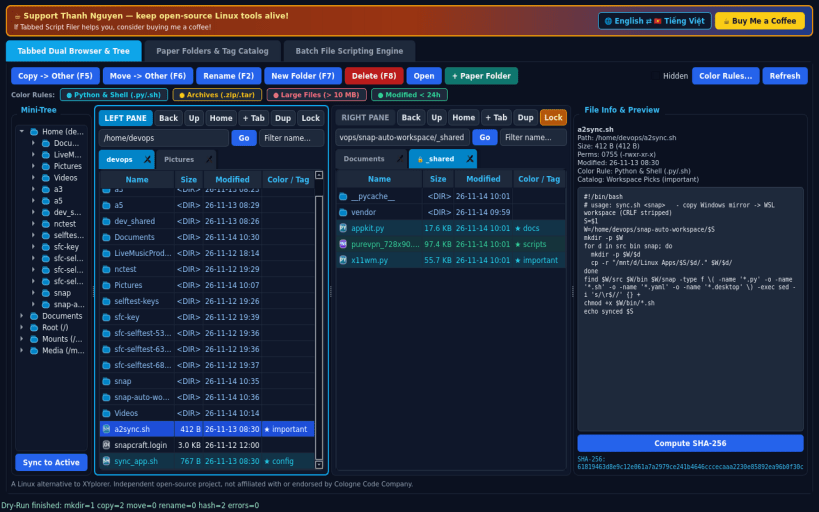
TABBED DUAL BROWSER & MINI-TREE • Multi-tabbed Left & Right file panes with open, close, duplicate, and tab locking controls, backed directly by real files on your Linux system. • Lazy-loaded Mini-Tree directory sidebar and live File Info & Preview panel (metadata, octal permissions, text/image preview, SHA-256 checksum). • Color Coding Rules that visually tint file rows by extension, size threshold, or modified age (e.g. modified <24h emerald, .py/.sh cyan, .zip/.tar amber, >10MB rose), plus full Copy, Move, Rename, MkDir & Delete.
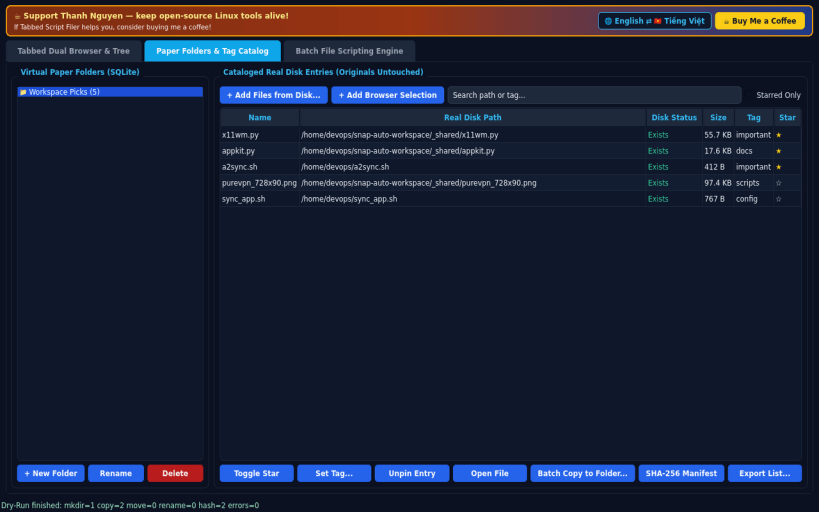
PAPER FOLDERS & SQLITE TAG CATALOG • Group scattered real file paths from across disk into persistent SQLite virtual Paper Folders with stars and custom tags without moving the original files. • Export Paper Folder lists (CSV/TXT), verify disk presence, compute SHA-256 manifests, or batch-copy collected files into a destination folder.
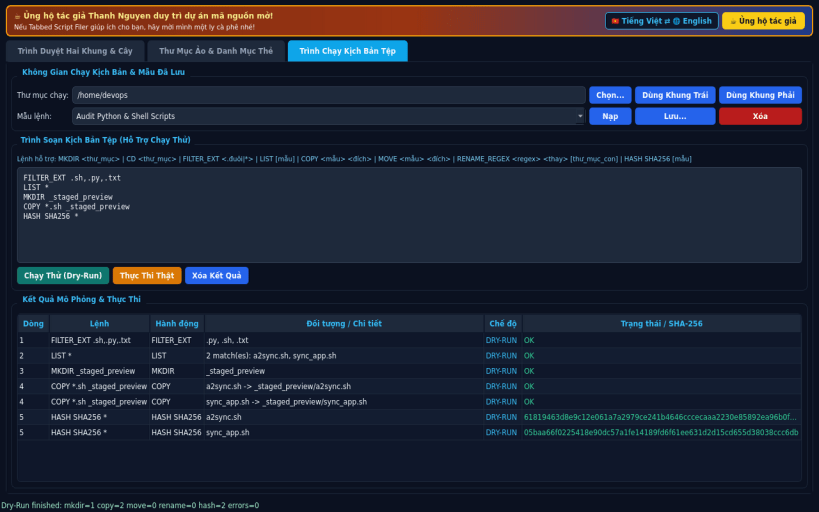
BATCH FILE SCRIPTING ENGINE • Run structured batch commands scoped safely inside a chosen user workspace: LIST, FILTER_EXT, MKDIR, CD, COPY, MOVE, RENAME_REGEX, and HASH SHA256. • Includes non-destructive Dry-Run simulation, real disk execution, and persistent saved script snippets.
Disclaimer: This project is an independent open-source tool and is not affiliated with, sponsored by, or endorsed by Cologne Code Company.
SUPPORT & DONATE • Created by Thanh Nguyen — https://buymeacoffee.com/thanhnv128b
You are about to open
Do you wish to proceed?
Thank you for your report. Information you provided will help us investigate further.
There was an error while sending your report. Please try again later.
Snaps are applications packaged with all their dependencies to run on all popular Linux distributions from a single build. They update automatically and roll back gracefully.
Snaps are discoverable and installable from the Snap Store, an app store with an audience of millions.
Snapd can be installed from Manjaro’s Add/Remove Software application (Pamac), found in the launch menu. From the application, search for snapd, select the result, and click Apply.
Alternatively, snapd can be installed from the command line:
sudo pacman -S snapd
Once installed, the systemd unit that manages the main snap communication socket needs to be enabled:
sudo systemctl enable --now snapd.socket
To enable classic snap support, enter the following to create a symbolic link between /var/lib/snapd/snap and /snap:
sudo ln -s /var/lib/snapd/snap /snap
Either log out and back in again, or restart your system, to ensure snap’s paths are updated correctly.
To install Tabbed Script Filer, simply use the following command:
sudo snap install tabbed-script-filer
Browse and find snaps from the convenience of your desktop using the snap store snap.
Interested to find out more about snaps? Want to publish your own application? Visit snapcraft.io now.