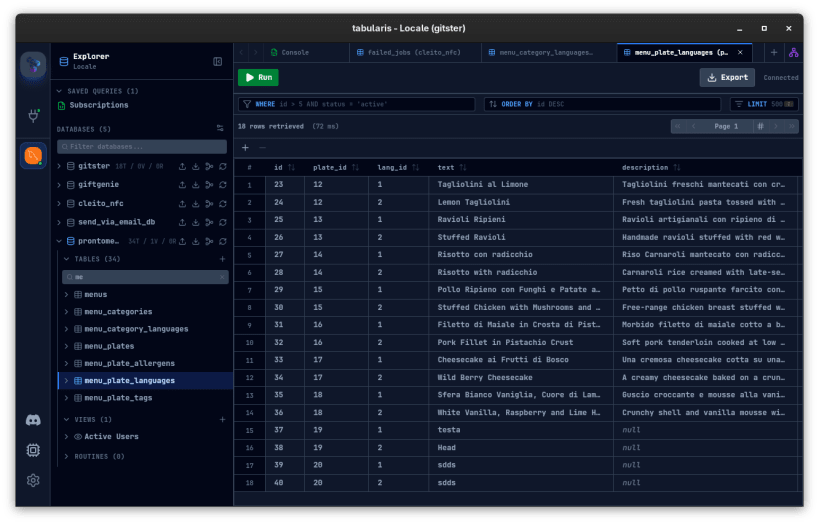
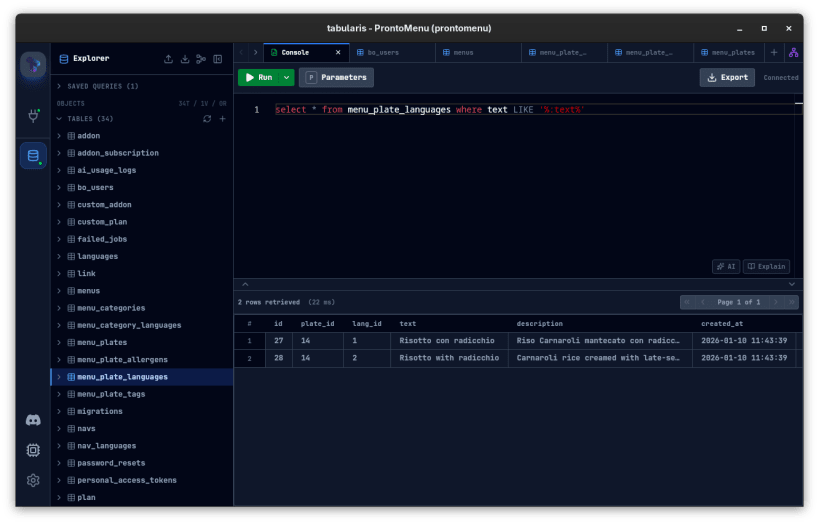
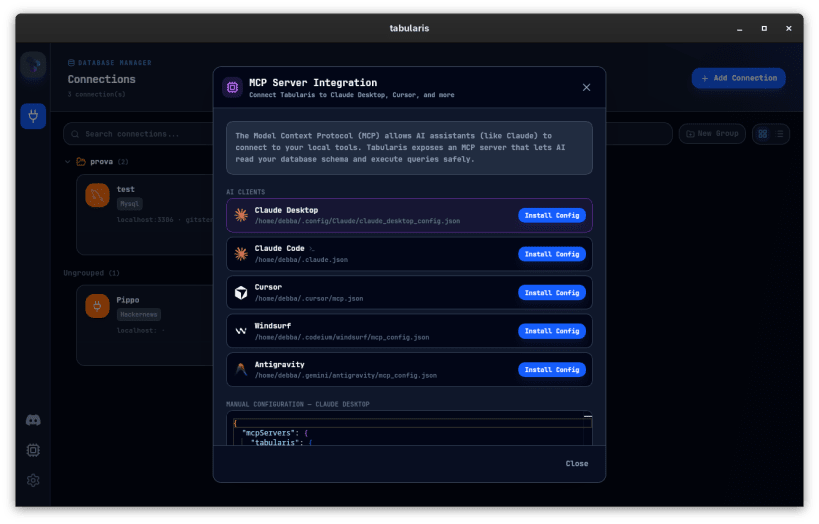
Tabularis is a free, open-source desktop database client for PostgreSQL, MySQL/MariaDB, and SQLite. Built with Rust (Tauri v2) and React, it is fast, lightweight, and designed for everyday SQL work.
SQL Notebooks: combine SQL and Markdown cells with inline charts, cross-cell variables, parameters, and export to HTML/CSV/JSON.
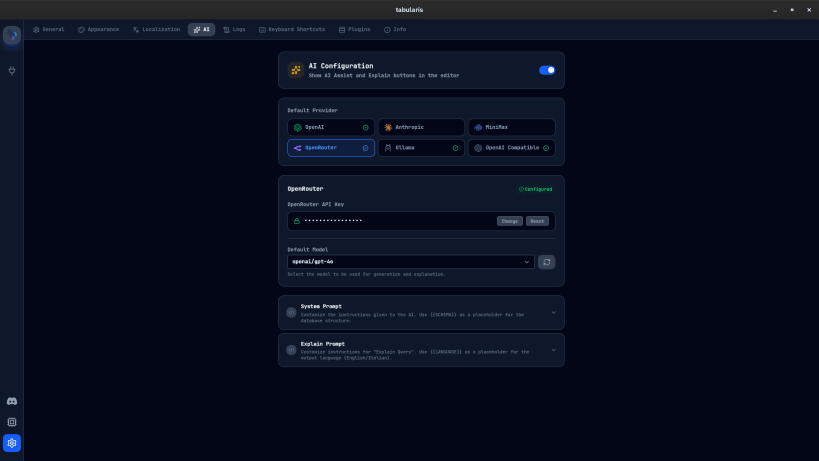
AI-Powered SQL Assistant: generate SQL from natural language, explain queries, and get optimization suggestions. Supports OpenAI, Claude, Ollama (local), OpenRouter, and any OpenAI-compatible API.
MCP Server: built-in Model Context Protocol server for AI agent integration with Claude Desktop, Claude Code, Cursor, and Windsurf.
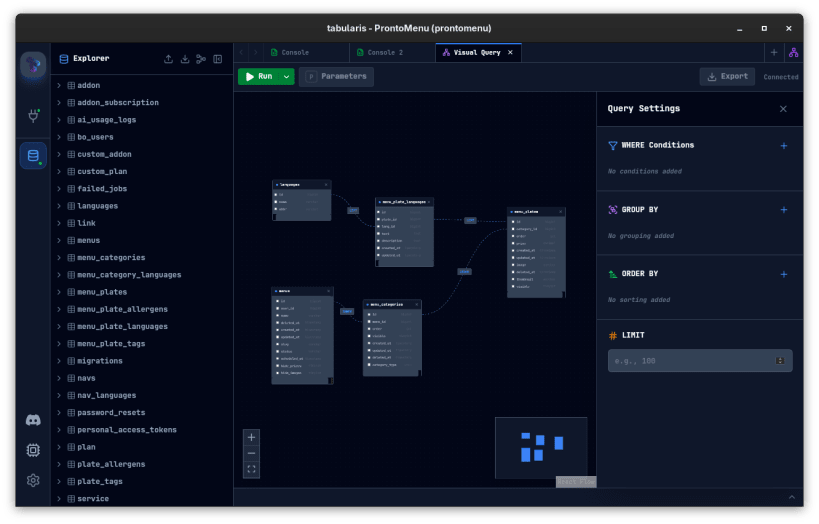
Visual Query Builder: drag-and-drop interface for JOINs, filters, aggregates, and sorting with real-time SQL generation.
Plugin System: add any database driver (DuckDB, ClickHouse, MongoDB, etc.) using JSON-RPC plugins in any language.
Also includes: Monaco-based SQL editor with smart autocomplete, high-performance virtualized data grid with inline editing, ER diagram visualization, SSH tunneling, system keychain credential storage, split view, SQL dump/import, 10+ themes, customizable keyboard shortcuts, and multi-language support (EN, IT, ES, ZH).
Website: https://tabularis.dev Source: https://github.com/debba/tabularis
You are about to open
Do you wish to proceed?
Thank you for your report. Information you provided will help us investigate further.
There was an error while sending your report. Please try again later.
Snaps are applications packaged with all their dependencies to run on all popular Linux distributions from a single build. They update automatically and roll back gracefully.
Snaps are discoverable and installable from the Snap Store, an app store with an audience of millions.
Snap can be installed from the command line on openSUSE Leap 15.x and Tumbleweed.
You need first add the snappy repository from the terminal. Choose the appropriate command depending on your installed openSUSE flavor.
Tumbleweed:
sudo zypper addrepo --refresh https://download.opensuse.org/repositories/system:/snappy/openSUSE_Tumbleweed snappy
Leap 15.x:
sudo zypper addrepo --refresh https://download.opensuse.org/repositories/system:/snappy/openSUSE_Leap_15.6 snappy
If needed, Swap out openSUSE_Leap_15. for, openSUSE_Leap_16.0 if you’re using a different version of openSUSE.
With the repository added, import its GPG key:
sudo zypper --gpg-auto-import-keys refresh
Finally, upgrade the package cache to include the new snappy repository:
sudo zypper dup --from snappy
Snap can now be installed with the following:
sudo zypper install snapd
You then need to either reboot, logout/login or source /etc/profile to have /snap/bin added to PATH.
Additionally, enable and start both the snapd and the snapd.apparmor services with the following commands:
sudo systemctl enable --now snapd
sudo systemctl enable --now snapd.apparmor
To install tabularis, simply use the following command:
sudo snap install tabularis
Browse and find snaps from the convenience of your desktop using the snap store snap.

Interested to find out more about snaps? Want to publish your own application? Visit snapcraft.io now.