

Find SEO issues, understand your site’s structure and turn crawl data into a practical plan.
Tadpole is an open-source desktop SEO crawler for SEO specialists, website owners and developers. Inspect pages, follow internal links and investigate issues in a native Linux workspace. Your crawl results stay on your machine, ready to search, filter, save and export.
Audit the pages that matter
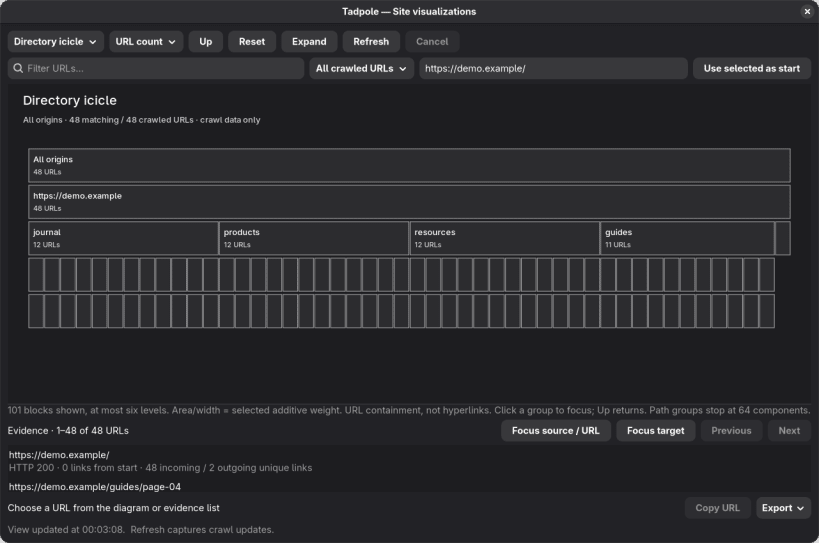
Understand how your site connects
Take your findings with you
Optional AI suggestions, under your control
Request page-level title, description and text-based image alt suggestions through OpenRouter or OpenAI. Ordinary crawling needs no AI account. AI actions send selected page content to your chosen provider, require your own API key and are billed by that provider. Credentials stay in memory for the session and are excluded from saved projects.
Tadpole is MIT-licensed. Its direction comes from an experienced SEO professional, with development carried out primarily through AI coding agents and reviewed after updates.
SEO health and internal rank are local heuristics, not Google scores. Schema checks do not certify rich-result eligibility. JavaScript rendering requires an accessible Chrome/Chromium executable, which is not bundled; availability inside Snap confinement needs separate verification.
Documentation and source: https://github.com/piotrowskiadam/Tadpole
Questions or bugs: https://github.com/piotrowskiadam/Tadpole/issues
Support development: https://ko-fi.com/B5Z022ZL32
You are about to open
Do you wish to proceed?
Thank you for your report. Information you provided will help us investigate further.
There was an error while sending your report. Please try again later.
Snaps are applications packaged with all their dependencies to run on all popular Linux distributions from a single build. They update automatically and roll back gracefully.
Snaps are discoverable and installable from the Snap Store, an app store with an audience of millions.
Snapd can be installed from Manjaro’s Add/Remove Software application (Pamac), found in the launch menu. From the application, search for snapd, select the result, and click Apply.
Alternatively, snapd can be installed from the command line:
sudo pacman -S snapd
Once installed, the systemd unit that manages the main snap communication socket needs to be enabled:
sudo systemctl enable --now snapd.socket
To enable classic snap support, enter the following to create a symbolic link between /var/lib/snapd/snap and /snap:
sudo ln -s /var/lib/snapd/snap /snap
Either log out and back in again, or restart your system, to ensure snap’s paths are updated correctly.
To install Tadpole — SEO crawler, simply use the following command:
sudo snap install tadpole

Browse and find snaps from the convenience of your desktop using the snap store snap.

Interested to find out more about snaps? Want to publish your own application? Visit snapcraft.io now.