
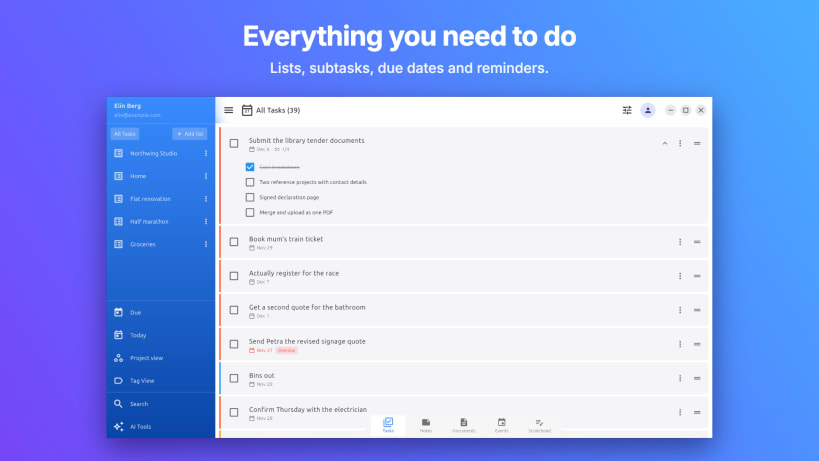

You probably have a to-do app, a notes app, a calendar, a folder called "misc" and a chat with yourself full of things to remember. TASKjiq is one app for all of that. It is free on the computer you install it on, with no account and no subscription; only the parts that need a server cost money. There are no ads, your data is not sold or shown to advertisers, and without an account it never leaves your computer.
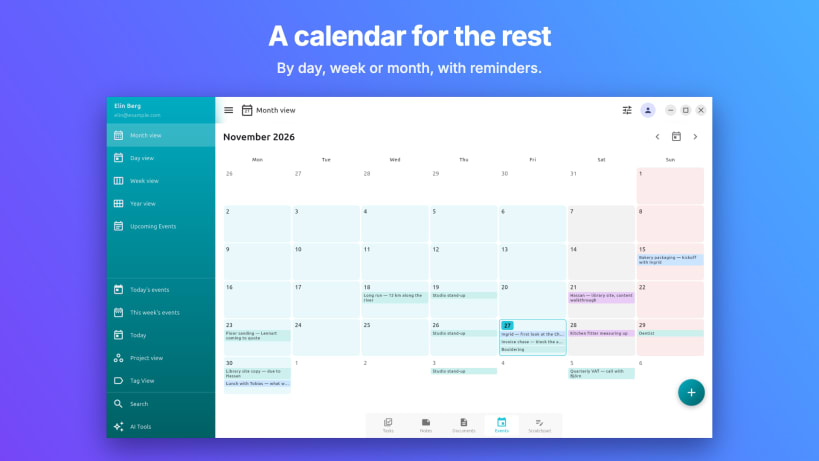
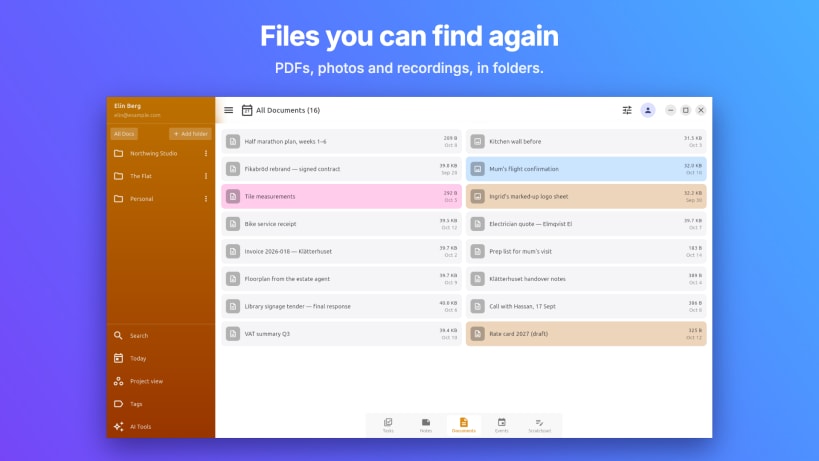
• Tasks: lists, subtasks, due dates, priorities, tags, repeats and reminders. Type "call the bank tomorrow at 9" and the date fills itself in. • Notes: proper formatted text, with images, exported to PDF or Markdown. • Events: a calendar by day, week, month or agenda. Drag a task onto it and it becomes a block as long as you estimated. • Documents: photos, recordings, videos, PDFs, anything, in lists and folders, with previews. • Scratchpad: pages for whatever has no shape yet, a line of text, a sketch, a voice memo. One click turns a page into tasks, a note or documents.
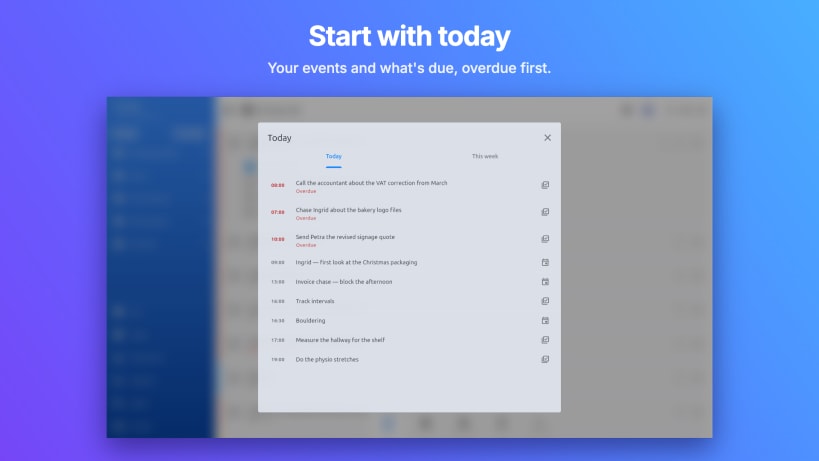
Today shows your events and what is due, overdue first. One search covers everything, projects cross modules, any two items can be linked, Ctrl+N captures a thought before it escapes, and closing the window keeps TASKjiq in the tray so reminders still arrive. Deleted items wait in the trash for six months.
Leaving is easy: export the whole account as a zip of CSV, JSON, Markdown and your files as they were. Arriving is easy too: import your tasks from Todoist, Google Tasks or Microsoft To Do.
A paid plan adds the parts that need a server: sync with your other devices and the browser, sharing lists by email, cloud storage for documents, and AI helpers that read text only and come with an Undo.
You are about to open
Do you wish to proceed?
Thank you for your report. Information you provided will help us investigate further.
There was an error while sending your report. Please try again later.
Snaps are applications packaged with all their dependencies to run on all popular Linux distributions from a single build. They update automatically and roll back gracefully.
Snaps are discoverable and installable from the Snap Store, an app store with an audience of millions.
Snap can be installed on Fedora from the command line:
sudo dnf install snapd
Either log out and back in again, or restart your system, to ensure snap’s paths are updated correctly.
To enable classic snap support, enter the following to create a symbolic link between /var/lib/snapd/snap and /snap:
sudo ln -s /var/lib/snapd/snap /snap
To install TASKjiq - Tasks, Notes & Events, simply use the following command:
sudo snap install taskjiq

Browse and find snaps from the convenience of your desktop using the snap store snap.

Interested to find out more about snaps? Want to publish your own application? Visit snapcraft.io now.