TT LCD Control: the Linux app for the round 2.1 inch LCD screen on the pump of Thermaltake TH360 and TH420
V2 Ultra ARGB Sync liquid coolers. It does on Linux what TT RGB PLUS does on Windows for the screen: live
temperatures, dashboards, clocks, GIFs, pictures and videos on the pump.
Unofficial. An independent Linux replacement for the screen part of TT RGB PLUS, Thermaltake's Windows
software. Not made, supported or endorsed by Thermaltake. Thermaltake, TT RGB PLUS and TH360 / TH420 are
names of their owners and are used here only to say which coolers it works with.
One step after installing: allow USB access
Open a terminal (Ctrl+Alt+T), paste these two lines (Ctrl+Shift+V), press Enter,
and type your password if asked:
 sudo snap connect thermaltake-lcd:raw-usb
 sudo snap connect thermaltake-lcd:hardware-observe
The app shows the same, with a Copy command button, until it is done. Then open TT LCD Control.
What it does
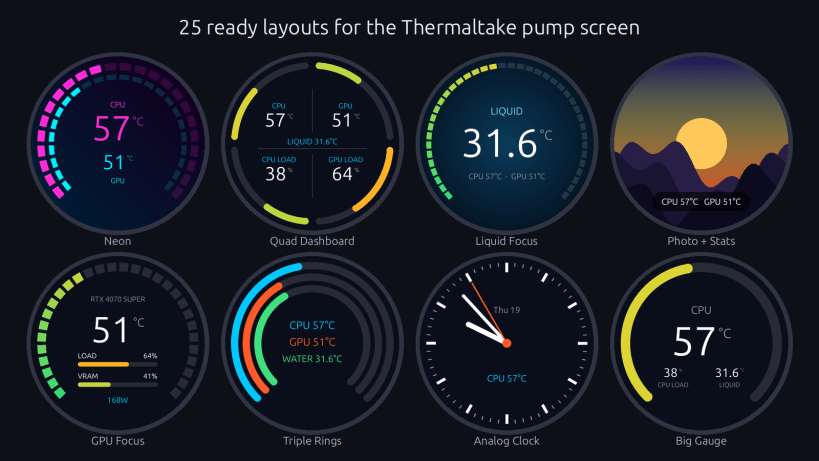
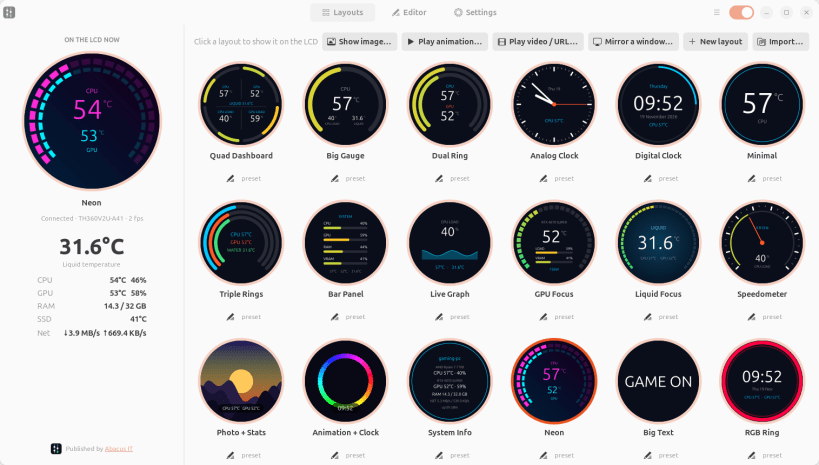
- 25 ready layouts: dashboards, gauges, clocks, graphs, Neon, RGB Ring, Plasma, Aurora, Warp Speed,
Digital Rain, Animated Words and more, with a live preview of the pump screen
- Liquid (coolant) temperature from the pump, CPU and GPU temperature, usage, clock, power and fan,
RAM, SSD, disk and network. NVIDIA and AMD graphics cards
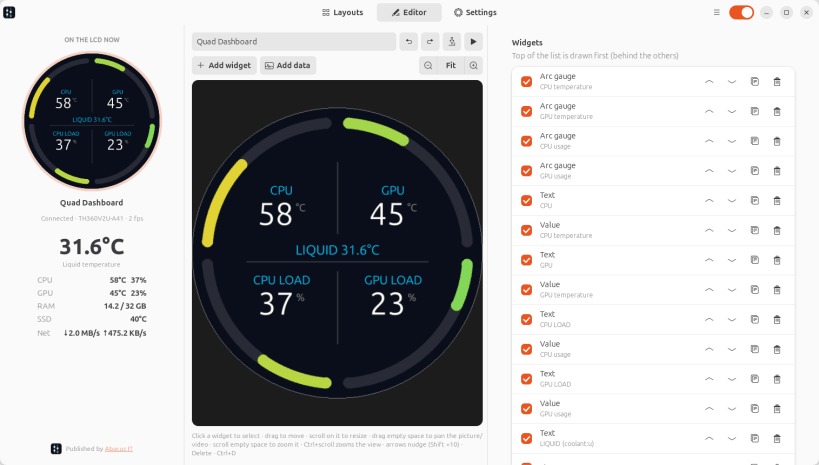
- Your own layouts in a visual editor: drag widgets on the round screen, gauges, bars, graphs, needles,
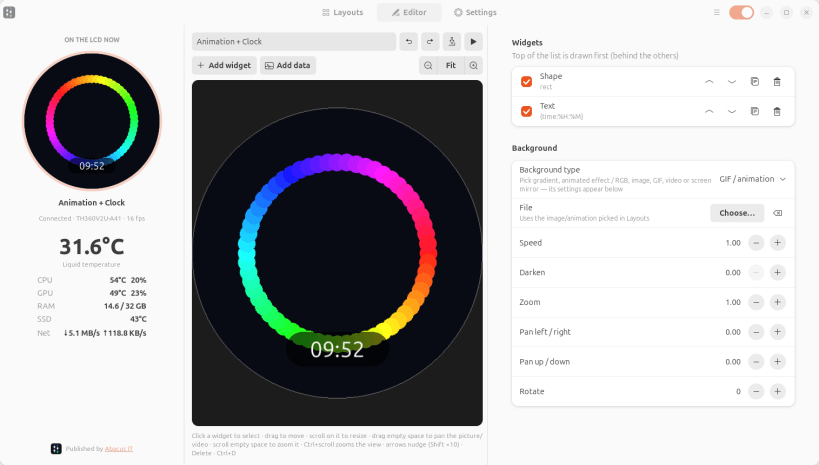
clock hands, text with live values, pictures and GIFs, with animations and RGB effects
- Pictures, GIFs, videos and stream URLs (m3u8, rtsp) on the pump screen. Zoom, pan and rotate
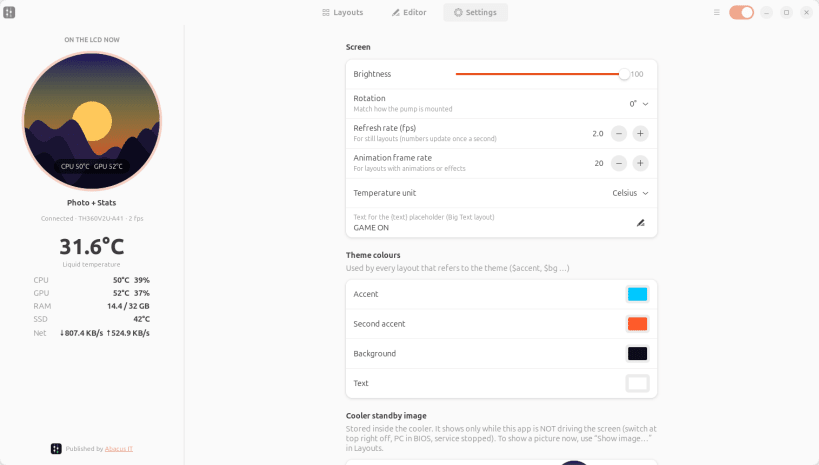
- Brightness, rotation for any pump mounting, °C or °F, theme colours
- Writes your own standby picture into the cooler
- A system service drives the screen from boot, with the window closed. Command line included:
thermaltake-lcd status, thermaltake-lcd layout neon, thermaltake-lcd image picture.png
Supported: Thermaltake TH360 V2 Ultra ARGB Sync and TH420 V2 Ultra ARGB Sync (pump LCD, USB 264a:233c,
"2.1 inch Round TFT LCD Display Module-B").
Pump and fan speed are set by the motherboard on these coolers, not over USB.
Not in the Snap version: mirroring app windows onto the screen (it needs desktop access; the .deb has it).
Search words: thermaltake, thermal take, thermaltek, tt, tt rgb, tt rgb plus, ttrgb, ttrgbplus, ttrgb plus,
tt rgb plus linux, tt rgb plus for linux, tt rgb plus alternative, tt rgb plus replacement, tt rgb ubuntu,
thermaltake software, thermaltake app, thermaltake driver, thermaltake linux, thermaltake ubuntu, thermaltake lcd,
thermaltake screen, thermaltake display, thermaltake aio, thermaltake cooler, thermaltake pump, thermaltake rgb,
th360, th 360, th-360, th420, th 420, th-420, th360 v2 ultra, th420 v2 ultra, th360 ultra, th420 ultra, v2 ultra,
argb sync, aio lcd, aio screen, aio display, pump lcd, pump screen, cooler screen, cooler display, cooler lcd,
liquid cooler, water cooler, cpu cooler, coolant temperature, cpu temperature display, lcd screen, round lcd.
Published by Abacus IT (https://abacusitbd.com). Unofficial: not made by or affiliated with Thermaltake.