




Tintero is a versatile, multiplatform writing studio designed for creative writers, students, and professionals.
Use it to write novels, short stories, essays, screenplays, RPG campaigns, journals, school projects, or organize your studies.
Work seamlessly across devices: continue your projects on Android, Windows, Mac, Linux, or any other supported platform.
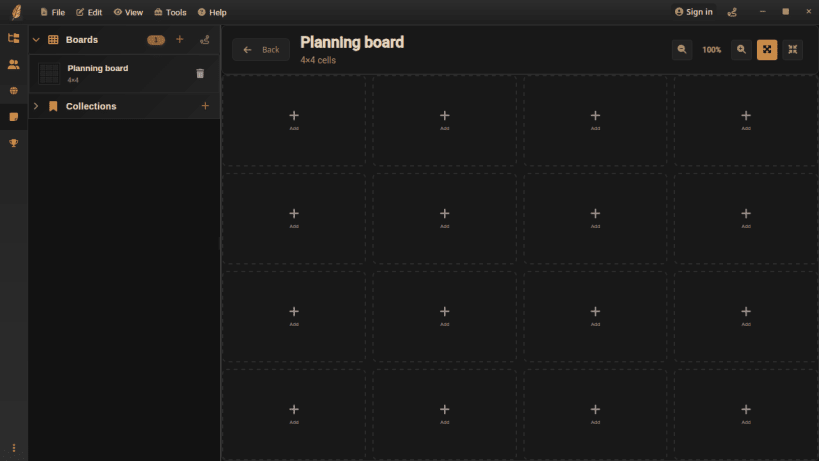
Enjoy structured writing with folders, chapters, and notes, optional worldbuilding tools, visual planning boards, drag-and-drop organization, offline file management, automatic saves, and productivity tracking.
Tintero helps you focus, stay organized, and work efficiently, no matter where you are or what type of project you are developing.
Available in English, Spanish, French, Italian, German, Portuguese and Catalan
You are about to open
Do you wish to proceed?
Thank you for your report. Information you provided will help us investigate further.
There was an error while sending your report. Please try again later.
Snaps are applications packaged with all their dependencies to run on all popular Linux distributions from a single build. They update automatically and roll back gracefully.
Snaps are discoverable and installable from the Snap Store, an app store with an audience of millions.
Snap is available for CentOS 7.6+, and Red Hat Enterprise Linux 7.6+, from the Extra Packages for Enterprise Linux (EPEL) repository. The EPEL repository can be added to your system with the following command:
sudo yum install epel-release
Snap can now be installed as follows:
sudo yum install snapd
Once installed, the systemd unit that manages the main snap communication socket needs to be enabled:
sudo systemctl enable --now snapd.socket
To enable classic snap support, enter the following to create a symbolic link between /var/lib/snapd/snap and /snap:
sudo ln -s /var/lib/snapd/snap /snap
Either log out and back in again, or restart your system, to ensure snap’s paths are updated correctly.
To install Tintero Beta — Multiplatform writing app, simply use the following command:
sudo snap install tintero
Browse and find snaps from the convenience of your desktop using the snap store snap.

Interested to find out more about snaps? Want to publish your own application? Visit snapcraft.io now.