
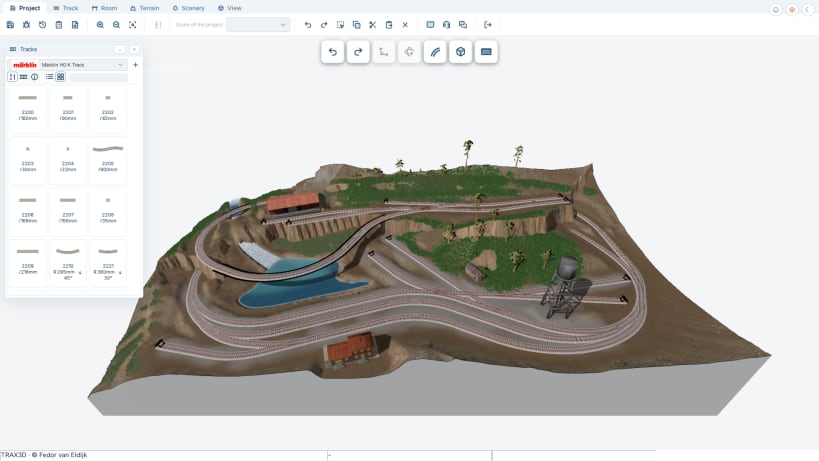
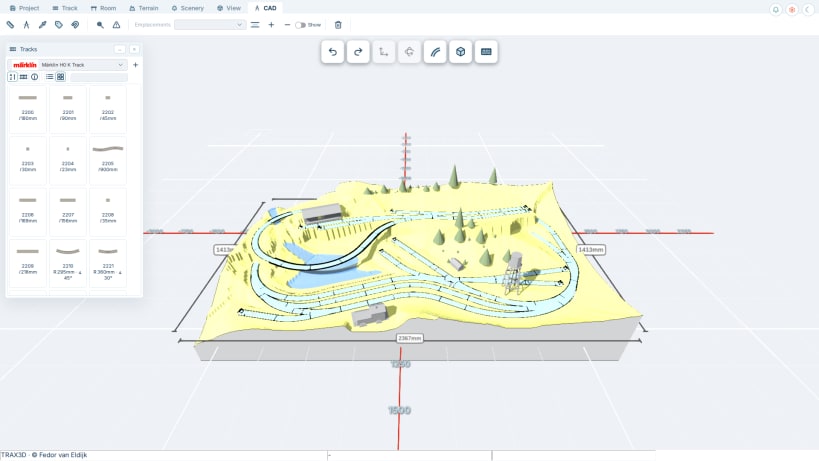


TRAX3D is the latest version of the free, web-based layout planning software for model railroads. Draw your dream layout, save it, and easily share your creation with fellow model railroaders.
In TRAX3D, designing your layout is completely intuitive—just drag and snap tracks together. The software is accessible for beginners while offering advanced options for experienced modelers, including comprehensive flex-track support, landscape design tools, checks against model railroad standards, and the ability to build your own buildings in full 3D.
The editor is built entirely in 3D. Not only can you view your layout from any angle, but you also design directly across all dimensions. The landscape tools let you sculpt mountains, carve out rivers and lakes, and add roads, retaining walls, and fences. Automatically generate platforms alongside tracks and decorate your world with trees, buildings, and other 3D objects. You can even build your own custom 3D objects right on your layout.
Ready to build? Easily export a parts list of all items used or download your track plan as a scalable PDF. Looking for a comprehensive manual? Coming soon is the TRAX Construction Plan generator: a customized step-by-step guide complete with wiring diagrams, a substructure design, and detailed blueprints.
Ready to run? Import your TRAX3D design directly into TRAX Control—the new model railroad control and automation system launching soon for testers. It offers seamless integration with TRAX3D alongside advanced features that make digital operations easier, more intuitive, and more fun. Enjoy automatic locomotive setup and calibration, a mix of manual driving and automated schedules, and a generated list of required digital modules. A great bonus: you can test your timetables in TRAX Control before connecting any physical hardware, ensuring endless operating enjoyment on your layout.
You are about to open
Do you wish to proceed?
Thank you for your report. Information you provided will help us investigate further.
There was an error while sending your report. Please try again later.
Snaps are applications packaged with all their dependencies to run on all popular Linux distributions from a single build. They update automatically and roll back gracefully.
Snaps are discoverable and installable from the Snap Store, an app store with an audience of millions.
Snapd can be installed from Manjaro’s Add/Remove Software application (Pamac), found in the launch menu. From the application, search for snapd, select the result, and click Apply.
Alternatively, snapd can be installed from the command line:
sudo pacman -S snapd
Once installed, the systemd unit that manages the main snap communication socket needs to be enabled:
sudo systemctl enable --now snapd.socket
To enable classic snap support, enter the following to create a symbolic link between /var/lib/snapd/snap and /snap:
sudo ln -s /var/lib/snapd/snap /snap
Either log out and back in again, or restart your system, to ensure snap’s paths are updated correctly.
To install TRAX3D, simply use the following command:
sudo snap install trax3d
Browse and find snaps from the convenience of your desktop using the snap store snap.

Interested to find out more about snaps? Want to publish your own application? Visit snapcraft.io now.