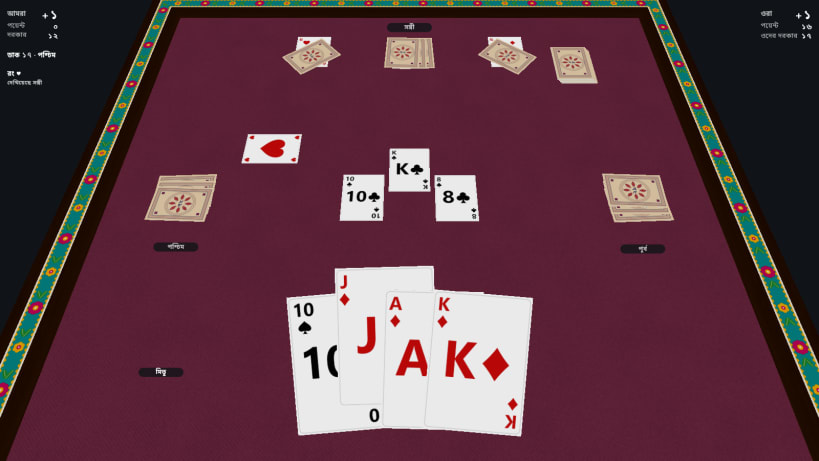
Twenty-Nine (29), the most popular card game in Bangladesh, on a 3D table on your Linux PC: free, no ads, with three levels of smart bots, and multiplayer with friends on the same Wi-Fi.
A game from home, played the way we play it at home. For us Twenty-Nine is more than a card game: it is the tea stall's adda, afternoons on the rooftop, a quiet evening in the village. This complete 29 game was made by a Bangladeshi developer, with the rules and the feel of Bangladeshi Twenty-Nine.
Features
Card ranking (high to low): J > 9 > A > 10 > K > Q > 8 > 7
Points: Jack 3, Nine 2, Ace and Ten 1 each, the other cards 0. 28 points in each deal. The first team to reach +6 wins the match.
New to 29? A step-by-step tutorial (bidding, the hidden trump, Show Trump, the Pair) and the full rulebook, "How to play", are inside the game.
Playing with friends: everyone joins the same Wi-Fi. One player chooses Play with friends → Host a game; the others choose Join a game and tap it. Can't find the game? Some routers (guest networks especially) keep devices apart, and a firewall (ufw) may block it: type the IP address shown on the host's screen instead, or allow TCP port 29029 and UDP port 29030 on the host.
You are about to open
Do you wish to proceed?
Thank you for your report. Information you provided will help us investigate further.
There was an error while sending your report. Please try again later.
Snaps are applications packaged with all their dependencies to run on all popular Linux distributions from a single build. They update automatically and roll back gracefully.
Snaps are discoverable and installable from the Snap Store, an app store with an audience of millions.
Snapd can be installed from Manjaro’s Add/Remove Software application (Pamac), found in the launch menu. From the application, search for snapd, select the result, and click Apply.
Alternatively, snapd can be installed from the command line:
sudo pacman -S snapd
Once installed, the systemd unit that manages the main snap communication socket needs to be enabled:
sudo systemctl enable --now snapd.socket
To enable classic snap support, enter the following to create a symbolic link between /var/lib/snapd/snap and /snap:
sudo ln -s /var/lib/snapd/snap /snap
Either log out and back in again, or restart your system, to ensure snap’s paths are updated correctly.
To install 29 Card Game - Twenty Nine, simply use the following command:
sudo snap install twenty-nine
Browse and find snaps from the convenience of your desktop using the snap store snap.

Interested to find out more about snaps? Want to publish your own application? Visit snapcraft.io now.