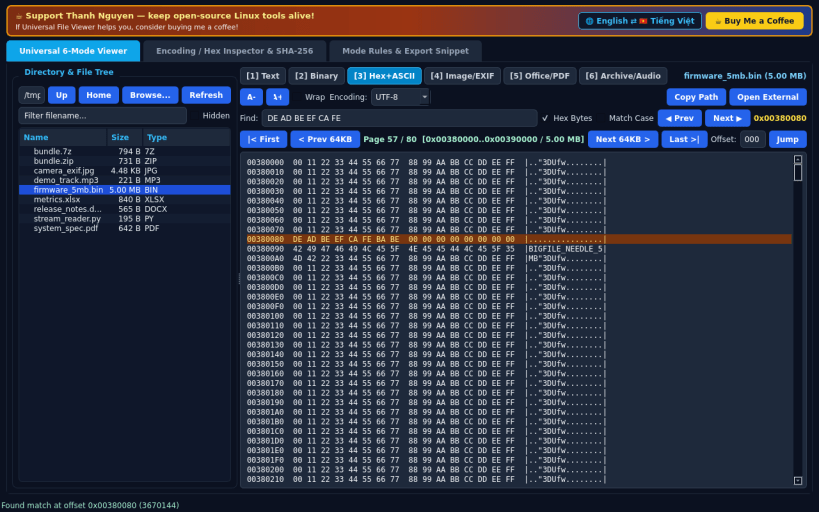
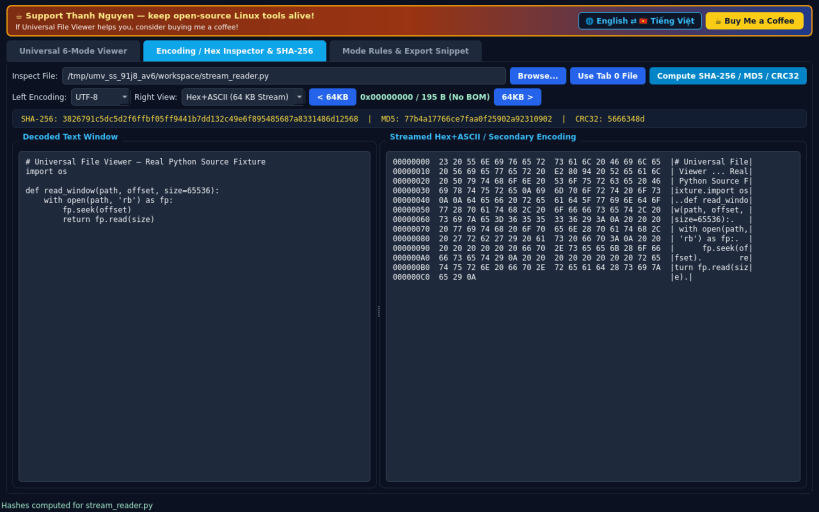
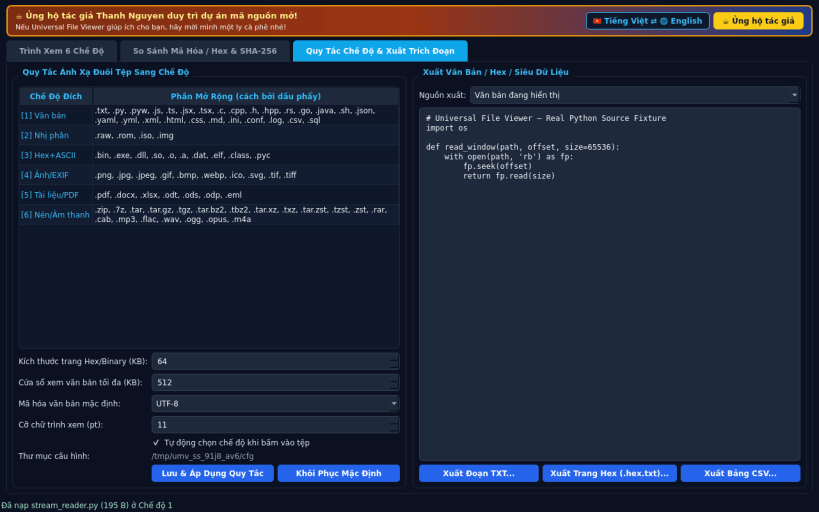
A fast multi-mode universal file viewer for Linux, serving as an independent open-source Linux alternative to Universal Viewer. Not affiliated with, sponsored by, or endorsed by UVViewSoft.
FEATURES • Tab 0 — 6-Mode Universal Viewer: Browse your real home or removable media via the compact directory and file tree, then inspect any file across 6 dedicated viewing engines: [1] Text (with syntax highlighting, font zoom, word wrap, and UTF-8 / Latin-1 / UTF-16 encoding selector), [2] Binary (streamed 64 KB page printable view), [3] Hex+ASCII (instantaneous 64 KB seek/read pagination for multi-megabyte binaries without full-file RAM load), [4] Image/EXIF (QPixmap zoom, fit, 90-degree rotation, and JPEG EXIF IFD metadata), [5] Office/PDF (PyPDF2 PDF, DOCX, XLSX, ODT, ODS, and EML text extraction), and [6] Archive/Audio (listing and extracting .zip, .7z, .tar*, and .rar archives, plus MP3 ID3, FLAC, and WAV tags). Includes a live Find Text / Hex Bytes bar streaming directly across disk chunks. • Tab 1 — Encoding / Hex Inspector & SHA-256: Side-by-side decoded text vs streamed 64 KB Hex+ASCII or secondary encoding comparator, BOM detection, and streaming SHA-256, MD5, and CRC32 hash computation. • Tab 2 — Mode Rules & Export Snippet: Configure extension-to-mode detection rules, Hex page size, default encoding, English / Vietnamese bilingual UI, and export text, streamed Hex+ASCII pages, or metadata tables to TXT/CSV.
SUPPORT & DONATE • Created by Thanh Nguyen — https://buymeacoffee.com/thanhnv128b
You are about to open
Do you wish to proceed?
Thank you for your report. Information you provided will help us investigate further.
There was an error while sending your report. Please try again later.
Snaps are applications packaged with all their dependencies to run on all popular Linux distributions from a single build. They update automatically and roll back gracefully.
Snaps are discoverable and installable from the Snap Store, an app store with an audience of millions.
Snap can be installed on Pop!_OS from the command line. Open Terminal from the Applications launcher and type the following:
sudo apt update
sudo apt install snapd
Either log out and back in again, or restart your system, to ensure snap’s paths are updated correctly.
To install Universal File Viewer, simply use the following command:
sudo snap install universal-media-viewer
Browse and find snaps from the convenience of your desktop using the snap store snap.
Interested to find out more about snaps? Want to publish your own application? Visit snapcraft.io now.