
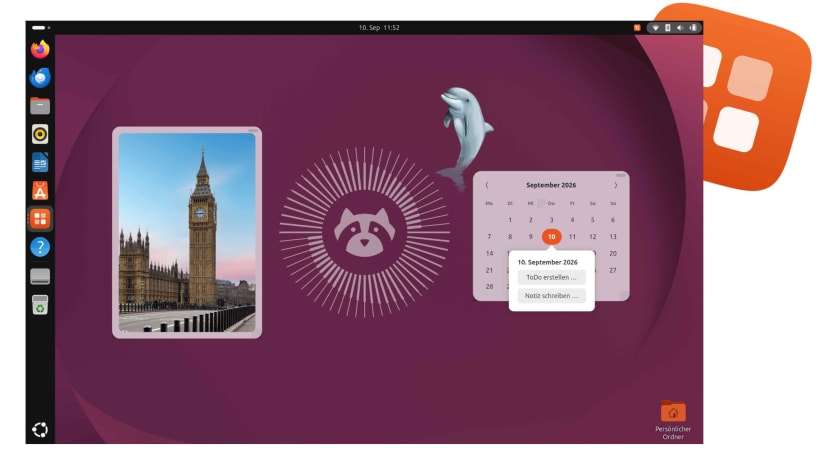
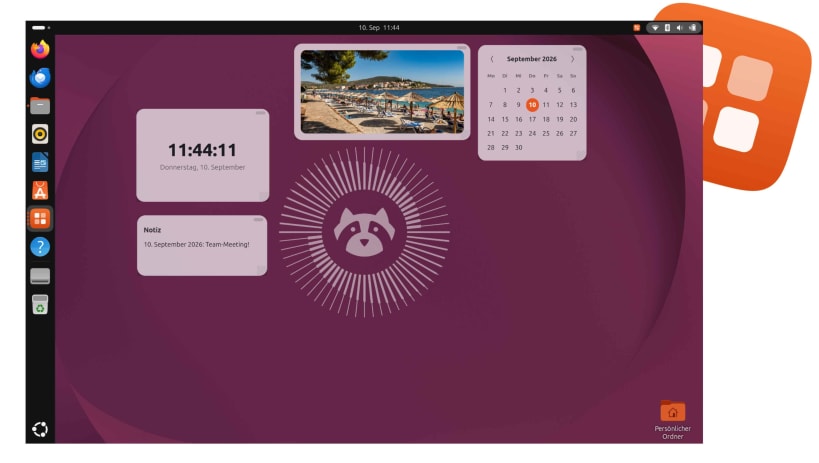
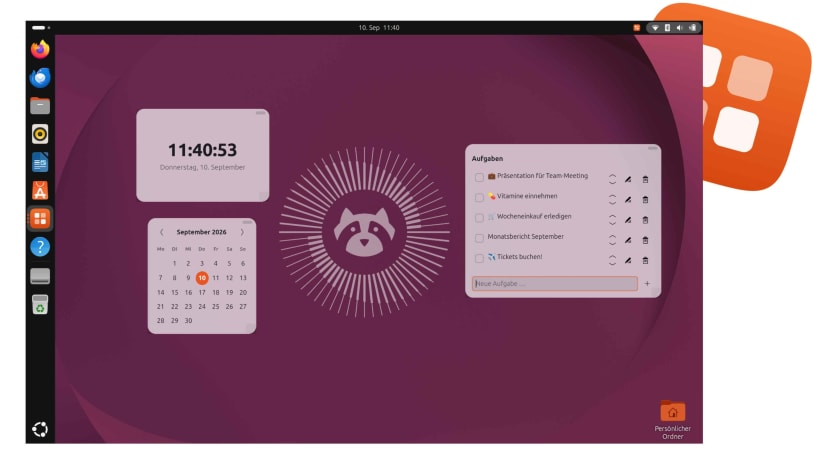
uWidgets is your everyday companion for the Ubuntu desktop: small, freely placeable widgets (clock, calendar, to-do list, notes, photo frame) right on your desktop, all managed through one central widget manager. Customize your Ubuntu desktop to fit you and your everyday life! And with cool stickers, you can make Ubuntu feel even more like your own personal workspace.
uWidgets ist ein Alltagsbegleiter für deinen Ubuntu-Desktop: kleine, frei platzierbare Widgets (Uhr, Kalender, ToDo, Notizen, Bilderrahmen) direkt auf dem Desktop, verwaltet über eine zentrale Widget-Verwaltung. Gestalte deinen Desktop in Ubuntu, wie er zu dir und deinem Alltag passt! Mit coolen Stickern machst du Ubuntu noch mehr zu deinem Schreibtisch!
uWidgets es tu compañero para el día a día en el escritorio de Ubuntu: pequeños widgets que puedes colocar libremente (reloj, calendario, lista de tareas, notas y marco de fotos) directamente en tu escritorio, todos gestionados desde un administrador central de widgets. ¡Personaliza tu escritorio de Ubuntu para adaptarlo a ti y a tu día a día! Y con divertidos stickers, puedes hacer que Ubuntu se sienta aún más como tu propio espacio de trabajo.
uWidgets est votre compagnon du quotidien pour le bureau Ubuntu : de petits widgets librement positionnables (horloge, calendrier, liste de tâches, notes et cadre photo) directement sur votre bureau, tous gérés depuis un gestionnaire central de widgets. Personnalisez votre bureau Ubuntu pour qu’il corresponde à vos envies et à votre quotidien ! Et avec des stickers sympas, faites d’Ubuntu un espace de travail encore plus personnel.
You are about to open
Do you wish to proceed?
Thank you for your report. Information you provided will help us investigate further.
There was an error while sending your report. Please try again later.
Snaps are applications packaged with all their dependencies to run on all popular Linux distributions from a single build. They update automatically and roll back gracefully.
Snaps are discoverable and installable from the Snap Store, an app store with an audience of millions.
Snap can be installed from the command line on openSUSE Leap 15.x and Tumbleweed.
You need first add the snappy repository from the terminal. Choose the appropriate command depending on your installed openSUSE flavor.
Tumbleweed:
sudo zypper addrepo --refresh https://download.opensuse.org/repositories/system:/snappy/openSUSE_Tumbleweed snappy
Leap 15.x:
sudo zypper addrepo --refresh https://download.opensuse.org/repositories/system:/snappy/openSUSE_Leap_15.6 snappy
If needed, Swap out openSUSE_Leap_15. for, openSUSE_Leap_16.0 if you’re using a different version of openSUSE.
With the repository added, import its GPG key:
sudo zypper --gpg-auto-import-keys refresh
Finally, upgrade the package cache to include the new snappy repository:
sudo zypper dup --from snappy
Snap can now be installed with the following:
sudo zypper install snapd
You then need to either reboot, logout/login or source /etc/profile to have /snap/bin added to PATH.
Additionally, enable and start both the snapd and the snapd.apparmor services with the following commands:
sudo systemctl enable --now snapd
sudo systemctl enable --now snapd.apparmor
To install uWidgets, simply use the following command:
sudo snap install uwidgets
Browse and find snaps from the convenience of your desktop using the snap store snap.

Interested to find out more about snaps? Want to publish your own application? Visit snapcraft.io now.


