
Take control of your home or office network with Vernet — a free, open-source toolkit that puts network insights in your hands.
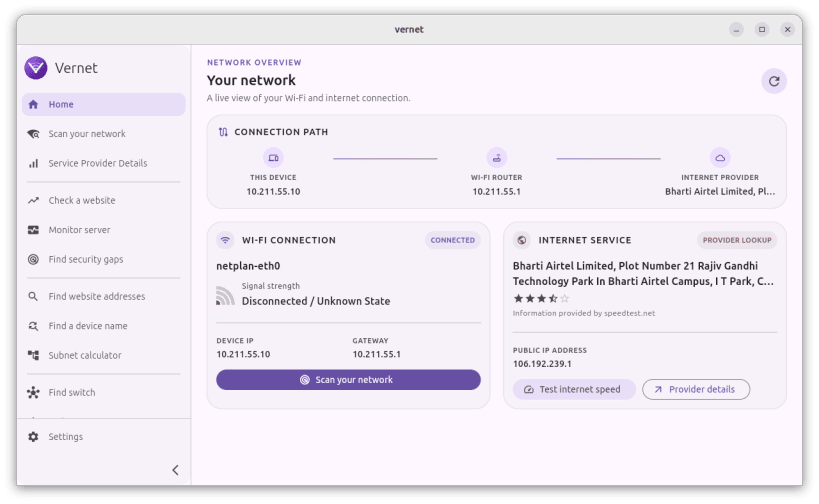
Whether you're troubleshooting a slow connection, checking who's on your Wi-Fi, or making sure your devices are reachable, Vernet gives you clear, easy-to-understand answers — no technical background required.
🔍 What's on my network? See every device connected to your local Wi-Fi, along with their IP addresses and names. Know exactly who and what is sharing your connection.
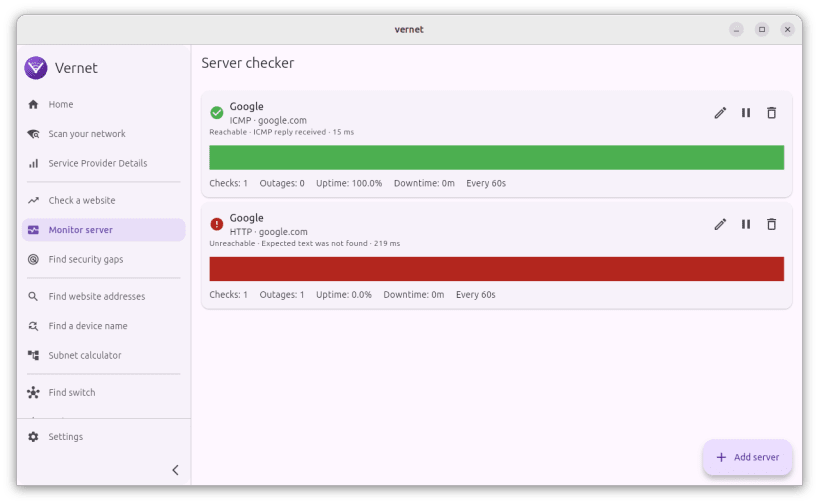
📡 Is my internet working? Run a ping test to check if a website or device is responding. Spot drops and delays in seconds.
⚡ How fast is my connection? Test your real download and upload speed with the built-in speed test. Get accurate results without leaving the app.
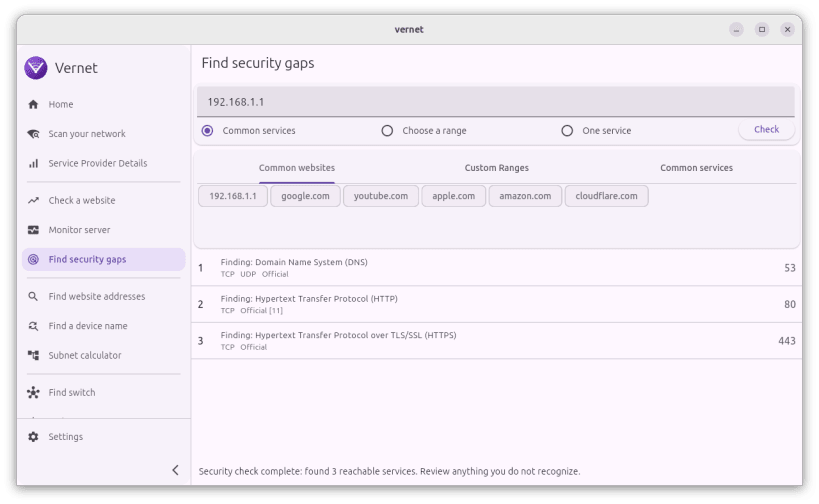
🔓 What services are exposed? Scan a device for open ports to see which services are reachable — helpful for understanding your home network's security posture.
🌐 What's behind this address? Use built-in DNS tools to look up domain names, resolve IPs, and trace how addresses are mapped on the internet.
📊 Who is my internet provider? View details about your ISP, including your public IP, location, and connection type.
✅ Free & open source Vernet is free and open source on GitHub: https://github.com/osociety/vernet This build may contain ads. For an ad-free experience, get Vernet on F-Droid.
You are about to open
Do you wish to proceed?
Thank you for your report. Information you provided will help us investigate further.
There was an error while sending your report. Please try again later.
Snaps are applications packaged with all their dependencies to run on all popular Linux distributions from a single build. They update automatically and roll back gracefully.
Snaps are discoverable and installable from the Snap Store, an app store with an audience of millions.
Snap can be installed from the command line on openSUSE Leap 15.x and Tumbleweed.
You need first add the snappy repository from the terminal. Choose the appropriate command depending on your installed openSUSE flavor.
Tumbleweed:
sudo zypper addrepo --refresh https://download.opensuse.org/repositories/system:/snappy/openSUSE_Tumbleweed snappy
Leap 15.x:
sudo zypper addrepo --refresh https://download.opensuse.org/repositories/system:/snappy/openSUSE_Leap_15.6 snappy
If needed, Swap out openSUSE_Leap_15. for, openSUSE_Leap_16.0 if you’re using a different version of openSUSE.
With the repository added, import its GPG key:
sudo zypper --gpg-auto-import-keys refresh
Finally, upgrade the package cache to include the new snappy repository:
sudo zypper dup --from snappy
Snap can now be installed with the following:
sudo zypper install snapd
You then need to either reboot, logout/login or source /etc/profile to have /snap/bin added to PATH.
Additionally, enable and start both the snapd and the snapd.apparmor services with the following commands:
sudo systemctl enable --now snapd
sudo systemctl enable --now snapd.apparmor
To install Vernet - Know your network, simply use the following command:
sudo snap install vernet --beta
Browse and find snaps from the convenience of your desktop using the snap store snap.

Interested to find out more about snaps? Want to publish your own application? Visit snapcraft.io now.