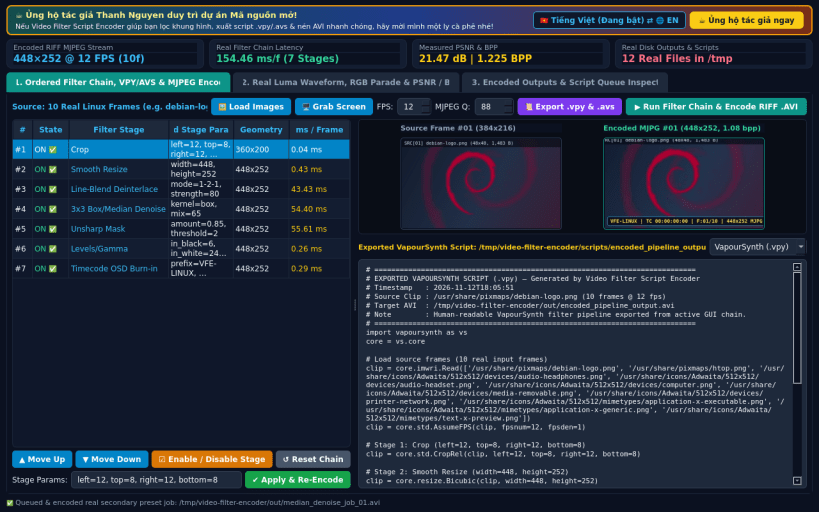
A lightweight Linux alternative to StaxRip and MeGUI for ordered video frame filtering, script export, and MJPEG AVI encoding. Disclaimer: Independent open-source project, not affiliated with StaxRip or MeGUI. Not affiliated with or endorsed by StaxRip or MeGUI developers.
Video Filter Script Encoder provides an interactive ordered pixel-processing pipeline, human-readable VapourSynth (.vpy) and AviSynth (.avs) script generation, real-time BT.709 video signal scopes, and standards-compliant RIFF MJPEG (.avi) container encoding using native Python and Qt5 image processing.
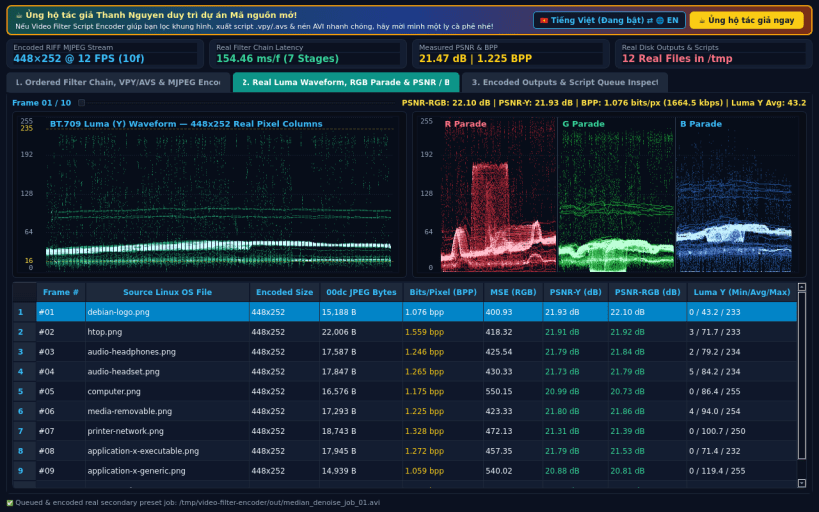
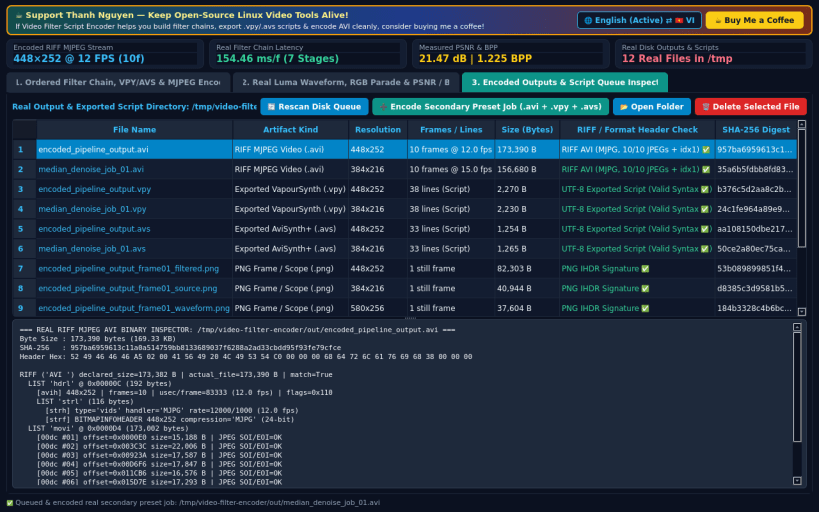
KEY FEATURES: • Ordered Pixel Filter Chain & RIFF MJPEG Encoder: Configure, reorder, and benchmark Crop, Smooth Resize, Line-Blend Deinterlace, 3x3 Box/Median Denoise, Unsharp Mask, Levels/Gamma LUT, and Timecode OSD Burn-in stages with real per-stage millisecond measurements, encoding playable RIFF MJPEG (.avi) files. • Exported VapourSynth (.vpy) & AviSynth (.avs) Scripts: Export clean, human-readable .vpy and .avs filter scripts reflecting your exact active filter stage order and parameters. • Real Luma Waveform, RGB Parade & PSNR/BPP Scopes: Inspect live BT.709 Luma (Y) Waveform and RGB Parade column scopes, per-frame PSNR (dB) between source and filtered frames, and exact Bits-Per-Pixel (BPP) metrics. • Output & Script Queue Inspector: Verify RIFF AVI headers, MJPG stream chunks (00dc + idx1), resolutions, frame counts, byte sizes, and SHA-256 digests.
SUPPORT & DONATE: • Created by Thanh Nguyen — Support ongoing development: https://buymeacoffee.com/thanhnv128b
You are about to open
Do you wish to proceed?
Thank you for your report. Information you provided will help us investigate further.
There was an error while sending your report. Please try again later.
Snaps are applications packaged with all their dependencies to run on all popular Linux distributions from a single build. They update automatically and roll back gracefully.
Snaps are discoverable and installable from the Snap Store, an app store with an audience of millions.
Snap can be installed from the command line on openSUSE Leap 15.x and Tumbleweed.
You need first add the snappy repository from the terminal. Choose the appropriate command depending on your installed openSUSE flavor.
Tumbleweed:
sudo zypper addrepo --refresh https://download.opensuse.org/repositories/system:/snappy/openSUSE_Tumbleweed snappy
Leap 15.x:
sudo zypper addrepo --refresh https://download.opensuse.org/repositories/system:/snappy/openSUSE_Leap_15.6 snappy
If needed, Swap out openSUSE_Leap_15. for, openSUSE_Leap_16.0 if you’re using a different version of openSUSE.
With the repository added, import its GPG key:
sudo zypper --gpg-auto-import-keys refresh
Finally, upgrade the package cache to include the new snappy repository:
sudo zypper dup --from snappy
Snap can now be installed with the following:
sudo zypper install snapd
You then need to either reboot, logout/login or source /etc/profile to have /snap/bin added to PATH.
Additionally, enable and start both the snapd and the snapd.apparmor services with the following commands:
sudo systemctl enable --now snapd
sudo systemctl enable --now snapd.apparmor
To install Video Filter Script Encoder, simply use the following command:
sudo snap install video-filter-encoder
Browse and find snaps from the convenience of your desktop using the snap store snap.
Interested to find out more about snaps? Want to publish your own application? Visit snapcraft.io now.