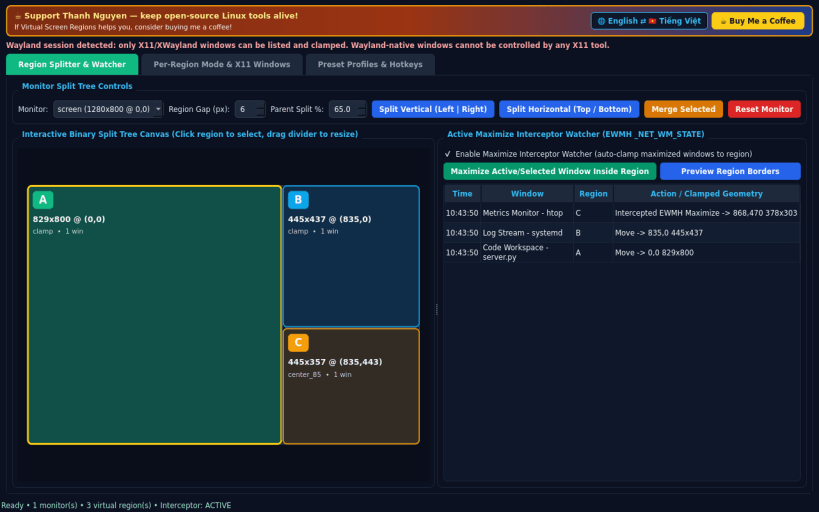
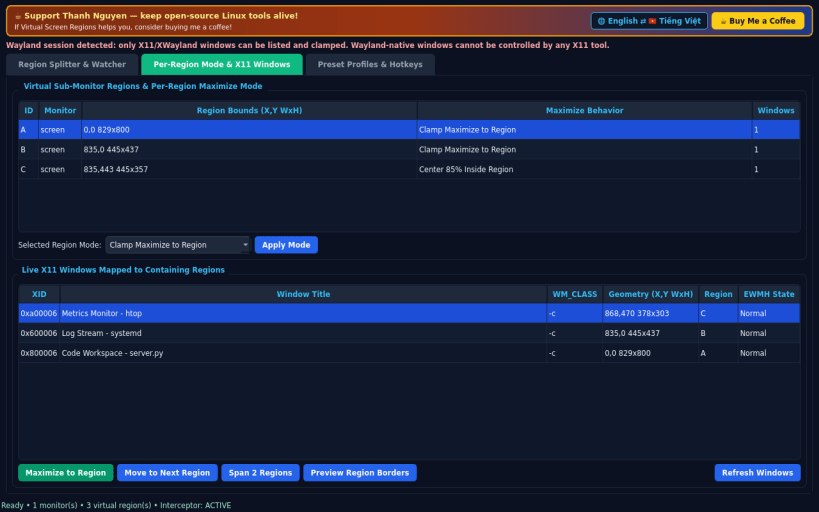
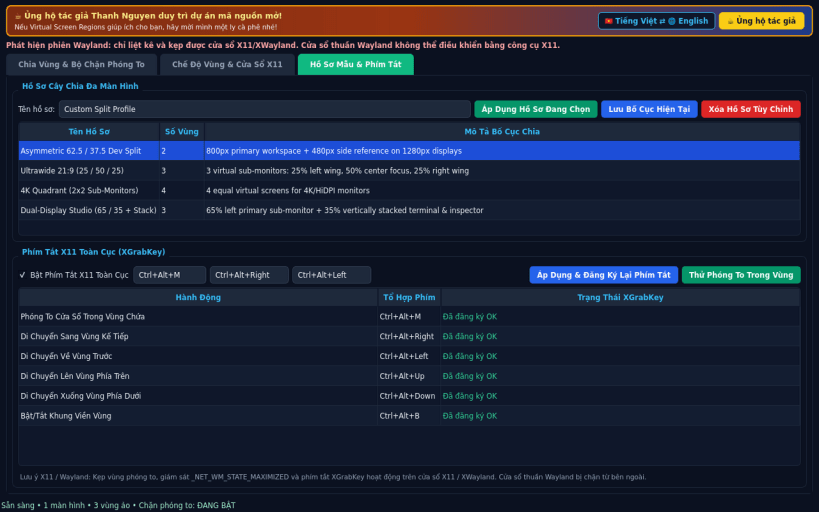
A Linux X11 alternative to MaxTo. Independent open-source project, not affiliated with or endorsed by Digital Creations AS. Window enumeration, maximize state interception, global hotkeys, and region clamping operate on X11/EWMH (and XWayland); Wayland-native windows cannot be moved or intercepted by external X11 clients.
FEATURES • Region Splitter & Virtual Sub-Monitors: slice each RandR monitor horizontally or vertically via an interactive recursive binary split tree with draggable splitters, persistent region layout, and an active Maximize Interceptor Watcher polling _NET_WM_STATE_MAXIMIZED_VERT/HORZ to clamp maximized X11 windows inside their containing virtual sub-screen. • Per-Region Maximize Mode & Live X11 Windows: inspect open X11 windows mapped to virtual region IDs, maximize to region, cycle regions, span 2 adjacent regions, and toggle desktop region border overlays. • Preset Profiles & Global Hotkeys: save and load multi-monitor split tree presets (Ultrawide 21:9, 4K Quadrant, Dual-Display Split) and register XGrabKey shortcuts (Ctrl+Alt+M, directional Ctrl+Alt+Left/Right/Up/Down).
SUPPORT & DONATE • Created by Thanh Nguyen — https://buymeacoffee.com/thanhnv128b
You are about to open
Do you wish to proceed?
Thank you for your report. Information you provided will help us investigate further.
There was an error while sending your report. Please try again later.
Snaps are applications packaged with all their dependencies to run on all popular Linux distributions from a single build. They update automatically and roll back gracefully.
Snaps are discoverable and installable from the Snap Store, an app store with an audience of millions.
Snap is available for CentOS 7.6+, and Red Hat Enterprise Linux 7.6+, from the Extra Packages for Enterprise Linux (EPEL) repository. The EPEL repository can be added to your system with the following command:
sudo yum install epel-release
Snap can now be installed as follows:
sudo yum install snapd
Once installed, the systemd unit that manages the main snap communication socket needs to be enabled:
sudo systemctl enable --now snapd.socket
To enable classic snap support, enter the following to create a symbolic link between /var/lib/snapd/snap and /snap:
sudo ln -s /var/lib/snapd/snap /snap
Either log out and back in again, or restart your system, to ensure snap’s paths are updated correctly.
To install Virtual Screen Regions, simply use the following command:
sudo snap install virtual-screen-regions
Browse and find snaps from the convenience of your desktop using the snap store snap.
Interested to find out more about snaps? Want to publish your own application? Visit snapcraft.io now.