
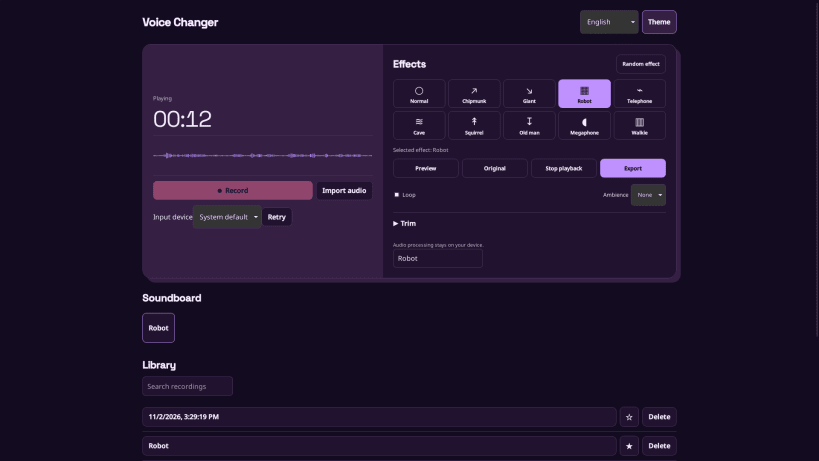
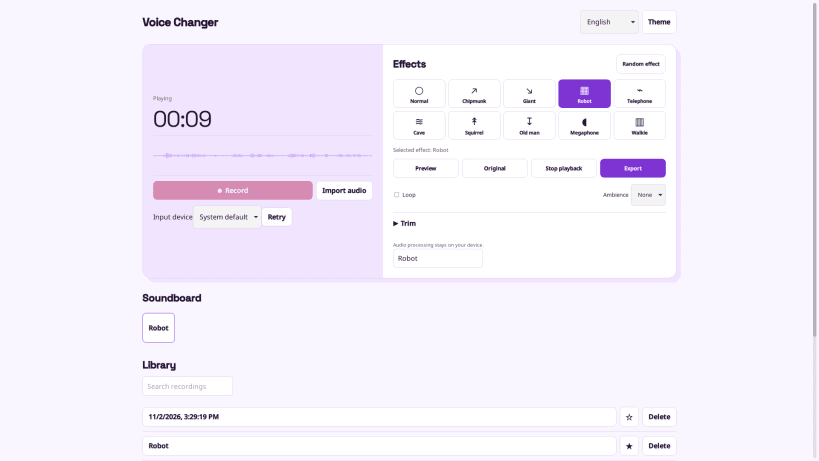
Voice changer for Linux lets you record or import audio, preview changes, and save a WAV file. Use this voice changer to make recorded clips for your own projects, with recordings up to 10 minutes long.
Try ten free presets: Normal, Chipmunk, Giant, Robot, Telephone, Cave, Squirrel, Old Man, Megaphone, and Walkie. Give a character a robot voice, try a higher or lower sound, or add a telephone-style tone. Preview voice effects before saving so you can compare sounds and choose what fits your clip.
The voice recorder works with your chosen microphone. Trim away unwanted sections, seek through the waveform, and loop playback to check a passage. Add rain or wind for background atmosphere, and keep up to six favorites for quick access. WAV export saves the result for use in your audio projects.
Keep original clips together in a local library, with search, rename, and delete controls. Select your microphone with the native device selector, use Space and Escape shortcuts, or record and stop from the system tray. Native disk PCM recovery helps recover recorded audio after an interruption. Recording, editing, and audio effects are available without ads, an account, or purchases.
How to use
Privacy Original clips stay local unless you export or share them. Optional desktop Whisper transcription requires a 148 MB model download from HuggingFace, then works offline. Accuracy varies; review transcripts. Text-to-speech uses system voices, whose provider may use the network; effects and audio export do not apply to that speech.
Website: https://voicechangerlive.com/ Privacy details: https://voicechangerlive.com/desktop-privacy/
You are about to open
Do you wish to proceed?
Thank you for your report. Information you provided will help us investigate further.
There was an error while sending your report. Please try again later.
Snaps are applications packaged with all their dependencies to run on all popular Linux distributions from a single build. They update automatically and roll back gracefully.
Snaps are discoverable and installable from the Snap Store, an app store with an audience of millions.
If you’re running Kubuntu 16.04 LTS (Xenial Xerus) or later, including Kubuntu 18.04 LTS (Bionic Beaver) and Kubuntu 18.10 (Cosmic Cuttlefish), you don’t need to do anything. Snap is already installed and ready to go.
Versions of Kubuntu between 14.04 LTS (Trusty Tahr) and 15.10 (Wily Werewolf) don’t include snap by default, but snap can be installed from the command line as follows:
sudo apt update
sudo apt install snapd
To install Voice Changer for Linux Audio Clips, simply use the following command:
sudo snap install voice-changer

Browse and find snaps from the convenience of your desktop using the snap store snap.

Interested to find out more about snaps? Want to publish your own application? Visit snapcraft.io now.