
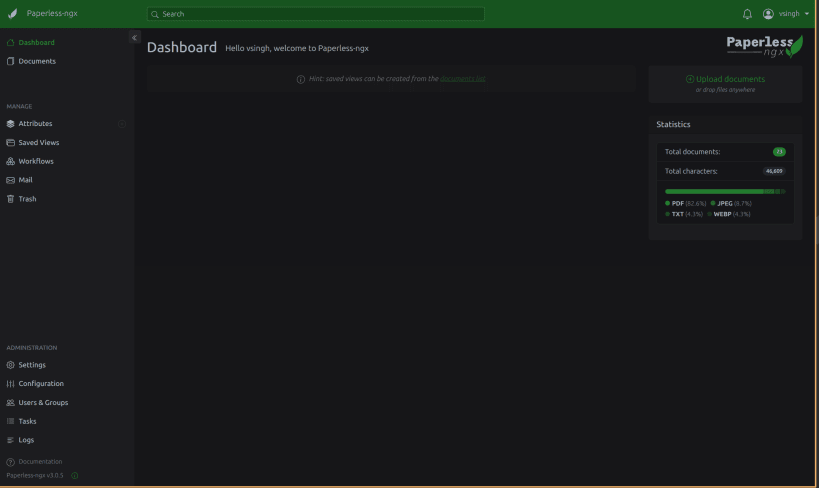
Paperless-ngx turns physical documents into a searchable archive. Drop a scan into the consume folder and it runs OCR, extracts the text and dates, and files it with tags and correspondents you can search from a web UI.
Everything runs from this one snap -- web server, task worker, scheduler, file watcher and a bundled Redis. SQLite by default, PostgreSQL optional. Built from paperless-ngx upstream at tag v3.0.5.
After install, browse to http://localhost:8000 and create your account:
$ sudo snap run vsingh-paperless.manage createsuperuser
That prompts for the password locally. Avoid setting admin-password through snap config -- it is stored in plain text and readable by anything that can run snap commands.
The bundled Redis listens on 127.0.0.1:6399, not Redis's usual 6379. Any other Redis-family snap on the host claims 6379 first, and Paperless would then quietly connect to that snap's database instead of its own. Change it with: sudo snap set vsingh-paperless redis-port=N
Documents, database and config all live in $SNAP_COMMON, so they survive refreshes and reverts. Back up /var/snap/vsingh-paperless/common and you have backed up everything.
This is an unofficial package. Paperless-ngx is built by the paperless-ngx team and its contributors; this snap only packages their work.
Report packaging problems to [https://github.com/Cruzh3r2107/snap-paperless-ngx/issues](https://github.com/Cruzh3r2107/snap-paperless-ngx/issues), not to upstream.
You are about to open
Do you wish to proceed?
Thank you for your report. Information you provided will help us investigate further.
There was an error while sending your report. Please try again later.
Snaps are applications packaged with all their dependencies to run on all popular Linux distributions from a single build. They update automatically and roll back gracefully.
Snaps are discoverable and installable from the Snap Store, an app store with an audience of millions.
If you’re running Ubuntu 16.04 LTS (Xenial Xerus) or later, including Ubuntu 18.04 LTS (Bionic Beaver) and Ubuntu 20.04 LTS (Focal Fossa), you don’t need to do anything. Snap is already installed and ready to go.
For versions of Ubuntu between 14.04 LTS (Trusty Tahr) and 15.10 (Wily Werewolf), as well as Ubuntu flavours that don’t include snap by default, snap can be installed from the Ubuntu Software Centre by searching for snapd.
Alternatively, snapd can be installed from the command line:
sudo apt update
sudo apt install snapd
Either log out and back in again, or restart your system, to ensure snap’s paths are updated correctly.
To install vsingh-paperless, simply use the following command:
sudo snap install vsingh-paperless
Browse and find snaps from the convenience of your desktop using the snap store snap.

Interested to find out more about snaps? Want to publish your own application? Visit snapcraft.io now.