


WaveKat Voice turns your Linux desktop into a desk phone. Connect the SIP account you already have from your phone provider, then place and answer calls right from your computer — no extra hardware, no browser tab to leave open.
Set up in minutes
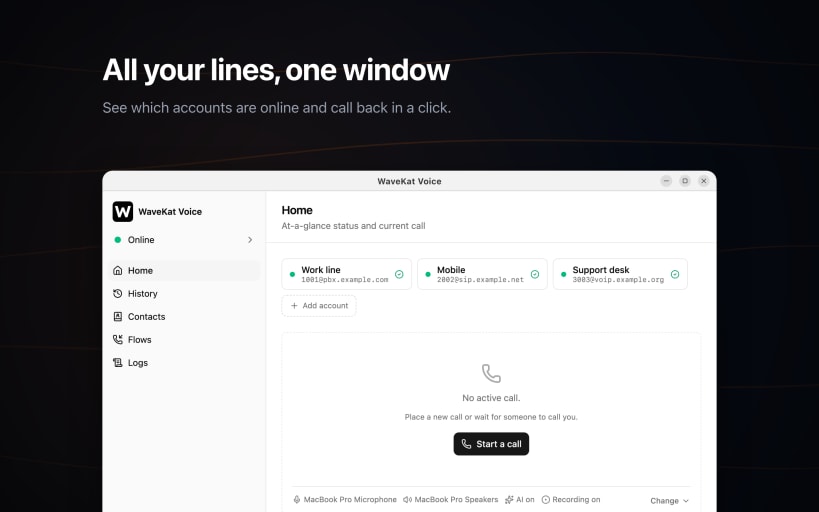
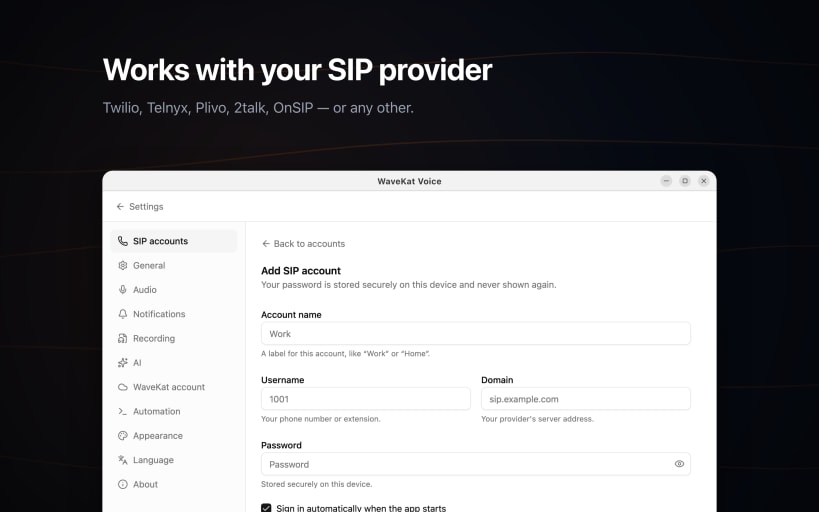
Pick your provider from the list and the technical details are filled in for you. Twilio, 2talk, OnSIP, Plivo and Telnyx are built in, and any other SIP provider works too — just enter your details. Add as many accounts as you like and see at a glance which ones are online.
Calls that behave like a real phone
Place and answer calls, put someone on hold, transfer a call to a colleague, handle more than one call at once, and use the keypad for phone menus. Incoming calls ring even when the window is closed, and you can pause calls when you need quiet.
Know who called
Every call lands in your history with who, when and how long. Open any call for the details, or call back with a single click.
Record and read your calls
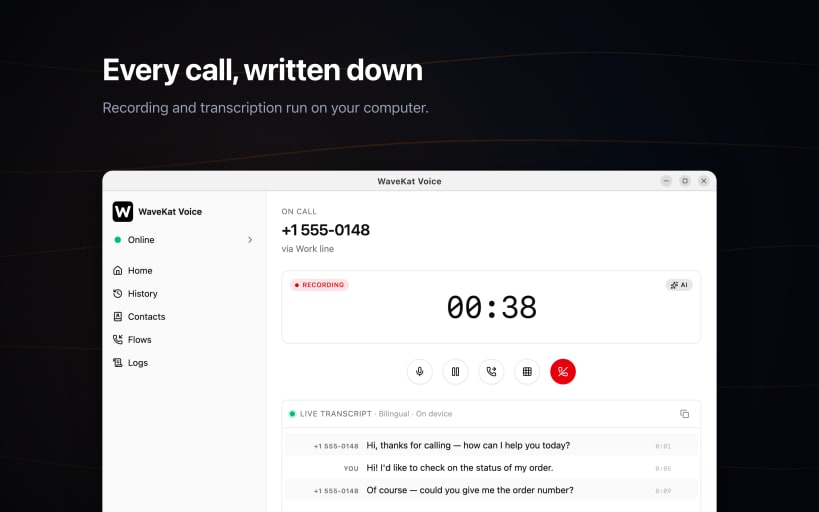
Turn on recording to keep a copy of a call, and have WaveKat Voice write out what was said so you can read a call instead of listening to it again. Recording and transcription both happen on your own computer.
Let it answer for you
Set up a greeting that picks up when you can't, takes a message, and offers callers a menu. You can listen in while it happens and step in at any point.
In your language
English, Spanish, French, German, Italian, Japanese, Korean, and Simplified and Traditional Chinese.
WaveKat Voice needs a SIP account from a phone provider — it is not a calling plan on its own.
You are about to open
Do you wish to proceed?
Thank you for your report. Information you provided will help us investigate further.
There was an error while sending your report. Please try again later.
Snaps are applications packaged with all their dependencies to run on all popular Linux distributions from a single build. They update automatically and roll back gracefully.
Snaps are discoverable and installable from the Snap Store, an app store with an audience of millions.
Snap can be installed from the command line. Open the Konsole terminal and enter the following:
sudo apt update
sudo apt install snapd
To install WaveKat Voice, simply use the following command:
sudo snap install wavekat-voice
Browse and find snaps from the convenience of your desktop using the snap store snap.

Interested to find out more about snaps? Want to publish your own application? Visit snapcraft.io now.