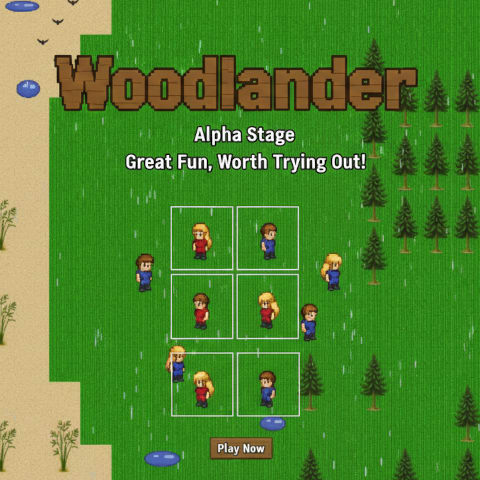
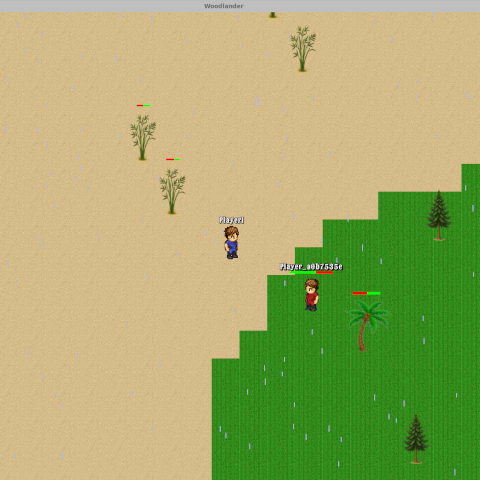
## About the Game (Early Alpha) ``` You wake beneath a quiet pixel sky—no prophecy to follow, no quest log to obey—just wind over grass, rain that sometimes drifts in, birds crossing the horizon, and a compass that remembers where you began. This is Woodlanders in its earliest form: an open, living sandbox still knitting itself together night by night. ``` ### What Doesn’t Exist Yet ```
Instead: a procedural world, emerging systems, trees that fall and return, hunger that presses forward, bamboo that begins as a promise and grows if you give it time.
> Every mechanic you touch is a foundation stone. Every small imperfection is an invitation. ``` ### How Builds Work ```
``` ### What to Expect ``` | Don’t Expect | Do Expect | |------------------|------------| | Polish | Potential | | Finished loops | Change | | Full narrative | Emergence | | Packed world | Quiet moments |
Moments where the world feels sparse—and others where sudden rain or a line of birds makes it feel briefly alive. That contrast is the frontier. ``` ### Your Impact ``` If you explore, plant, test, nudge the edges, and tell us what you felt—you help shape what comes next:
Woodlanders isn’t finished — it’s becoming.
> Join early. Wander freely. Grow it with us.
Tagline: Woodlanders — not a story yet, just the dawn before one.
> 🐦 Optional share: “I’m playing Woodlanders in its alpha dawn—no story yet, just systems waking up. Exploring while it learns to become a world.”
> 💬 Status: Earliest Alpha Phase
> 🔁 Updates: Daily / Evening incremental builds
> 📥 Installer: Single download – auto-update enabled
> 🗺️ Story Mode: Not yet implemented
> 🧪 Your Role: Explorer, tester, trail maker
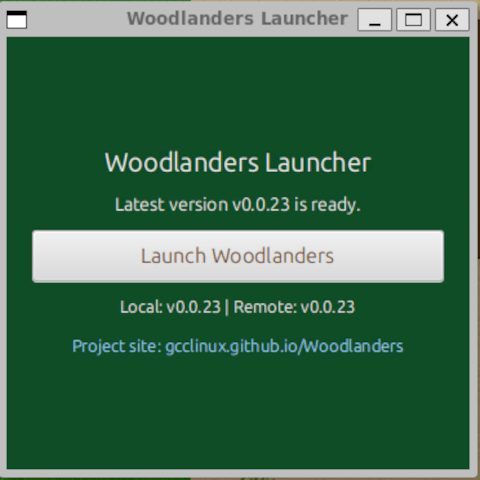
Woodlanders Launcher is a JavaFX desktop app for the [Woodlanders](https://gcclinux.github.io/Woodlanders/) game. It automatically checks for updates, downloads the latest client from GitHub releases, caches it locally, and launches the game with a single click. ``` ## Features ```
${HOME}/.config/woodlanders/```
You are about to open
Do you wish to proceed?
Thank you for your report. Information you provided will help us investigate further.
There was an error while sending your report. Please try again later.
Snaps are applications packaged with all their dependencies to run on all popular Linux distributions from a single build. They update automatically and roll back gracefully.
Snaps are discoverable and installable from the Snap Store, an app store with an audience of millions.
Snap can be installed from the command line on openSUSE Leap 15.x and Tumbleweed.
You need first add the snappy repository from the terminal. Choose the appropriate command depending on your installed openSUSE flavor.
Tumbleweed:
sudo zypper addrepo --refresh https://download.opensuse.org/repositories/system:/snappy/openSUSE_Tumbleweed snappy
Leap 15.x:
sudo zypper addrepo --refresh https://download.opensuse.org/repositories/system:/snappy/openSUSE_Leap_15.6 snappy
If needed, Swap out openSUSE_Leap_15. for, openSUSE_Leap_16.0 if you’re using a different version of openSUSE.
With the repository added, import its GPG key:
sudo zypper --gpg-auto-import-keys refresh
Finally, upgrade the package cache to include the new snappy repository:
sudo zypper dup --from snappy
Snap can now be installed with the following:
sudo zypper install snapd
You then need to either reboot, logout/login or source /etc/profile to have /snap/bin added to PATH.
Additionally, enable and start both the snapd and the snapd.apparmor services with the following commands:
sudo systemctl enable --now snapd
sudo systemctl enable --now snapd.apparmor
To install woodlanders-launcher, simply use the following command:
sudo snap install woodlanders-launcher
Browse and find snaps from the convenience of your desktop using the snap store snap.

Interested to find out more about snaps? Want to publish your own application? Visit snapcraft.io now.