

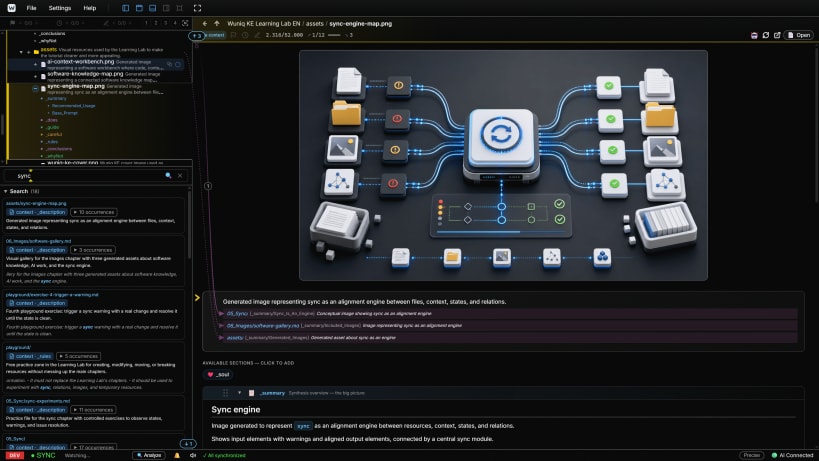
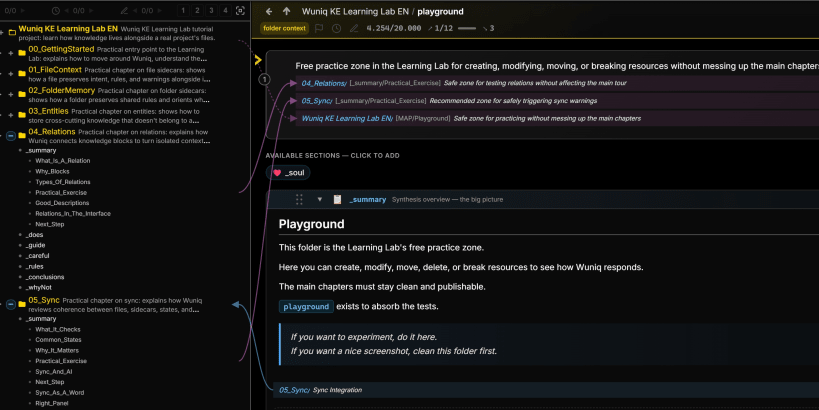
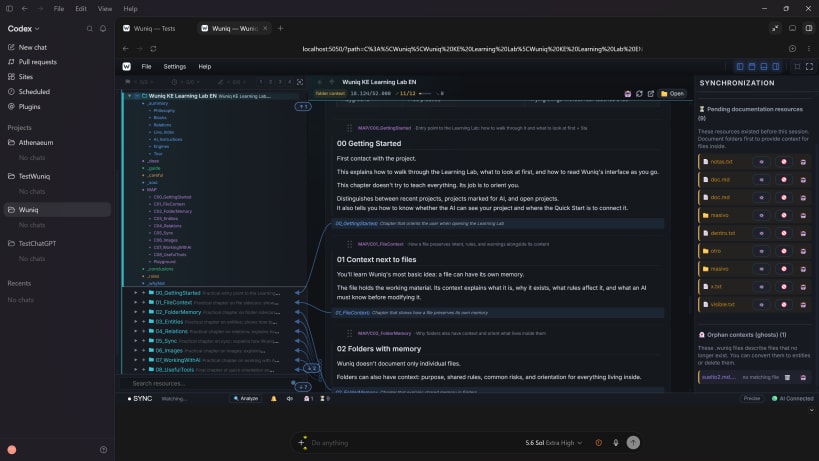
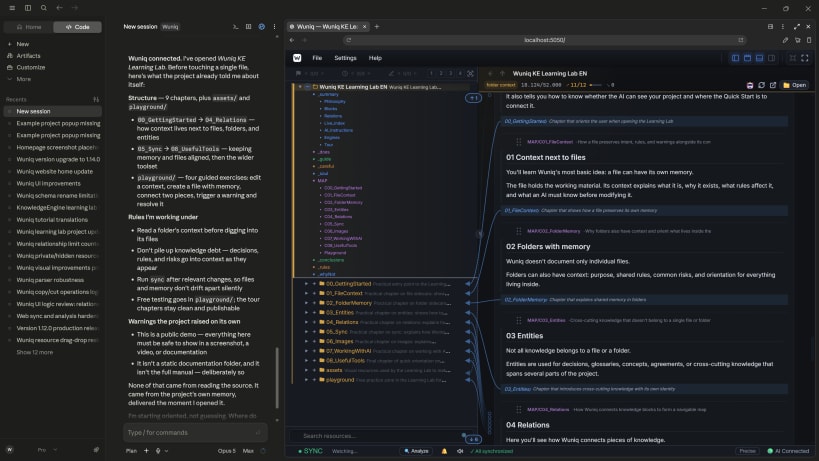
Wuniq KE (Knowledge Engine) gives your AI persistent, structured project memory: it lives in your repo, next to your files; it stays in sync when the code changes; it is shared across sessions and across AI clients. Your AI stops starting by guessing and starts with a map.
You code with an AI and knowledge is generated non-stop: why you chose this architecture, which invariant must not break, which refactor you rejected, the trap you only learned by hitting it. You close the chat and all of it disappears. The context window is finite: old things get compressed or lost. Every session you start off worse than you finished.
And classic documentation? It is written by hand, ages in silence, and nobody verifies it against the code. Over time you get something worse than nothing: documentation that lies, and an AI that believes it and decides based on yesterday's truth.
▸ YOUR AI ALREADY HAS MEMORY — JUST NOT THE RIGHT KIND.
Almost everyone tries to solve this with one of three tools. Each is good at its job. None is the place where project knowledge should live.
CLAUDE.md / AGENTS.md, a flat context file • Lives: in your repo. • Updated: by hand, almost never. • When the project changes: it ages in silence. It is injected whole every session and nobody checks it against reality.
The client's built-in memory, your tool remembers you • Lives: on your machine and your tool. • Updated: on its own, invisibly. • When the project changes: it has no idea; it remembers conversations, not files. It does not travel with the repo or move to another AI.
Skills / rules, reusable procedures • Lives: with the skill, across projects. • Updated: when you edit the skill. • When the project changes: nothing; skills carry how to do things, not the decisions or the state of your project.
Wuniq KE, the project's own memory • Lives: next to your files, in the repository. • Updated: the AI maintains it while it works; Wuniq watches for drift. • When the project changes: Wuniq detects the divergence, alerts the AI, and the two reconcile it.
Wuniq replaces none of them. It is the layer where project knowledge actually lives: in the repo and structured. Keep your startup rules in CLAUDE.md, your routines in skills, and the knowledge in Wuniq.
▸ WHAT ONLY WUNIQ DOES
✓ Forces the AI to capture knowledge. Wuniq turns your AI into the project's archivist: as it works, decisions, rejected alternatives, and traps are recorded in structured sections, next to the files they describe.
✓ Verifies memory against reality. Wuniq watches the project in real time; if something falls out of date, it warns you.
✓ Structures knowledge for a machine to navigate. Bounded blocks with identity, explicit block-to-block relations, a living index served "map first." Your AI does not re-read the whole project: it navigates it.
▸ HOW IT WORKS
You work with the AI in your usual client (Claude Code, Codex…):
Knowledge lives in three kinds of file next to your project: file and folder sidecars + standalone entities.
100% local, no accounts, no telemetry. Core is free. Open format, plain text, Git-friendly, publicly documented, and exportable to Markdown: readable in any editor.
Requirements: an MCP-capable AI client with a frontier AI model. Wuniq uses your AI subscription; it does not need paid APIs.
You are about to open
Do you wish to proceed?
Thank you for your report. Information you provided will help us investigate further.
There was an error while sending your report. Please try again later.
Snaps are applications packaged with all their dependencies to run on all popular Linux distributions from a single build. They update automatically and roll back gracefully.
Snaps are discoverable and installable from the Snap Store, an app store with an audience of millions.
Snap can be installed from the command line. Open the Konsole terminal and enter the following:
sudo apt update
sudo apt install snapd
To install Wuniq, simply use the following command:
sudo snap install wuniq
Browse and find snaps from the convenience of your desktop using the snap store snap.

Interested to find out more about snaps? Want to publish your own application? Visit snapcraft.io now.