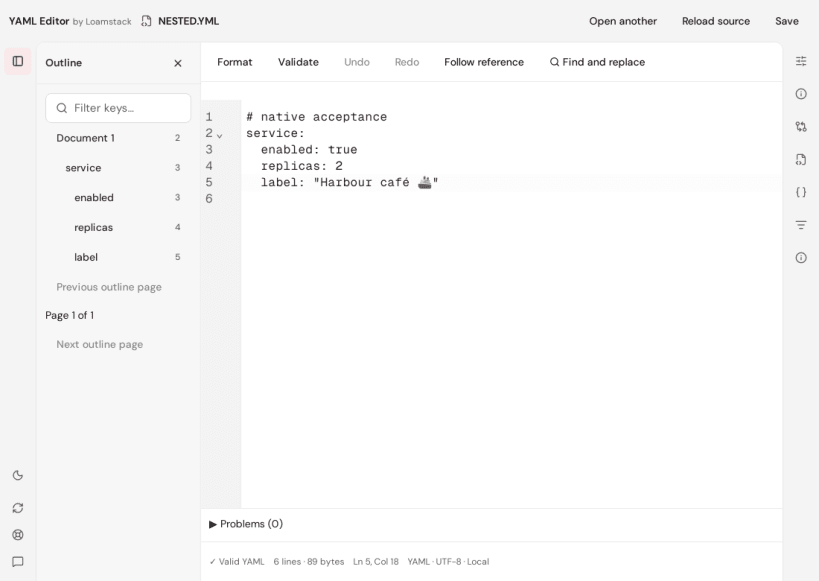
Open YAML documents, edit their source, check syntax, and format a separate copy. No account is required for local document processing.
Export JSON only when the YAML can be represented without losing its meaning. Multiple documents, custom tags and other unsupported values can make JSON export unavailable. Anchors and aliases have bounded processing limits. Check the result before relying on it.
Document processing stays on your device. Release builds send limited app analytics to PostHog and sanitized diagnostics to Sentry, using an app-scoped installation identifier and a fresh launch identifier. Routine reports exclude document names, paths and contents. Providers receive ordinary network information. Contact support and Feedback send the information you deliberately submit, such as a reply email or message; files are not attached automatically. See https://yamlfile.tools/privacy for details and https://yamlfile.tools/support for help.
Snap permissions govern access to files and external drives. Keep your original files and check separate exported copies before using them elsewhere.
You are about to open
Do you wish to proceed?
Thank you for your report. Information you provided will help us investigate further.
There was an error while sending your report. Please try again later.
Snaps are applications packaged with all their dependencies to run on all popular Linux distributions from a single build. They update automatically and roll back gracefully.
Snaps are discoverable and installable from the Snap Store, an app store with an audience of millions.
Snapd can be installed from Manjaro’s Add/Remove Software application (Pamac), found in the launch menu. From the application, search for snapd, select the result, and click Apply.
Alternatively, snapd can be installed from the command line:
sudo pacman -S snapd
Once installed, the systemd unit that manages the main snap communication socket needs to be enabled:
sudo systemctl enable --now snapd.socket
To enable classic snap support, enter the following to create a symbolic link between /var/lib/snapd/snap and /snap:
sudo ln -s /var/lib/snapd/snap /snap
Either log out and back in again, or restart your system, to ensure snap’s paths are updated correctly.
To install YAML Editor by Loamstack, simply use the following command:
sudo snap install yaml-editor

Browse and find snaps from the convenience of your desktop using the snap store snap.

Interested to find out more about snaps? Want to publish your own application? Visit snapcraft.io now.