
🎹 Zen Virtual Piano - The Ultimate Online Piano Simulator
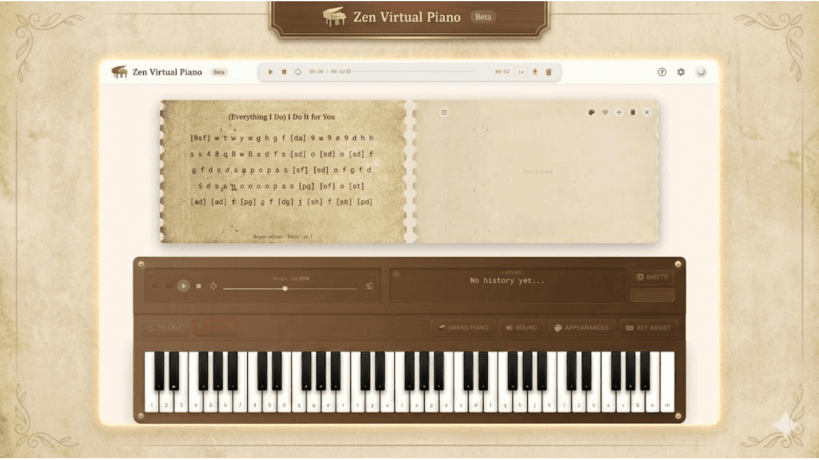
Transform your browser into a professional virtual piano with a high-performance 61-key engine spanning 5+ octaves (C2-C7). Whether you are a student learning sight-reading, a composer sketching melodies, or a player looking for the best Roblox piano practice tool, Zen Virtual Piano offers a premium, low-latency experience directly in your browser.
═══════════ ✨ BETA - Free Premium Access! ═══════════ We are currently in beta! Enjoy all premium features for free while we refine the ultimate piano extension.
🎼 Professional Virtual Keyboard Engine
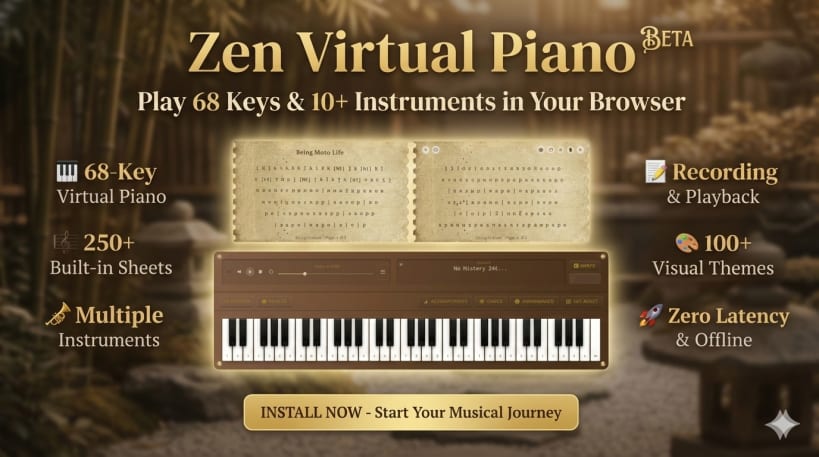
• 61-Key Range (C2-C7): A full-sized experience designed for complex arrangements and Rush E challenges. • Zero Latency Audio: Optimized for instant response—the perfect low latency virtual piano for fast passages. • QWERTY Mapping: Play intuitively using your computer keyboard. Our mapping is optimized for those used to Roblox piano letters. • Polyphonic Support: Play chords and intricate melodies seamlessly without "ghosting" notes. • Offline Capability: Practice your keyboard letters for piano songs anywhere; the app works fully offline after installation. • Ads-Free Experience: No distracting pop-ups, just pure music.
🎺 Studio-Quality Instruments
• Classic Pianos: Choose between a rich Grand Piano and a bright Classical Piano. • Orchestral Suite: High-fidelity Organ, Cello, Violin, and Guitar. • Folk & Modern: Explore 10+ instrument variations, perfect for anime Roblox piano sheets or modern pop.
📝 Advanced Recording & Sheet Music Tools
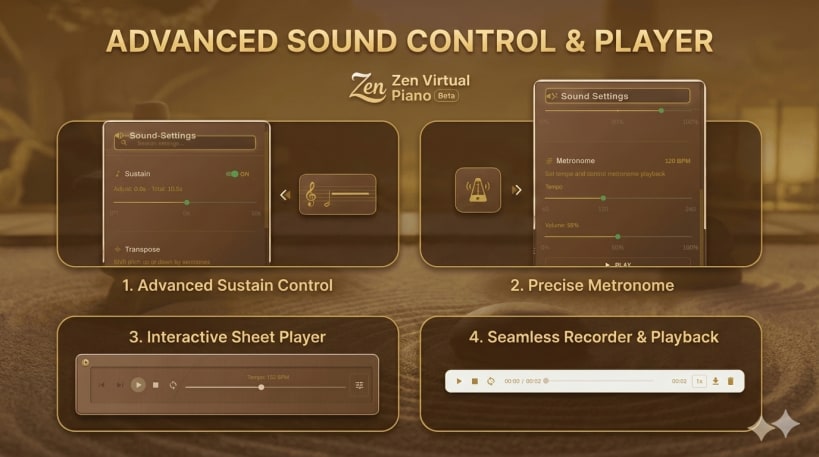
• VirtualPiano.net Integration: Our built-in scraper seamlessly finds and extracts virtual piano sheets. Save titles, notations, and tags to your personal library with one click. • Integrated Music Player: Practice with over 250+ built-in popular songs (including TikTok hits) • Record & Playback: Capture your sessions, review your performance, and export audio files. • Instant Load: Search for piano Roblox sheets online and load them immediately into the player for guided practice.
🎓 Education & Practice Mode
• Key Assist: Visual overlays highlight key names and note locations—ideal for learning how to play piano on Roblox. • Metronome: Built-in tempo control to master rhythm and timing. • Sustain Pedal: Simulate real piano mechanics for a more resonant, professional sound.
🎨 Immersive Visual Themes
Customize your interface with 100+ stunning themes to match your vibe:
• Cultural: Chinese (Ink & Jade), Japanese (Sakura Dawn), Hindu (Saffron). • Modern: Midnight Black, Metallic Silver, Neon Nights. • Nature: Sunset, Ocean, and Forest gradients.
💡 Why Choose Us?
Zen Virtual Piano is the premier ad-free virtual piano alternative. We combine the educational tools needed by music students with the technical responsiveness required for qwerty piano practice. It’s the perfect budget-friendly tool for teachers, composers, and beginners alike.
📥 Install Zen Virtual Piano today and start your musical journey!
Keywords: virtual piano, piano simulator, digital piano, learn piano, windows piano app, music education, keyboard simulator, offline piano.
You are about to open
Do you wish to proceed?
Thank you for your report. Information you provided will help us investigate further.
There was an error while sending your report. Please try again later.
Snaps are applications packaged with all their dependencies to run on all popular Linux distributions from a single build. They update automatically and roll back gracefully.
Snaps are discoverable and installable from the Snap Store, an app store with an audience of millions.
Snap can be installed on Fedora from the command line:
sudo dnf install snapd
Either log out and back in again, or restart your system, to ensure snap’s paths are updated correctly.
To enable classic snap support, enter the following to create a symbolic link between /var/lib/snapd/snap and /snap:
sudo ln -s /var/lib/snapd/snap /snap
To install Zen Virtual Piano, simply use the following command:
sudo snap install zen-virtual-piano
Browse and find snaps from the convenience of your desktop using the snap store snap.

Interested to find out more about snaps? Want to publish your own application? Visit snapcraft.io now.