

4KWALL - Wallpaper Manager & Downloader (4kwall)
Install latest/stable of 4KWALL - Wallpaper Manager & Downloader
Ubuntu 16.04 or later?
Make sure snap support is enabled in your Desktop store.
Details for 4KWALL - Wallpaper Manager & Downloader
Package name
- 4kwall
License
- MIT
Last updated
- 19 October 2026 - latest/stable
- 19 October 2026 - latest/edge
Websites
Contact
Donations
Source code
Report a bug
External link warning
You are about to open
Do you wish to proceed?
Report a Snap Store violation
Report 4KWALL - Wallpaper Manager & Downloader for a Snap Store violation
Snap Store Violation Report submitted successfully
Thank you for your report. Information you provided will help us investigate further.
Error submitting report
There was an error while sending your report. Please try again later.
Share this snap
Generate an embeddable card to be shared on external websites.
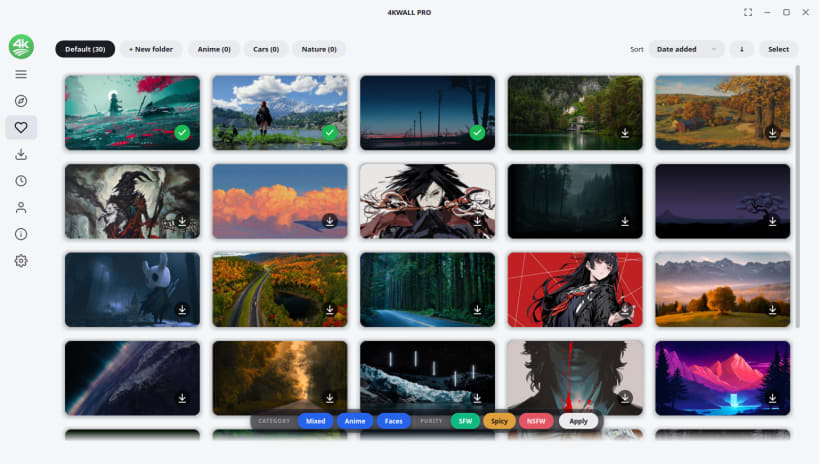
Browse, download & auto-change 4K wallpapers🌈
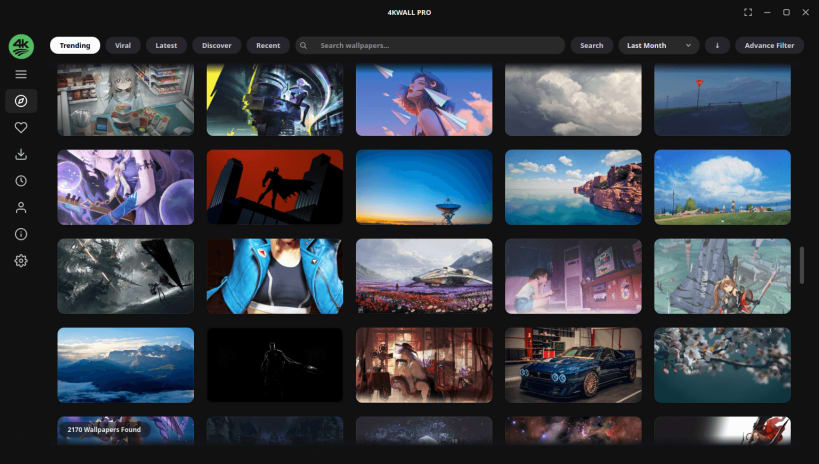
4KWALL is a fast, modern, and beautifully designed application to Browse, Search, Download, Organize, and Set HD, 4K & 8K Desktop Wallpapers on Linux. Discover millions of stunning wallpapers across popular categories and personalize your desktop in seconds.
🌟 WHY CHOOSE 4KWALL ?
- Browse Millions of Wallpapers : Explore a huge collection of stunning HD, 4K and 8K wallpapers from the internet.
- High-Quality Wallpaper Downloads : Download wallpapers in their original full resolution.
- One-Click Wallpaper Setting : Apply any wallpaper to your desktop instantly.
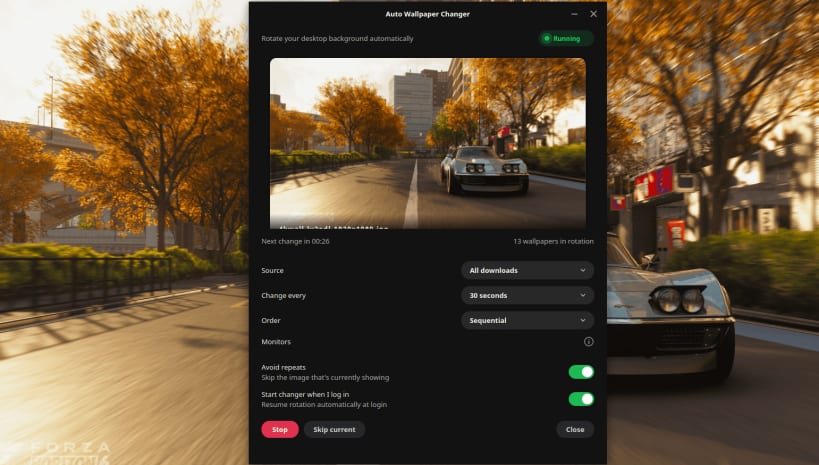
- Auto Wallpaper Changer : Automatically rotate your wallpaper at your preferred interval.
- Different Wallpaper Per Monitor : Set a unique wallpaper on each connected monitor.
- Smart Search & Colour Filters : Find wallpapers by keyword, resolution, category, ratio and colour.
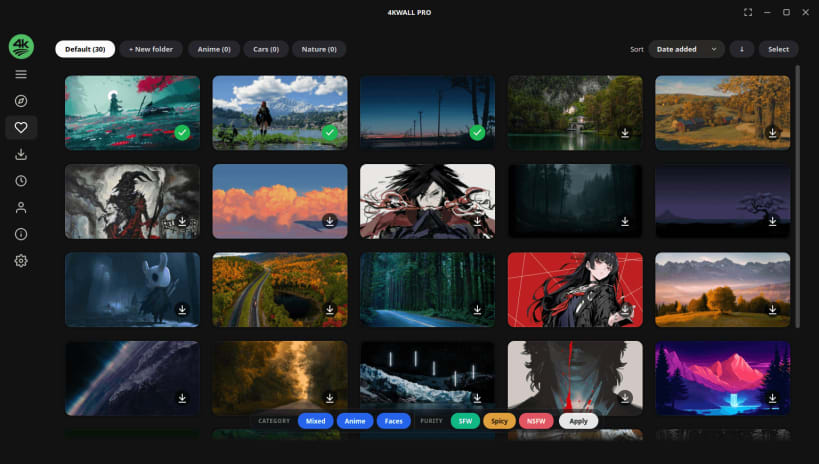
- Favourite Collections : Organize your favourite wallpapers into custom collections.
- Supports HD, 4K & 8K Displays : Optimized for high-resolution and ultrawide monitors.
- System Tray Integration : Change wallpapers quickly without leaving your workflow.
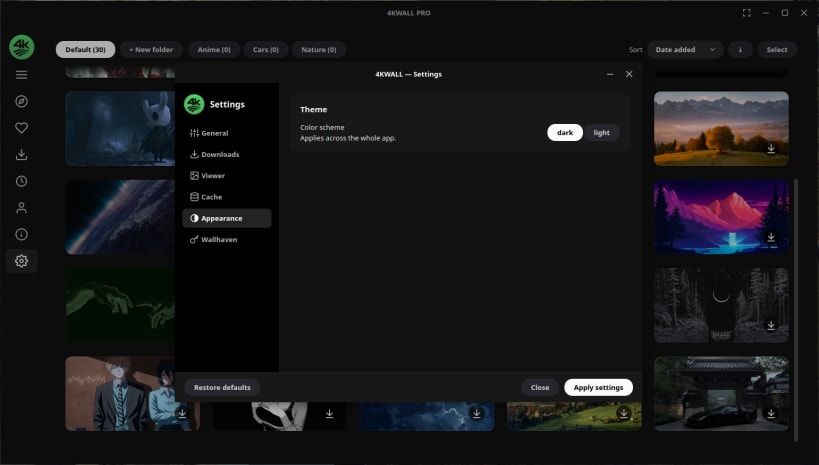
- Clean, Modern Dark UI : A polished, distraction-free interface built for your desktop.
- Regular Wallpaper Library Updates : Discover fresh wallpapers added regularly.
🌟 WHAT SETS 4KWALL APART ?
- ✅ Millions of high-quality HD, 4K & 8K wallpapers.
- ✅ Powerful wallpaper search with colour filtering.
- ✅ Automatic wallpaper rotation.
- ✅ Multi-monitor wallpaper support.
- ✅ Auto rotation starts with login
- ✅ Regular updates with new wallpapers and features.
📥 Download 4KWALL Today and Give Your Linux Desktop a Fresh New Look! 🎉
🔧 IMPORTANT NOTES FOR SNAP USERS!
📌 Enable Removable Media Access: To save wallpapers to external drives (USB, SD cards, etc.), run:
sudo snap connect 4kwall:removable-media
📌 App Not Launching After Installation? : If the app fails to start, fix it with:
sudo snap remove 4kwall --purge; sudo snap remove content-snap-core22-lite --purge; sudo snap install content-snap-core22-lite; sudo snap install 4kwall; 4kwall
Info: Some premium features require an in-app purchase.
🎯(Keywords):
- Linux Wallpaper App,Wallpaper Manager,4K Wallpapers,
- 8K Wallpapers,HD Wallpapers,Desktop Wallpapers,
- Wallpaper Browser,Wallpaper Downloader,Auto Wallpaper Changer,
- Desktop Backgrounds,Wallpaper Collections,Wallpaper Organizer,
- Multi Monitor Wallpapers,Linux Desktop Customization,GNOME Wallpapers,
- KDE Plasma Wallpapers,XFCE Wallpapers,Ubuntu Wallpapers,
- Linux Mint Wallpapers,Nature Wallpapers,Anime Wallpapers,Gaming Wallpapers,
- Minimal Wallpapers,Abstract Wallpapers,Wallpaper Engine Alternative for Linux,
- WallpaperFusion Alternative,Variety Wallpaper Alternative,Bing Wallpaper Alternative,
- Unsplash Wallpaper App,Wallhaven Client
| Revision | Channel | Version | Build | Commit | Download SBOM |
|---|
The build and commit information is derived from build infrastructure records.
Install 4KWALL - Wallpaper Manager & Downloader on your Linux distribution
Choose your Linux distribution to get detailed installation instructions. If yours is not shown, get more details on the installing snapd documentation.











