

9-zip Archiver
Install latest/stable of 9-zip Archiver
Ubuntu 16.04 or later?
Make sure snap support is enabled in your Desktop store.
Install using the command line
sudo snap install 9-zip-archiverDon't have snapd? Get set up for snaps.
Details for 9-zip Archiver
Package name
- 9-zip-archiver
License
- GPL-3.0-only
Last updated
- Yesterday - latest/stable
Websites
Contact
Source code
Report a bug
External link warning
You are about to open
Do you wish to proceed?
Report a Snap Store violation
Report 9-zip Archiver for a Snap Store violation
Snap Store Violation Report submitted successfully
Thank you for your report. Information you provided will help us investigate further.
Error submitting report
There was an error while sending your report. Please try again later.
Share this snap
Generate an embeddable card to be shared on external websites.
Archive manager with the self-healing .9z format
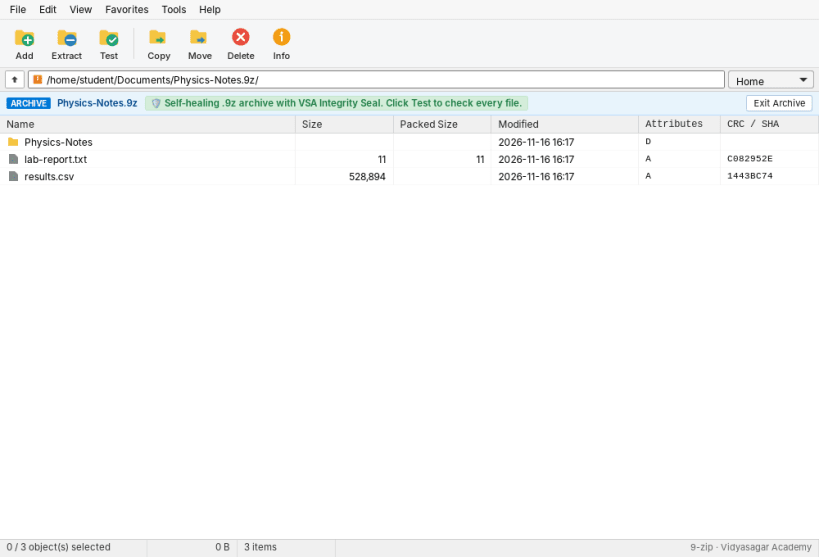
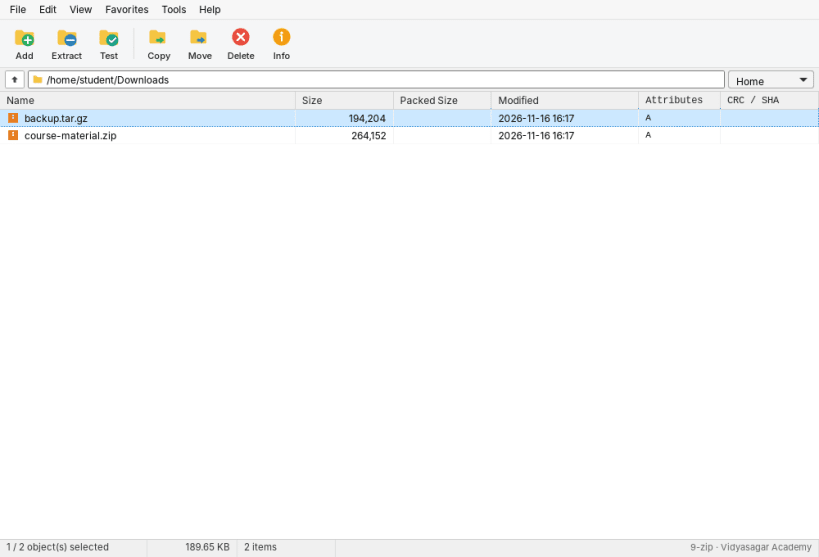
9-zip is a free archive manager. It looks and works like a classic two-pane archiver: browse your folders, open archives like folders, and add, extract and test files with a few clicks.
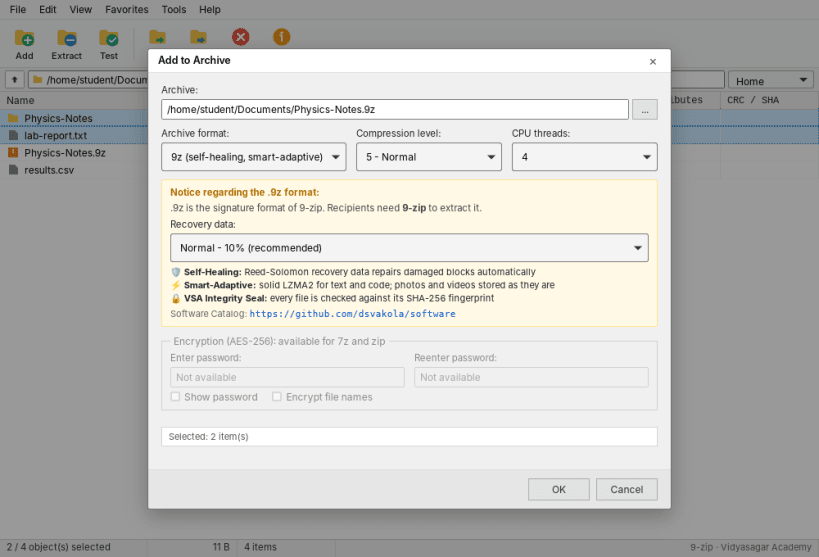
It creates 10 formats: 9Z, 7Z, ZIP, TAR, GZIP, BZIP2, XZ, ZSTD, LZ4 and BROTLI. Its own .9z format adds three features:
- Self-healing: Reed-Solomon recovery data repairs damaged blocks
- Smart-adaptive: solid LZMA2 for text and code, while photos and videos are stored as they are
- VSA Integrity Seal: every file is checked against its SHA-256 fingerprint
Also included: AES-256 encryption for 7z and zip, CRC and SHA checksums, a compression benchmark, and favorite folders.
To work with files on USB drives, run once: sudo snap connect 9-zip-archiver:removable-media
Developed by Prof. Dattaraj S. Vidyasagar and Prof. Yash D. Vidyasagar for Vidyasagar Academy. https://vsa.edu.in/software/
| Revision | Channel | Version | Build | Commit | Download SBOM |
|---|
The build and commit information is derived from build infrastructure records.
Install 9-zip Archiver on your Linux distribution
Choose your Linux distribution to get detailed installation instructions. If yours is not shown, get more details on the installing snapd documentation.


