

AboutMyDevice: See device info (aboutmydevice)
Contact us about Snaps and IoT ›
Install latest/stable of AboutMyDevice: See device info
Ubuntu 16.04 or later?
Make sure snap support is enabled in your Desktop store.
Install using the command line
sudo snap install aboutmydeviceDon't have snapd? Get set up for snaps.
Details for AboutMyDevice: See device info
Package name
- aboutmydevice
License
- Proprietary
Last updated
- 15 October 2026 - latest/stable
Websites
External link warning
You are about to open
Do you wish to proceed?
Report a Snap Store violation
Report AboutMyDevice: See device info for a Snap Store violation
Snap Store Violation Report submitted successfully
Thank you for your report. Information you provided will help us investigate further.
Error submitting report
There was an error while sending your report. Please try again later.
Share this snap
Generate an embeddable card to be shared on external websites.
Device information viewer
AboutMyDevice shows you exactly what's inside your machine: clearly, instantly, and privately.
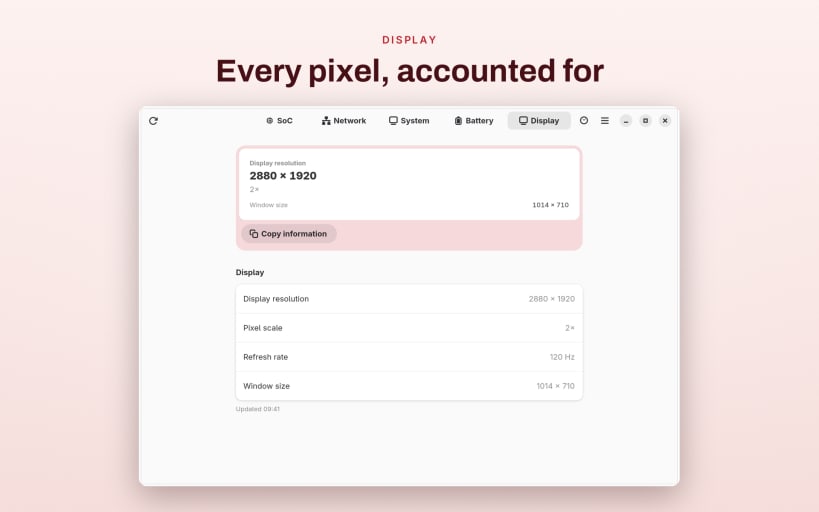
Open five sections to explore your hardware and OS, read live from the system:
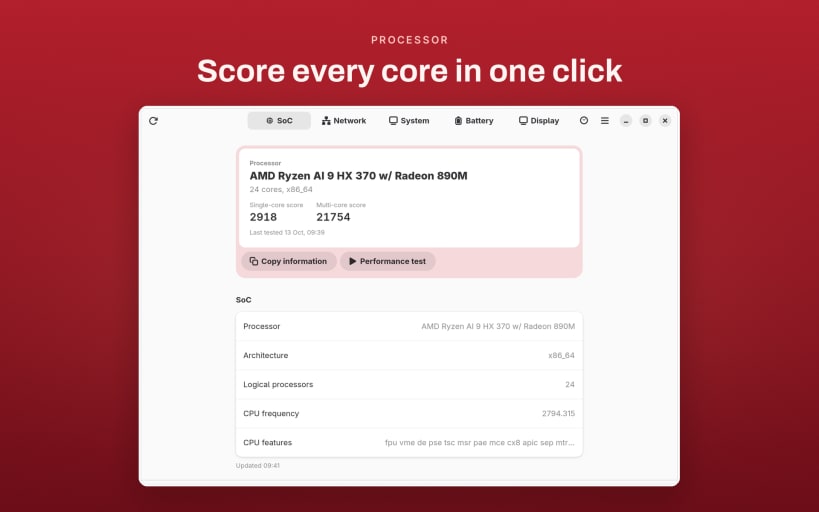
- SOC — architecture, kernel and user-space bitness, processor and active CPU counts, vendor and model, clock speed, CPU family, model, stepping, microcode, cache size, address sizes, BogoMIPS, and CPU feature flags
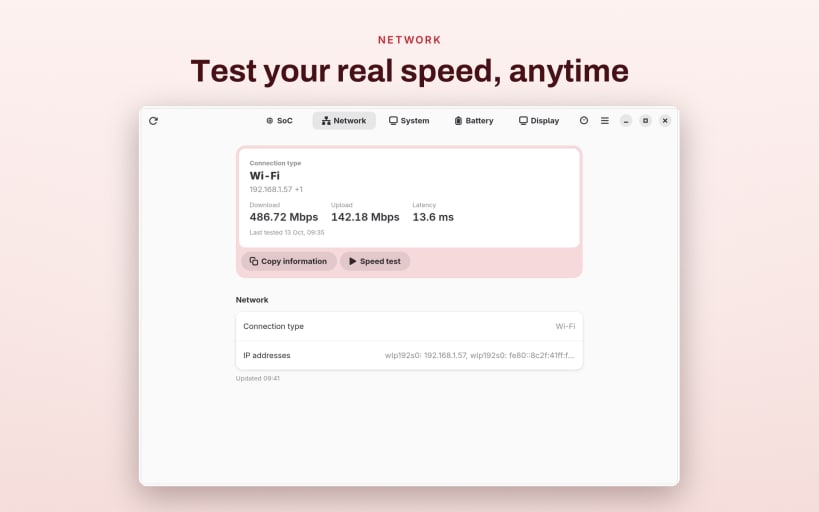
- Network — interfaces, IPv4 and IPv6 addresses, link-local and loopback addresses, local hostname, plus a built-in speed test for latency, download, and upload
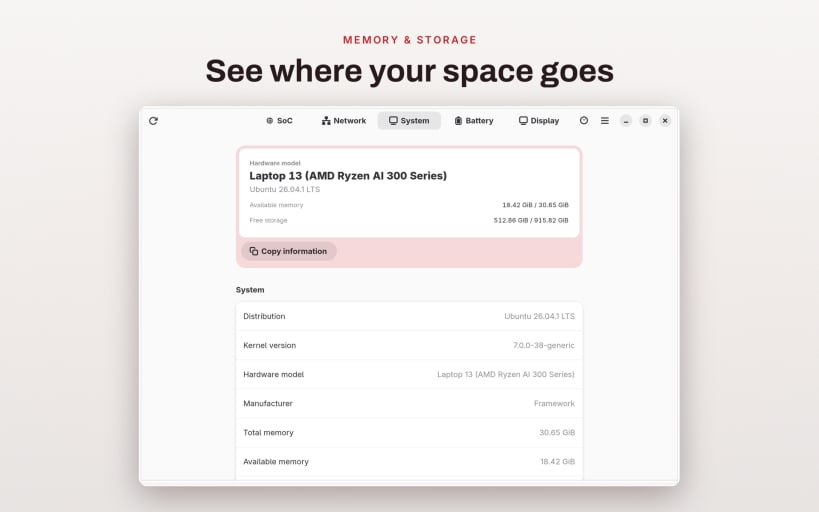
- System — distribution and pretty name, version and codename, kernel name and version, locale, time zone, memory, and storage usage
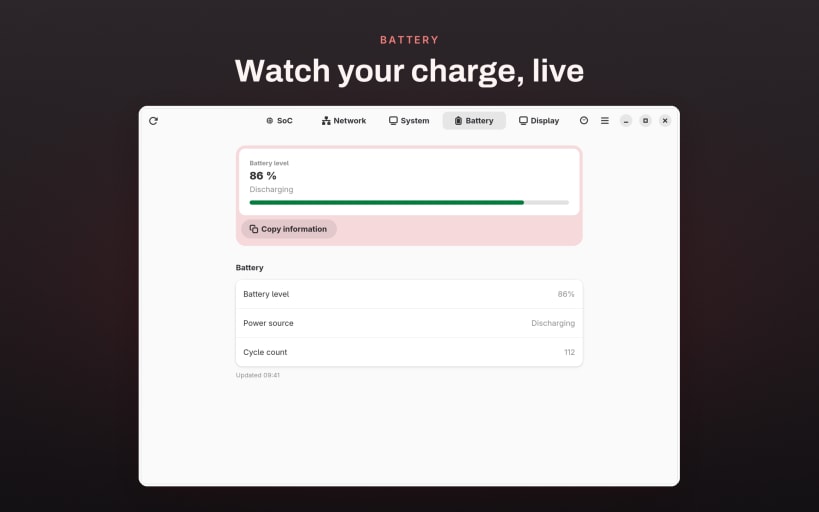
- Battery — charge level, state, and battery saver status (on supported hardware)
- Display — logical and physical size, pixel ratio, orientation, and system appearance
BUILT FOR THE DESKTOP
- Click between sections, or swipe to move through them
- Reorder sections so your most-used specs come first — your layout persists across launches
- Copy any section to the clipboard in one click
- Refresh anytime to re-read current values
- Light and dark mode
PRIVATE BY DESIGN Information does not leave this device. No accounts, no tracking, no data collection — every value is read locally and stays on your machine.
From distribution and kernel details to CPU flags and BogoMIPS, AboutMyDevice gives you a complete, readable snapshot of your system whenever you need it.
| Revision | Channel | Version | Build | Commit | Download SBOM |
|---|
The build and commit information is derived from build infrastructure records.
Install AboutMyDevice: See device info on your Linux distribution
Choose your Linux distribution to get detailed installation instructions. If yours is not shown, get more details on the installing snapd documentation.











